


PersonalLogistics
Manage inventory by requesting/banishing items from/to logistics stations. Can also send littered items to logistics stationsPersonal Logistics
Inventory management system. Set banned items that will be added to logistics stations. Set required items (with counts) and items will be fetched from logistics stations on your behalf
Open the request management window using this button

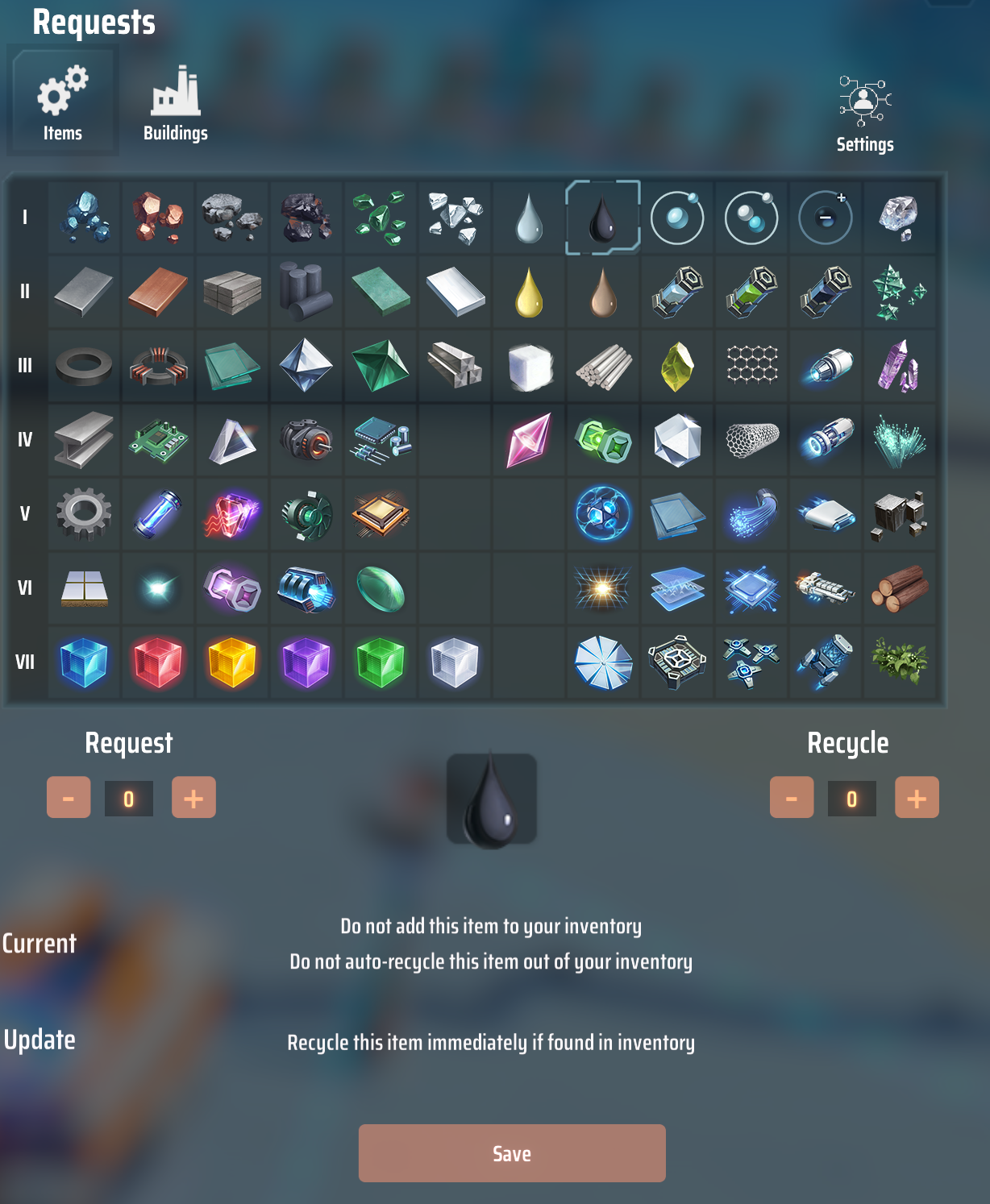
Set items that are not allowed to be in inventory
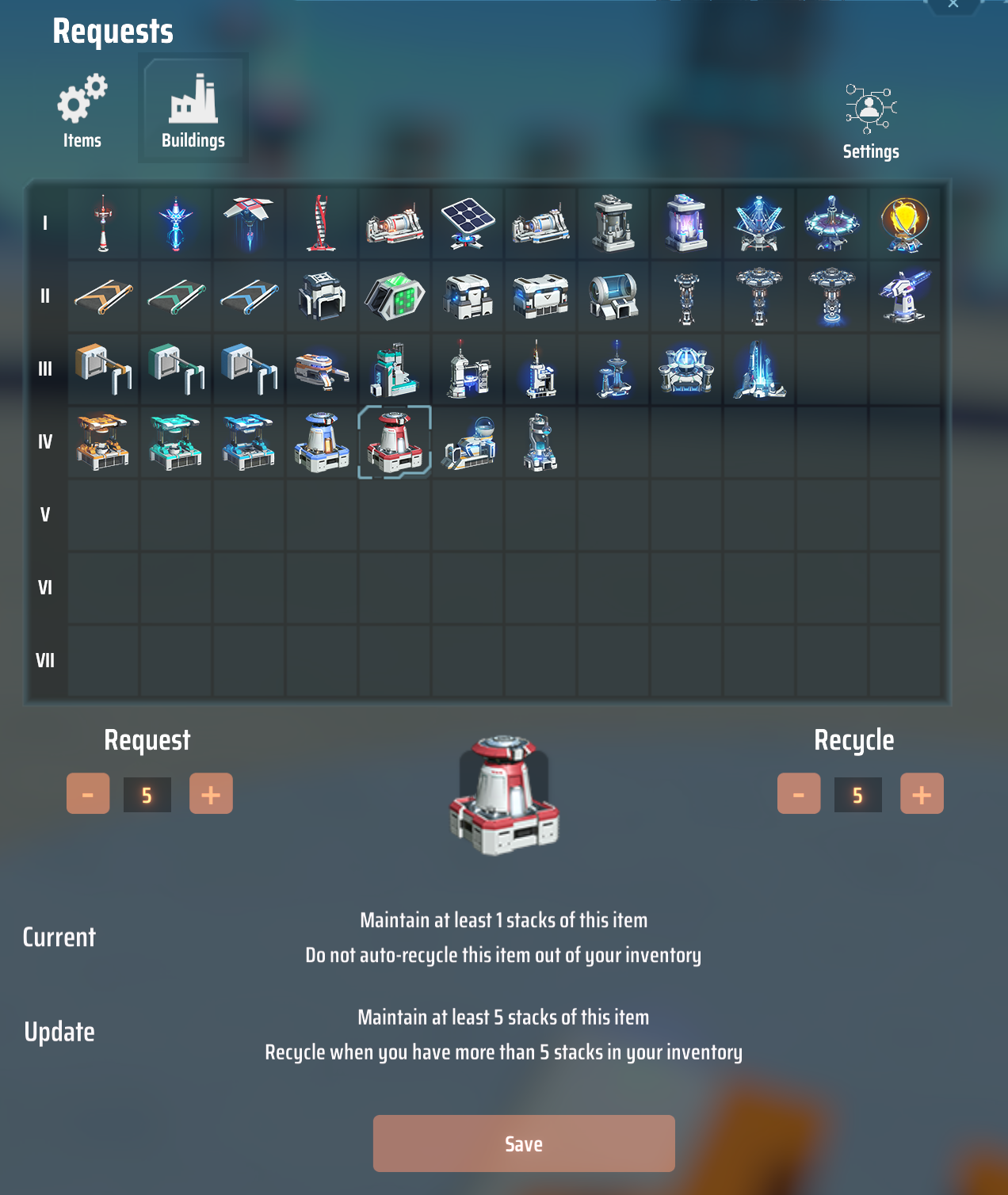
Set items that should be kept in inventory
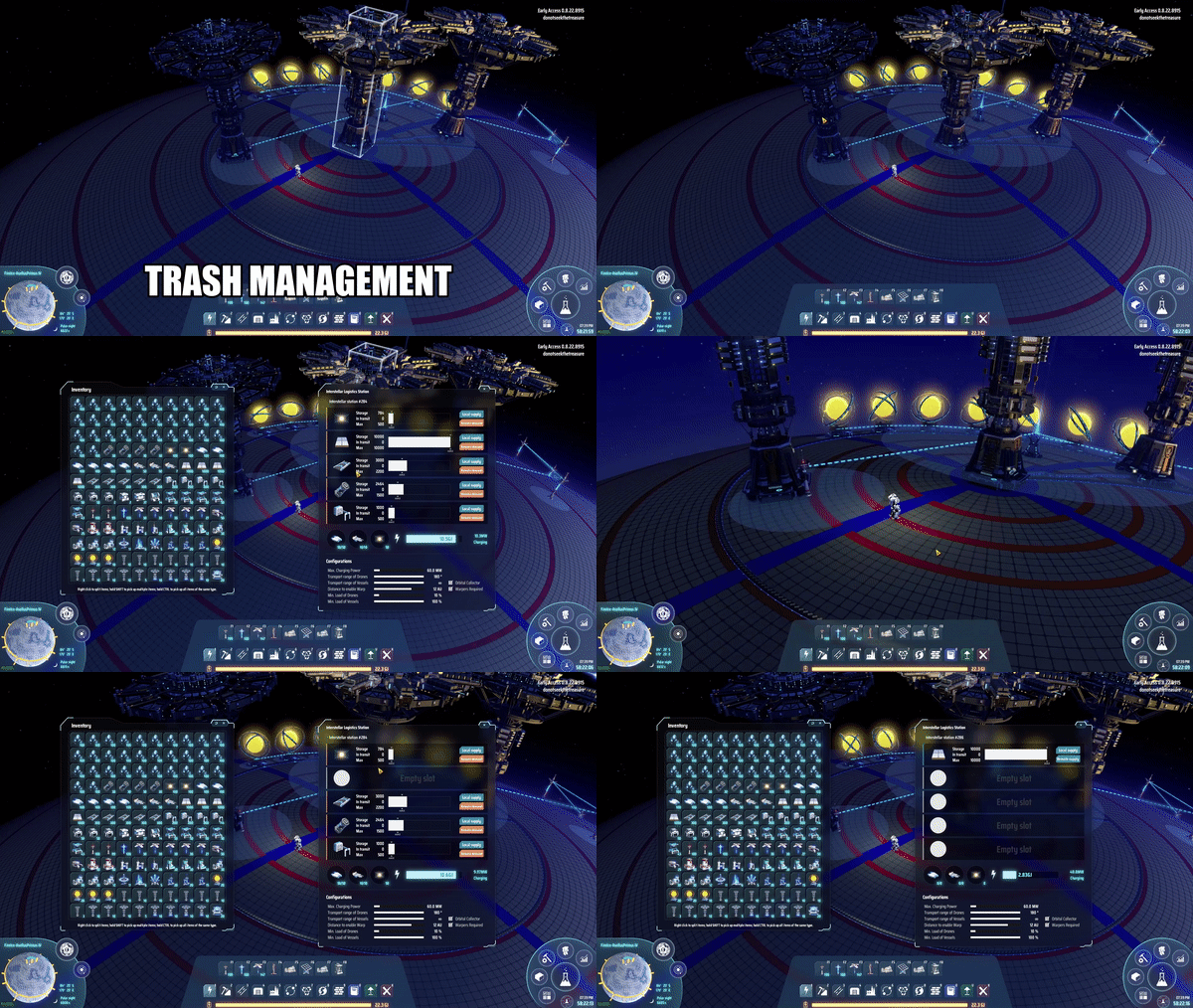
Trash can be sent to logistics network also (disable using SendLitterToLogisticsNetwork config property)
Details
Usage
This mod is intended for players who have completed the main objectives of the game and want to optimize their endgame experience. It does not alter save games in any way, and as of the latest release available on 2021-Oct-04 does not trigger the game's abnormality checks so should not affect achievements or milestones. Its intent is to improve QOL and a good deal of effort has been taken to respect the game's built-in costs for item transportation. Logistics vessel speed is the limiting factor on item delivery (as well as warper availability) so leveling up vessel speed should provide noticeable increases in transportation time
Buffer
Requested items are loaded into a local buffer which requests 1 logistic vessel capacity worth at a time. So, even if you request 15 conveyor belts 1000 will be loaded into your local buffer. This is done to save on warpers & energy needed by vessels for transporting items. It also allows for faster loading when laying down blueprints, for example.
The buffer is persisted locally on your filesystem (Documents\Dyson Sphere Program\PersonalLogistics) so that items that are expensive to build are not lost.
To clear your local buffer of an item type, you can set that item to be neither requested nor banned. The buffer won't be cleared immediately, so if you are uninstalling the mod,
make sure to look at the Buffered items window (click Buffered button in the config window) to make sure everything is returned
to either your inventory or to logistics stations.
Litter
By default, littered items will be sent to the closest logistics station with capacity to hold them. This can be disabled using the SendLitterToLogisticsNetwork config property. Litter, like banned items are first sent to the local buffer where they will be automatically sent to stations (provided the item type is not currently requested).
Littered items are not completely intercepted to try and avoid affecting the game's responsiveness. Instead, when littered items are detected a task is created that gets processed later. That task will only cleanup litter that is less than 1km away from the player, (so basically on the local planet). Because of this, some litter may be missed.
Mecha
In some cases, warpers and energy from Icarus will be used. This mostly happens when the nearby source for an item is a station with low energy or no warpers. When this happens a UI message will be shown.
Build Preview Navigation
To have your mecha queue up an order to fly to the nearest build preview, you can use CTRL+R (again to disable). It will prioritize the build previews that are farther north, but sometimes gets stuck. This feature is mostly for the directionally challenged, like the author of this mod, who get turned around frequently, especially in games
For best results start flying before engaging this mode. Also, don't expect to be able to leave it unattended while you play with the dog. It gets stuck, especially when the mecha's energy runs low. This is a much slower option than manually flying to each Build Preview location.
Request Modes
The Station Request Mode config option can be used to change which stations will be used for supplying your mecha's inventory. The different modes are
- All - (default) Takes items from any station that has it, regardless of supply or demand. Closest stations have highest priority
- AnySupply - Takes items from any station with item set to, "Supply" (PLS) or "Remote Supply", "Local Supply" (ILS)
- IlsDemandRules - Follows the same rules as a nearby ILS with Remote Demand/Local Demand set. Will not take from PLS on other planets
- IlsDemandWithPls - Same as IlsDemandRules but also takes from PLS on other planets set to Supply
Note that the last two have not been as extensively tested as the first 2, and reproducible bug reports are always welcome
How to install
This mod requires BepInEx to function, download and install it first: link
Manually
Extract the archive file and drag PersonalLogistics.dll and pls into the BepInEx/plugins directory.
Mod manager
Click the Install with Mod Manager link above.
Changelog
v1.2.1
Bugfix, fixed issue in logic of IlsDemandRules mode where remote supply available counts where not being set
v1.2.0
Add ability to order mecha to fly to nearest Build Preview location. CTRL+R to toggle (see Build Preview Navigation section above) Added config option for controlling what types of stations are pulled from. (see Request Modes section for more info)
v1.1.2
Bugfix, fixed issue issue where old reference was kept after loading new game save
v1.1.1
Bugfix, fixed concurrent modification issue with logistics network Fixed issue where management window close button was not shown
v1.1.0
- Fixed longitude labeling for build ghost geo coords (both east and west were labeled 'E')
- Updated inventory checker to count players hand items (so more won't be requested if you pick up all foundation, for example)
- Adjusted incoming items position when using items from inventory for research
- Adjusted logistics drone speed calculation to match game a little better
- Fixed missed sorting of player inventory
- Removed ability to send buffered items to inventory (or network) if there are incoming requests being processed for them (credit: ghostorchidgaming for report)
v1.0.9
Bugfix, fixed issue where incoming items would never be shown, oops.
v1.0.8
Added indicator text for nearest build ghost (disable with config option ShowNearestBuildGhostIndicator). Added config option to hide incoming items text (ShowIncomingItemProgress) Adjusted incoming items indicator text positioning
v1.0.7
Updated handling of buffered item removal to time it better with inventory insertion. Began preliminary work on support for bypassing buffering for certain items
v1.0.5
Fixed bug with handling of max requested amounts. Updated usage of mecha core energy for logistics tasks to align better with the game's implementation
v1.0.4
Switched buffered item age to be based off of game time so that buffered items are not expired immediately after loading a savegame
v1.0.3
Updated action button position
v1.0.2
Added buffered item view, moved button to avoid conflict with other mods. Made sending trash to network default to true
v1.0.1
First version
Contact
Bugs? Contact me on discord: mattersnot#1983 or create an issue in the github repository.
Icon credit, B.E. Cimino