
You are viewing a potentially older version of this package. View Latest Version
First Install Bepinex in your game folder : https://bepinex.github.io/bepinex_docs/master/articles/user_guide/installation/index.html?tabs=tabid-win
Then Download the latest DLL of the mod : https://github.com/Touhma/DSP_Plugins/releases
And add it in depinex plugins folder in your game : %gamefolder%\Dyson Sphere Program\BepInEx\plugins
Launch the game and you should be all set !
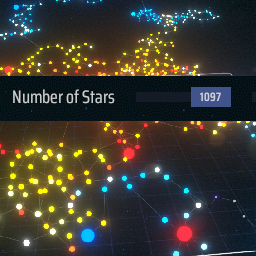
You can slide the number of system up to 1024 ( by default ) instead of 64. Be carefull if your pc is slow ^^ ---> everything past 64 is experimental ! Test it at your own risk :)
Edit the file here : %gamefolder%\Dyson Sphere Program\BepInEx\config\touhma.dsp.plugins.galactic-scale.cfg
Although you can put more than 1024 stars in the config file the slider will get stuck on a number between 1024 & 1300 depending on the seed you are using.