

DashboardOverhaul
A series of enhancements for the in-game Dashboard / 为游戏内仪表盘提供一系列优化DashboardOverhaul
为仪表盘添加最多 9 个页面、图表快捷键、整页设置和参考速率显示。页面和图表设置随存档保存。
Adds up to nine Dashboard pages, chart hotkeys, page settings and reference-rate displays. Pages and chart settings are saved with your game.
中文
管理页面和图表
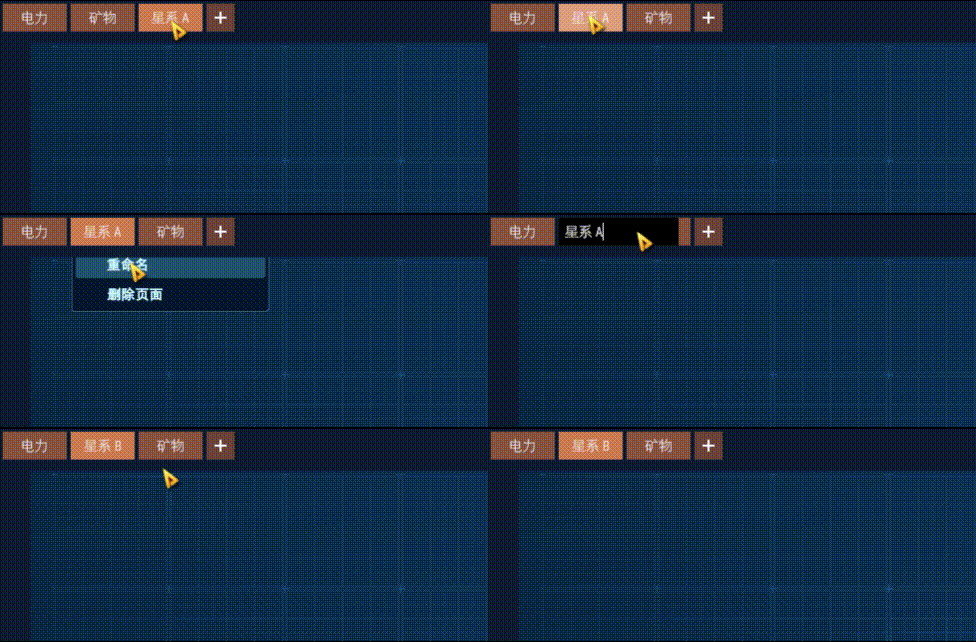
- 点击页签切换,双击重命名,拖动排序;点击
+新建页面。 - 右键页签可删除页面。最后一页不能删除;删除页面后,统计项仍保留在侧栏。
- 空白页可添加图表,或复制其他页面的布局。复制后的图表共用统计项。
- 右键图表选择“移动到页面”;移动后点击“前往”可查看。目标页没有空位时,图表留在原页。
- 双击图表标题或从右键菜单重命名统计项,所有关联图表同步改名。Enter 提交,Esc 取消。
- “移除此图表”只移除当前图表;“删除统计项及其全部图表”会删除侧栏统计项及所有关联图表,包括其他页面和监控视图。删除前会确认,Enter 可确认。
常用操作
按 Shift+P 开关仪表盘。仪表盘打开时,按 P 或点击顶栏“分析面板”开关统计窗口。
在统计窗口中,按住 Shift 点击带有“添加统计项”选项的菜单按钮,可直接添加该统计项并打开仪表盘。
鼠标悬停在图表上时:
| 默认按键 | 操作 | 配置项(Hotkeys) |
|---|---|---|
Tab |
切换图表尺寸 | SwitchSizeKey |
LeftCtrl+Tab |
快速命名生产统计项 | QuickRenameKey(与左 Ctrl 组合) |
Q |
切换背景 | CycleBackgroundKey |
W |
切换边框 | CycleBorderKey |
| 反引号键 | 重置边框;锁定时恢复蓝框 | ResetBorderKey |
快速命名依次使用“范围-统计区间”“范围-统计区间-产物”“恒星-星球-统计区间”,最后恢复默认名称。快捷键在输入文字、弹窗、菜单或拖拽期间暂停。
整页设置
点击左上角齿轮,可统一设置当前页的样式和锁定状态。悬停齿轮时,换背景、换边框、重置边框和快速命名的快捷键作用于整页。
“监控设置”只修改当前页的绿色背景图表,并按类型、尺寸和可用选项分组。灰色选项请在单个图表中设置。
“产量告警”每点击一次检查一次当前页的“生产与参考速率”图表:低于参考值的 99% 标红,99% 至不足 99.9% 标黄,其余恢复深色背景。参考值为零视为达标。
图表显示
- 1×1、2×1 生产图表可显示生产或消耗速率及其参考值;2×1 还可同时显示两组。速率按每分钟显示,适用于各速率区间,不适用于累计总量。普通数值在 10,000 至不足 1,000,000 时显示完整数字;组合布局保留缩写。
- 3×4 资源图在条形模式下增加油井和气态星球数量条,沿用矿脉数量的尺度。矿脉明细过多时,游戏会从点阵切换为条形显示;点阵模式和 2×2 图表保持原样。
- 可选青绿、淡金、柔红半透明背景和同色边框。锁定时显示蓝框,解锁时恢复先前边框;锁定期间手动改色则保留新颜色。改尺寸、复制页面均保留锁定状态。
自定义颜色和布局随存档保存;卸载模组后使用游戏默认显示,锁定状态保留。与 StatsUITweaks 同用时,共有的参考速率选项只显示一次。
配置
首次启动后,编辑 BepInEx/config/org.fyyy.dashboardoverhaul.cfg。快捷键见上表,设为 None 可禁用。
配置项(UI) |
默认值 | 说明 |
|---|---|---|
TitleFontSize |
0 |
0 为游戏字号 + 2;正数指定字号 |
TitleSingleLine |
true |
完整显示单行标题;关闭后截断过长标题 |
PlaceNewChartsAtBottomRight |
false |
开启后优先把新图表放在右下角;默认使用游戏的居中定位 |
English
Manage pages and charts
- Click a tab to switch pages, double-click to rename it, or drag to reorder. Click
+to add a page. - Right-click a tab to delete its page. The statistics remain in the sidebar. You cannot delete the last page.
- On an empty page, add charts or copy another page's layout. Copied charts share the same statistics.
- Choose Move to page from a chart's right-click menu. After moving it, click Go to page to view it. If the destination is full, the chart stays where it is.
- Double-click a chart title or use its right-click menu to rename the statistic and all associated charts. Enter saves the name; Esc cancels.
- Remove this chart removes only that chart. Delete statistic and all its charts also removes the sidebar statistic and its charts on other pages and in watch views. Deletion asks for confirmation; Enter confirms.
Controls
Press Shift+P to open or close the Dashboard. While it is open, press P or click Statistics in the header to toggle the statistics window.
In the statistics window, Shift-click a menu button that offers Add statistic to add it directly and open the Dashboard.
With the pointer over a chart:
| Default key | Action | Setting (Hotkeys) |
|---|---|---|
Tab |
Cycle chart size | SwitchSizeKey |
LeftCtrl+Tab |
Quickly name a production statistic | QuickRenameKey (with Left Ctrl) |
Q |
Cycle backgrounds | CycleBackgroundKey |
W |
Cycle borders | CycleBorderKey |
| Backquote | Reset the border; blue when locked | ResetBorderKey |
Quick naming cycles through scope-period, scope-period-item, star-planet-period, then the default name. Hotkeys pause while you type, use dialogs or menus, or drag.
Page settings
Use the gear at the top left to set styles and locks for the current page. Hover over it to apply the background, border, border-reset and quick-name hotkeys to the whole page.
Display settings affect only green charts on the current page, grouped by type, size and available options. Set disabled options on individual charts.
Click Production alarm to check the current page's Production & reference speed charts once. Rates below 99% of reference turn red; rates from 99% to below 99.9% turn yellow; the rest return to a dark background. A zero reference counts as met.
Chart displays
- 1×1 and 2×1 production charts can show production or consumption rates with their reference values; 2×1 can show both pairs. Rates are per minute and work with rate periods, not cumulative totals. Ordinary values from 10,000 to below 1,000,000 appear in full; the combined layout keeps abbreviations.
- The 3×4 resource chart adds oil-well and gas-planet count bars in bar mode, using the vein-count scale. The game switches from dots to bars when there are too many vein details. Dot mode and 2×2 charts are unchanged.
- Choose translucent teal, pale gold or soft rose backgrounds with matching borders. Locking selects a blue border; unlocking restores the previous border unless you chose another color while locked. Resizing and copying pages preserve locks.
Custom colors and layouts are saved with your game. Without the mod, charts use the game's default display and keep their locks. When used with StatsUITweaks, shared reference-rate options appear only once.
Configuration
After the first launch, edit BepInEx/config/org.fyyy.dashboardoverhaul.cfg. Hotkey settings are listed above; set one to None to disable it.
Setting (UI) |
Default | Description |
|---|---|---|
TitleFontSize |
0 |
0 uses the game's font size + 2; a positive value sets the size |
TitleSingleLine |
true |
Show the full title on one line; disable to truncate long titles |
PlaceNewChartsAtBottomRight |
false |
Prefer the bottom right for new charts; the default uses the game's centered placement |
界面与操作演示 / Screenshots & demos
空白页 / Empty page

页面管理 / Page management
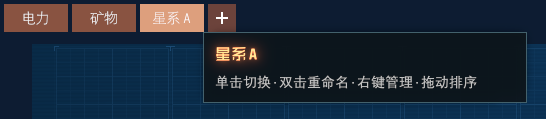
悬停页签可查看完整页名和操作提示。 Hover over a tab for its full name and controls.
拖动页签调整顺序,再从右键菜单重命名。 Drag a tab to reorder the pages, then rename it from the right-click menu.
图表操作 / Chart actions
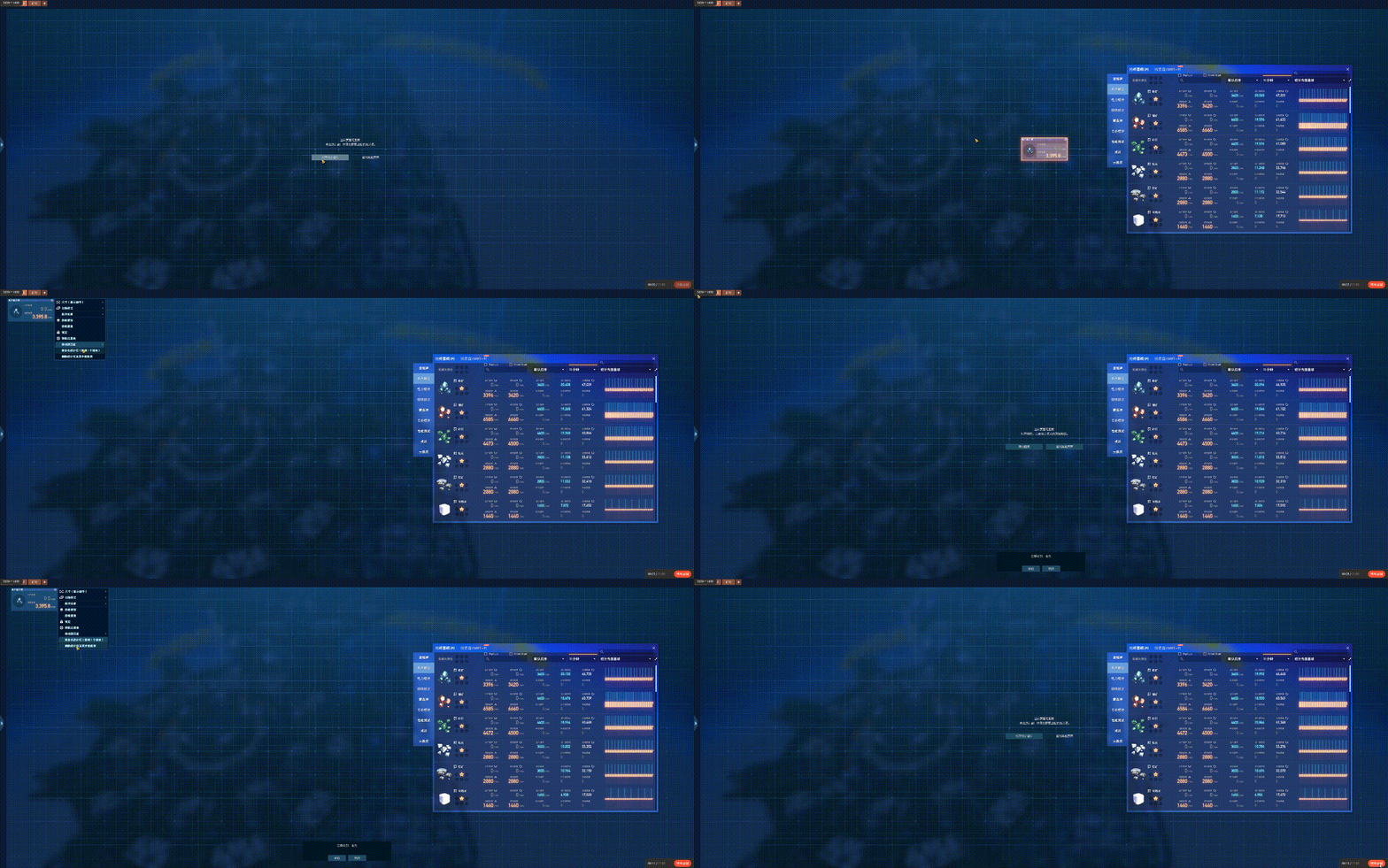
从空白页打开统计窗口、添加图表并移至另一页;移动提示可前往目标页。演示末尾显示删除统计项的确认。 Open statistics from an empty page, add a chart and move it to another page. The move notice offers navigation to the destination; the demo ends with a statistic-deletion confirmation.