


CameraTools
Store camera positions, custom cinematic transition. 摄影工具(Alt + F5, Alt + F6)CameraTools
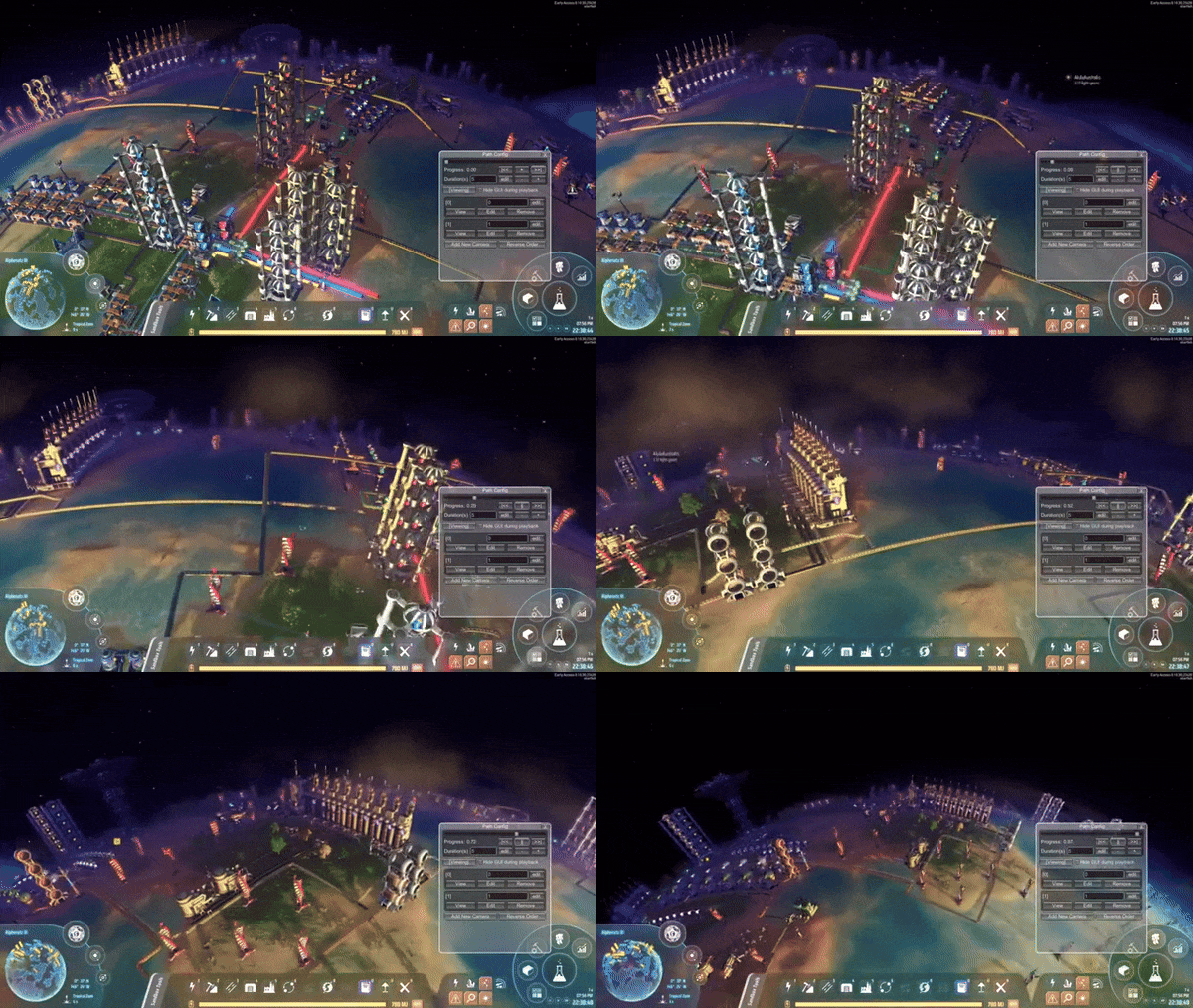
Capture different camera positions and play a cinematic transition between them.
Inspired by Cities Skylines mod Cinematic Camera Extended by SamsamTS.
Custom Camera (Alt + F5)

Manage a list to store camera positions and angles and adjust their properties.
- Add Camera: If player is on planet, add planet camera. Otherwise add space camera.
Planet camera will only work on the local planet. It can't be viewed from space.
Space camera is stored by uPosition which home star is the origin. It can't be viewed from planet. - View: Set the current main camera to the target camera. Click again or esc to exit.
- Edit: Edit camera position, rotation, field of view.
Custom Path (Alt + F6)

Create a camera path moving from point to point.
You can edit clip duration, key point progression time and camera settings.
The path used on planet should not be used in space, vice versa.
Installation & Mod Config
Via r2modman, or manual download the file and put CameraTools.dll in BepInEx/plugins folder.
Keyboard shortcuts can be changed in the mod config window.
All mod config together with stored camera data is in BepInEx\config\starfi5h.plugin.CameraTools.cfg.
Known issues
- The star image will distort when space camera position is different from player's.
It can be fixed by letting player move along with space camera in mod config.
ChangeLogs
- v0.1.0: Initial released. (DSP 0.10.30.23430)
Video-camera icons created by prettycons - Flaticon