

SebTruck
New truck features, tweaks, and enhancements for Easy Delivery Co.

SebTruck
Vehicle and driving upgrades for Easy Delivery Co.
About
·
Features
·
Screenshots
·
Installation
·
In-game menu
·
Configuration
·
Build
About
SebTruck adds driving upgrades like manual transmission, Rally transmission settings, ignition controls, turn signals, and a dashboard HUD with round gauges and an odometer for just a bit more realism.
Features
| Feature | Menu page | Details |
|---|---|---|
| Manual transmission | Handling | Story mode manual with shared Rally shift/direct-gear binds, including H-shifter style R, N, and Gear 1-6 inputs |
| Rally transmission | Handling | Auto/Manual setting that unlocks the game's vanilla manual shifting without entering the cheat |
| Overrev sound | — | Engine overrev sound near the tachometer redline |
| Ignition | Ignition | Toggle with hold-to-start behavior and sound effect |
| Turn signals | Turn Signals | Indicators that actually glow and react to steering input, plus a 4-way hazard mode |
| Backup alarm | Backup Alarm | Synthesized beep with volume, beep rate, and tone controls |
| HUD gauges | HUD | Speedometer, tachometer, and gear indicator in Rally (the game's rally look) or Fancy (round dials) style; Fancy works in Story and Rally mode |
| Odometer | HUD | Rolling odometer and trip meter in km or miles for Story mode, saved per save slot |
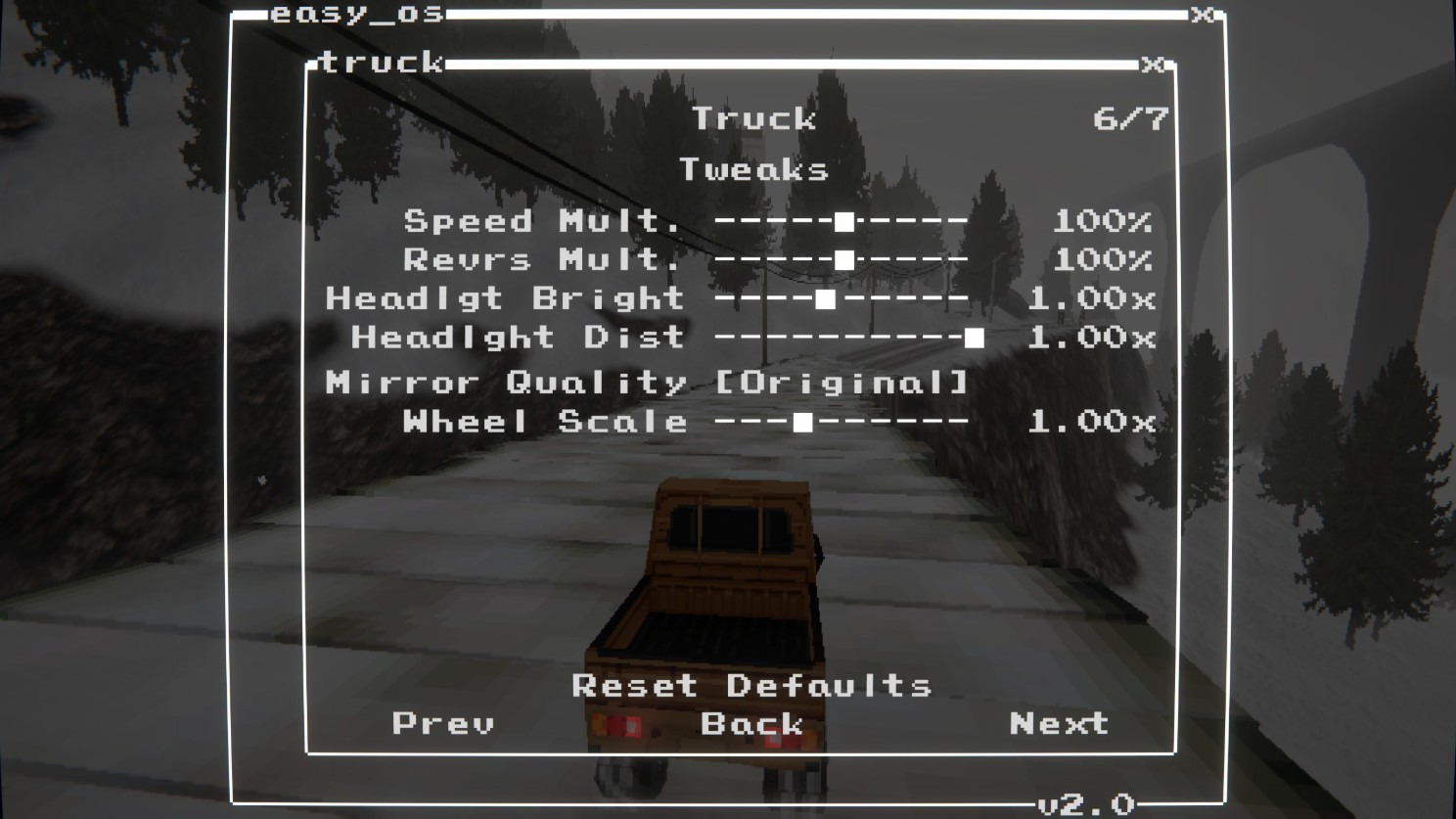
| Mirror quality | Tweaks | Rear-view mirror at Original, 2x, 4x, or 8x resolution |
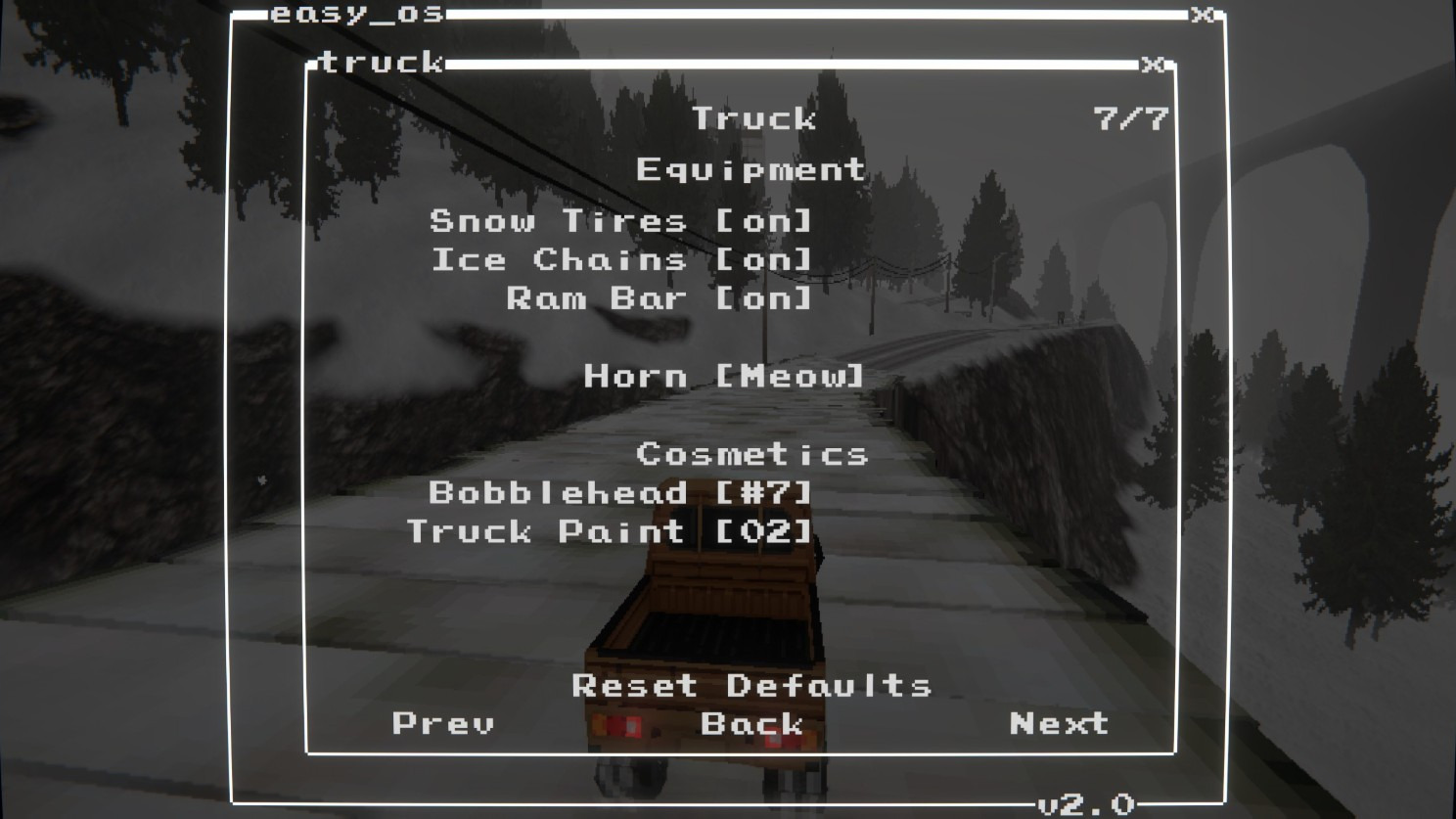
| Upgrades | Equipment | Mount or remove purchased Snow Tires, Ice Chains, and Ram Bar without losing the upgrade |
| Horn | Equipment | Meow (the game's default horn) or Woof |
| Cosmetics | Equipment | Pick your unlocked Bobblehead and Truck Paint |
Screenshots
 |
 |
 |
 |
 |
 |
 |
 |
 |
 |
Installation
Dependencies
BepInEx-BepInExPack-5.4.2304shiibe-SebCore-1.1.1shiibe-SebBinds-1.1.5
Install
- r2modman/Thunderstore: https://thunderstore.io/c/easy-delivery-co/p/shiibe/SebTruck/
- Manual: copy
SebTruck.dlltoBepInEx/plugins/SebTruck/
In-game menu
- Open
mods.exe(SebCore) then launchTruck - Binds: open
Binds, then use theTruck,Rally, andRally Gearsbind pages
Binds
Truck page:
Ignition ToggleL IndicatorR Indicator4Way IndicatorToggle Gearbox- Keyboard defaults:
F1ignition,F2left indicator,F3right indicator,F4hazards.
Shared Rally pages from SebBinds:
ClutchShift Up/Shift DownReverse,Neutral, andGear 1-6direct gear binds for Rally manual mode and SebTruck Story manual mode.Shift Mode: Holdmakes held H-shifter gear buttons control the active gear; no held gear means Neutral.Togglekeeps normal press-to-shift/direct-gear behavior.
Configuration
- Config file:
BepInEx/config/shibe.easydeliveryco.sebtruck.cfg - Optional SFX: place
ignition_on.wavatBepInEx/plugins/SebTruck/sfx/ignition_on.wav Debug.debug_logging(bool): Verbose loggingIgnition.sfx_on_path(string): Ignition ON sound file name insidesfx/Ignition.sfx_volume(float): Ignition sound volume (0..1)
Backup Alarm page:
Backup Alarm: On/off, off by default4-Ways: Automatically flash hazards while the backup alarm is active, off by defaultVolume: beep volumeBeep Rate: beep length and matching pause length while reverse is activeTone: synthesized beep frequency
HUD (Truck > HUD):
Style:Off,Rally, orFancyin Story mode;RallyorFancyin Rally mode. The old text-based Classic style was removed; anyone using it starts onOff.Units,Speedomtr,Tachomtr,Gear Ind: shared by both styles. Tachometer and gear show with manual transmission.- Fancy dials sit bottom right; the game's radio readout moves up to make room.
Odometer(Fancy): show the total, the trip, or nothing under the speedometer. In Rally mode it shows the game's own Easy Rally distance.- The odometer and trip are stored in the game's save file, so each save slot has its own mileage and it is written when the game saves.
Reset Tripzeroes the trip. Tunnel trips between towns aren't driven, so they don't count.
Equipment (Truck > Equipment):
Snow Tires/Ice Chains/Ram Bar: mount or remove upgrades you have already bought in the game. They stay purchased either way; options for upgrades you don't own are greyed out. All start mounted. An unmounted ram bar is hidden and no longer smashes trees or protects the truck. The game only shows chains at full size while you drive on ice.Horn:Meow(default) orWoof. Both are the game's own horn sounds, which have the animal sound mixed in. If the chosen sound isn't loaded in a scene, the game's horn plays instead.Cosmetics: pick your unlockedBobbleheadandTruck Paint.- Reset Defaults on the Equipment page mounts all upgrades and restores the Meow horn.
Mirror quality (Truck > Tweaks):
Mirror quality multiplies both dimensions of the game's rear-view texture (110 x 32 in the Story truck), preserving its aspect ratio. Original is the default and follows the game's existing behavior, including Tweaks/Ultrawide pixelation settings. Higher mirror settings override mirror pixelation only and may cost performance. Reset Defaults on the Tweaks page restores Original. Update Tweaks/Ultrawide alongside SebTruck when using them together.
Build
- Build:
dotnet build EasyDeliveryCoMods.sln -c Release - Package all:
powershell -NoProfile -ExecutionPolicy Bypass -File scripts/package-all.ps1