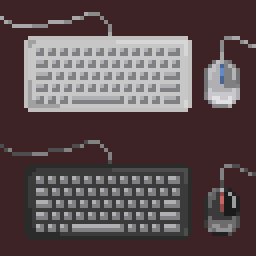
合作键鼠 Coop KB&M
允许使用两套键鼠进行合作,互不干扰。也可以用两个鼠标并且共享同一个键盘。反馈至GitHub。
先连接键鼠再开游戏。
两个角色的键位和鼠标灵敏度可以独立设置。玩家对应的键鼠可以切换。
游戏光标与系统光标不重合是正常现象。
使用快捷键 Alt + Shift + X 来切换是否禁用系统光标,以防止干扰游戏或其他应用。
警告:开启“共享一个键盘”会让2P中与1P相同的按键绑定删除,请自行重新设置按键避免重复。
Allow to use of two sets of keyboard and mouse in coop without interfering with each other. You can also use two mice and share the same keyboard. Submit issues on GitHub.
Connect the keyboard and mouse first before starting the game.
Key Bindings and the sensitivity of the mouse of two player can be set individually. Corresponding keyboard and mouse of a certain player can be switched.
It is normal for the game cursor to not coincide with the system cursor.
Use shortcut key Alt + Shift + X to toggle whether to disable the system cursor to prevent the game or other applications to be interfered.
Warning: Enabling 'Share One Keyboard' will cause the same key binding as 1P to be deleted in 2P, please reset the key bindings yourself to avoid duplication.