

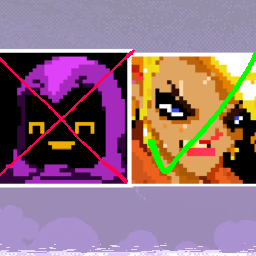
Character Disabler
Allows you to disable any characters you want, made this a while ago because I didn't like some chars, Enjoy! :)Character Disabler
By konflame
Allows you to disable any characters you want, made this a while ago because I didn't like some chars, Enjoy! :)
Press F6 in game, or open Character Disabler from Mod Config in the Options menu. Click a character's button, then Apply Changes and restart the game.
- Green ON keeps the character enabled.
- Red OFF hides the character.
- Reset Defaults turns everyone on. Apply Changes saves that choice.
Everyone starts on. Your saved choices are kept when you update. Close the menu with its X button, F6, or Esc.
The list includes unlocked base-game and modded characters that meet their normal selection requirements. Disabled characters stay in the list so you can turn them back on. Leave at least one solo character on.
This hides a character's Breach NPC and removes them from the initial selection. It doesn't uninstall character mods, unlock characters, change prices, or change the character you're playing.
Installation
Install with r2modman or Thunderstore Mod Manager. BepInEx and Gunfig are required and listed as dependencies. For manual installation, copy the package's plugins folder into BepInEx after installing those dependencies.
Choices are saved in your profile's BepInEx\config\konflame.CharacterDisabler\disabled.txt file. Removing this mod restores normal character selection.
Artwork and source
The buttons and mod icon use konflame's supplied artwork. Images use nearest-neighbor scaling. The original PNGs, source, and build scripts are included. Run build.ps1 against the installed game, BepInEx, and Gunfig to rebuild.