OBaCT — Overhead Bars + Combat Text - By Dewfonz
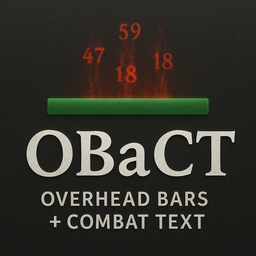
Relive the golden era of OG MMO's with these WoW-style floating combat text in Erenshor.
OBaCT worksalongside, and even adds to the default combat text adding polished overhead unit frames with customizable options (F11).
Features
- WoW-style combat text Straight from the source! Which means the same comfy bold crits that pop
- Overhead bars for HP, mana, names, and levels
- Dead indicators (subtle gray + “dead” text)
- Configurable via F11 in-game (sliders, toggles, themes)
- Suppression modes: hide or fade bars when UI overlaps ( Fade / Occlusion will be next! )
- Clean fonts via Unity AssetBundle (Friz Quadrata)
Screenshots
⚙️ Configuration
- Press F11 in-game to open the OBaCT settings menu.
- Adjust bar size, label toggles, font sizes, suppression mode, and combat text theme.
- Press “💾 Save Settings” to write changes to config.
📦 Installation
- Install BepInExPack if you don’t already have it.
- Download the latest OBaCT
.zip from Thunderstore or Discord.
- Extract into your Erenshor folder so that
BepInEx/plugins/OBaCT/OBaCT.dll exists.
- Launch the game.
📝 Changelog
1.0.0
- First release from a first time modder ( ~ 1 week build time from "rough idea" to release.! )
- Classic WoW / Spartan UI inspired ovehead bars and floating combat text
- Smart Unit frames that classify by NPC / Party / Enemy tags.
- Polished and customizable config menu (F11)
Credits
- Dewfonz15 — 1 man with a love of vibecoding
- BepInEx team — for the plugin framework
- Fonts: Friz Quadrata (classic WoW style) and Arial for Spartan UI (Work in Progress)