

AdventureGuide
In-game quest companion with GPS navigation. 170+ quests with walkthroughs, item sources, and world markers. Click any step, follow the arrow.Adventure Guide
Every quest. Every item source. Click and go.
In-game quest companion for Erenshor. 170+ quests with step-by-step walkthroughs, GPS navigation, and floating world markers above every quest-relevant NPC.
Navigate to anything
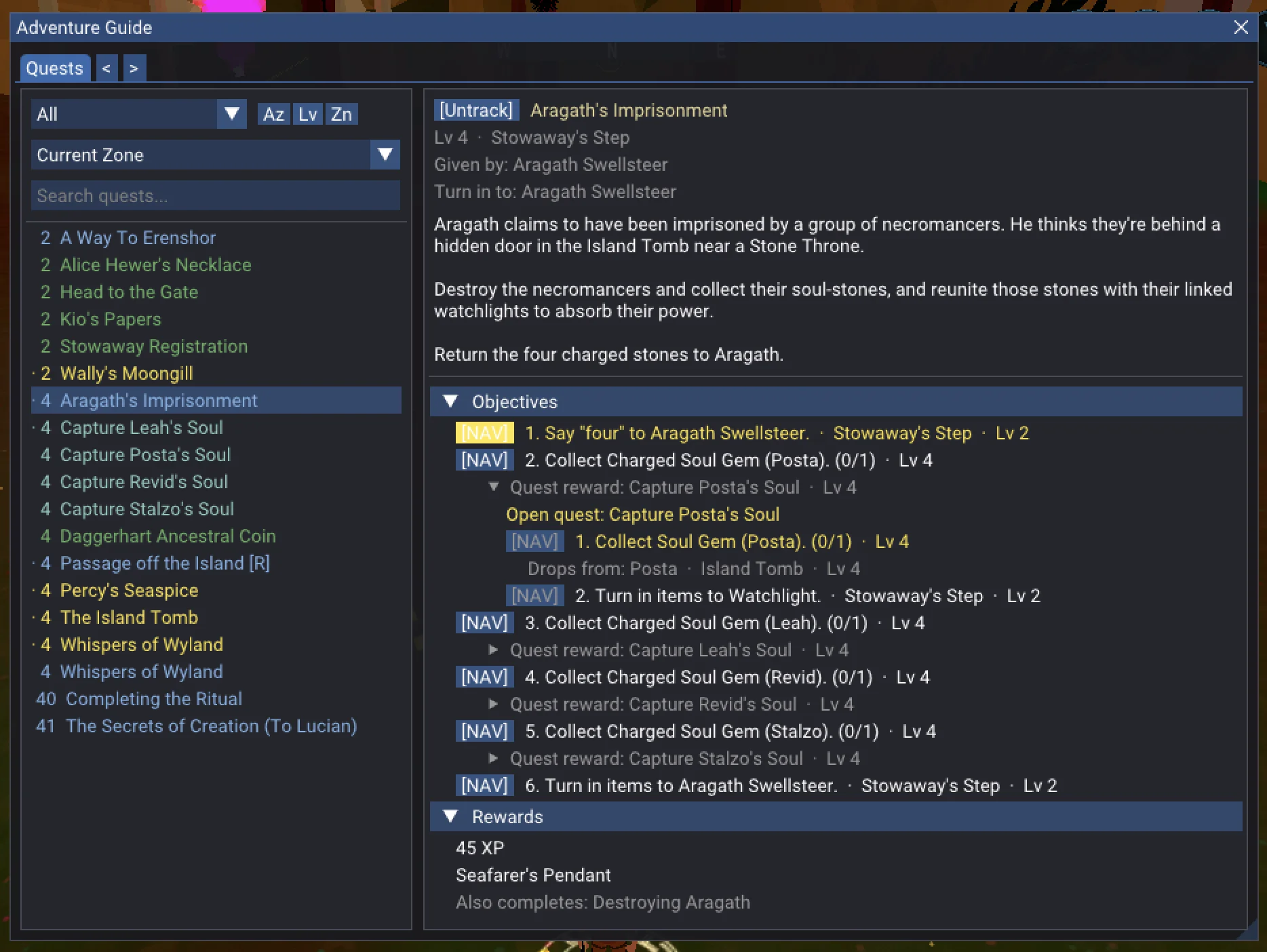
Every quest step has a [NAV] button. Click it and a directional arrow points you to your target — across zone boundaries, chaining through multiple connections to get you there.
Need an item? Every source is listed — enemy drops, vendors, mining nodes, fishing spots, crafting recipes, quest rewards, items you get by using another item. Click a source and the arrow takes you there (for fishing, to a zone with the right water). When a source is another quest's reward, that quest's walkthrough unfolds inline with its own nav buttons. Rare drops from any enemy and treasure map chests are listed too: they have no fixed spot, but once you read a treasure map, the arrow leads you to the dig site.
See what you've been missing
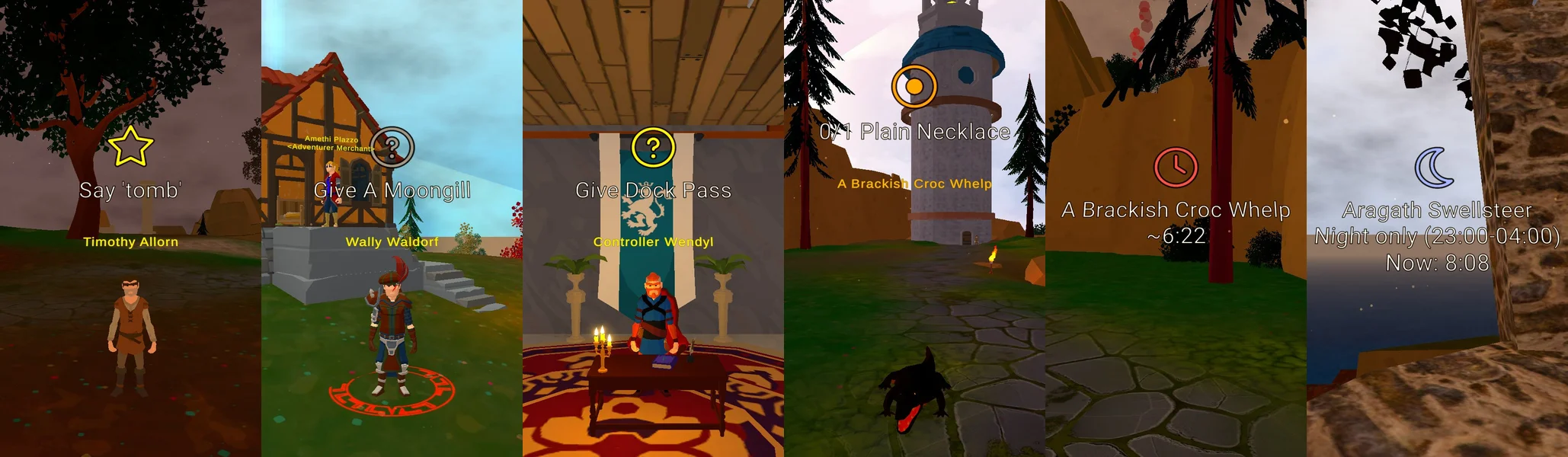
Floating icons appear above NPCs in the game world — quest givers you've walked past, turn-in targets waiting for your items, enemies you need to hunt down. Kill a quest mob and its marker switches to a live respawn timer. Night-only spawns show the spawn window and current game time so you know when to come back. Turn on World Markers.ShowAllRespawnTimers to see respawn timers at every spawn point in the zone, quest or not. World Markers.ShowBossRespawnTimers and World Markers.ShowEliteRespawnTimers show them only where a boss or an elite can spawn.
Know the whole path
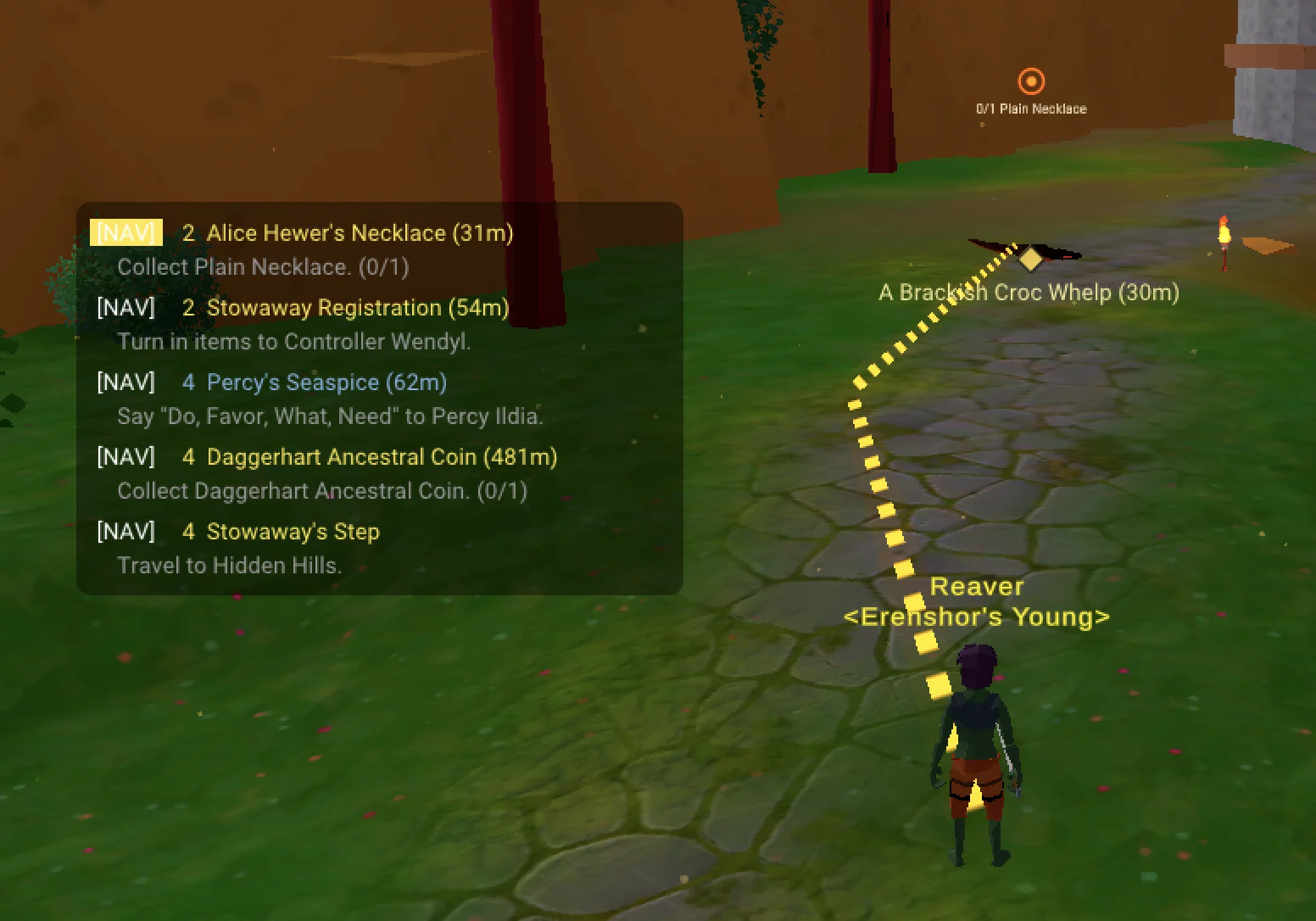
Each step tells you who to talk to, what to say, where to go, and what items to collect. Level estimates on quests and steps show what you're ready for and help you tackle things in the right order. Come back after a week and your progress, item counts, and active step are right where you left them.
Keyboard shortcuts
| Key | Action |
|---|---|
| L | Open the Adventure Guide |
| K | Open the quest tracker |
| P | Toggle ground path overlay |
Configuration
All settings are in BepInEx/config/wow-much.adventure-guide.cfg
(generated on first launch), or edit in-game with
Configuration Manager
(F1). Settings are listed as section.key.
| Setting | Default | Description |
|---|---|---|
| Navigation.ShowArrow | on | GPS arrow pointing to navigation target |
| Navigation.ShowGroundPath | off | Ground path line using NavMesh pathfinding |
| World Markers.Enabled | on | Floating quest icons above NPCs |
| World Markers.ShowAllRespawnTimers | off | Respawn timers at every spawn point, not only for quest targets |
| World Markers.ShowBossRespawnTimers | off | Respawn timers at spawn points that can spawn a boss, including rare spawns |
| World Markers.ShowEliteRespawnTimers | off | Respawn timers at spawn points that can spawn an elite, including rare spawns |
| World Markers.Scale | 1.0 | World marker size multiplier |
| Tracker.Enabled | on | Quest tracker overlay |
| Tracker.AutoTrack | on | Auto-track newly accepted quests |
| Tracker.SortMode | Proximity | Sort tracked quests: Proximity, Level, or Alphabetical |
| Tracker.BackgroundOpacity | 0.40 | Tracker overlay transparency |
| General.ReplaceQuestLog | off | J opens Adventure Guide instead of the game's quest log |
| General.UiScale | auto | UI size factor from 0.5 to 4, or -1 to pick one from your screen resolution |