EffectsGB
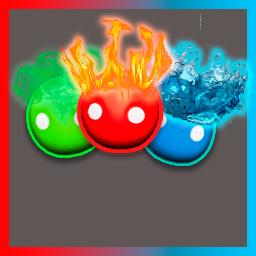
Adds Effects To Players Press F9 NEW UPDATE! 1.3.2A simple mod for Gang Beasts that adds cool visual effects to your Beast.
How to use it
Get into a local match.
Press F9 to cycle the Effects the mod on. It will look for your character and apply the first effect.
NEW UPDATE 1.3.2
every effect now has new design some effects are gone they will be added back MichealWatson request was to add fiery added performance fixes bug fixes new ui and better AND MORE
When you want to turn the effects off, just keep cycling until the UI says "None"
A little notification will slide in on the top left of your screen telling you which effect is active.
Installation
You will need MelonLoader installed for Gang Beasts. If you don't have it, grab it from the official MelonLoader GitHub and install it for your game.
Download the EffectsGB.dll file.
Drop it into your Gang Beasts Mods folder. (Usually located at Gang Beasts\Mods).
Start the game. MelonLoader will do the rest.
Effects List There are 21 effects in total to cycle through:
"None", "Rainbow", "Ghost", "Neon", "Strobe", "ItzXngel", "Gold", "Pulse",
"Chromatic", "Ice", "Infrared", "Matrix", "Bubblegum", "Static", "Toon", "Void",
"Copper", "Hologram", "Lava", "Parallax", "Chrome",