
PhonographSoundMod
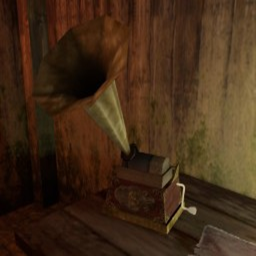
Replaces the save sound and ambient loop of Gloomwood's phonographs with custom audio files.Phonograph Sound Mod for Gloomwood
Replaces the save sound and the ambient loop of all phonographs in Gloomwood with your own audio files.
Features
- Custom save sound when interacting with a phonograph or using quicksave.
- Custom ambient loop that plays while the phonograph is active.
- Volume controls for both sounds via config file.
- The ambient loop respects the game’s pause state (stops when paused).
Installation (r2modman)
- Install this mod through r2modman (Thunderstore).
- Place your custom audio files in the following folders (create them if missing):
BepInEx/plugins/PhonographSoundMod/Sounds/Save/BepInEx/plugins/PhonographSoundMod/Sounds/Ambient/
Adding Your Own Sounds
- Save sound – put one audio file (
.wav,.ogg, or.mp3) insideSounds/Save/.
The mod will automatically use the first file it finds. - Ambient loop – put one audio file inside
Sounds/Ambient/. It will loop continuously while the phonograph is active.
For best results, keep the ambient file relatively short (30s–2min) and make it seamless looping.
Configuration
After launching the game once, a config file is created at:
BepInEx/config/com.wanderan51.gloomwood.phonographsound.cfg
You can adjust:
SaveVolumeMultiplier(0.0–2.0)AmbientVolumeMultiplier(0.0–2.0)
Known Issues
- The ambient loop will not play if you start the game with an already‑active phonograph (very rare). Interact with the phonograph once to fix it.
- The mod must be installed before loading a save where phonographs are active.
Credits
Created by wanderan51. Uses Harmony patching and Unity AudioSource.
Changelog
1.0.0 – Initial release