CraftTodo
NEVER GET SIDETRACKED. Pick a recipe or building, set a count, and an always-on panel tracks every ingredient until it's done.Craft To-Do
Never get sidetracked. Pick a recipe or building and a count. A panel in the game's own style stays on screen with everything you still need, as a tree, and counts your progress until you're done.
Features
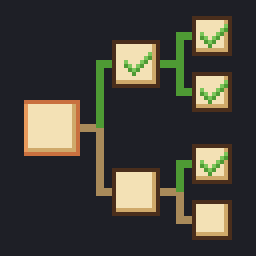
- Ingredient tree: craftable ingredients expand into their own recipes. Counts include your inventory and the chests in your area.
- Take from chests: one click puts what the tree needs on the ground next to you.
- Everything you can make: recipes, buildings, town buildings and plot repairs, with search.
- Automatic progress: crafts and builds count themselves, and the to-do clears when it's done.
- Right-click an ingredient to mark it "Have it elsewhere".
- Mouse, keyboard and gamepad (LB + RB). 11 languages.
Requirements
- Graveyard Keeper 2 (PC, Steam).
- BepInEx 5, x64, version 5.4.23 or newer (tested with 5.4.23.5).
Installation
With a mod manager (r2modman, Thunderstore Mod Manager or Vortex): install Craft To-Do from the manager. On Thunderstore, BepInEx is installed for you as a dependency.
Manually:
- Install BepInEx 5 x64 into the game folder, then start the game once and close it.
- Extract the Craft To-Do zip into the game folder. You should end up with
Graveyard Keeper 2\BepInEx\plugins\CraftTodo\CraftTodo.dll.
How to use
- Load a save. The Craft To-Do panel appears on the right.
- Click Add (or + on the rolled-up bar) to open the recipe list.
- Pick a recipe and set the count:
- Hold − or + to repeat; hold Shift to step by 10.
- Confirm with Add, Enter, or a double-click on the recipe.
- Craft away. Click an ingredient's arrow to expand or collapse it. The X on the panel clears the to-do.
Drag the panel by its header (it docks at screen edges). F8 hides it. While nothing is tracked, ▲ rolls it up into a small bar.
Gamepad
The panel and the picker work with a gamepad. While the mod has the gamepad, the game gets no input from it, so your character stays put. The buttons are shown along the bottom of the screen, with the game's own icons.
The panel. Press LB + RB together while no game window is open. A gold frame shows the focus. Press LB + RB again, or B, to leave.
| Button | Does |
|---|---|
| D-pad, left stick | Move between rows and buttons |
| A | Expand or collapse the row (or press the button) |
| ◀ ▶ | Switch the recipe of a row that has several |
| RB | Mark the ingredient "Have it elsewhere" (again to undo) |
| X | Take from chests |
| Y | Open the picker |
| B | Leave the panel |
The picker. It opens with the focus on it when your last input came from the gamepad. The recipe in focus is the one selected.
| Button | Does |
|---|---|
| D-pad, left stick | Move between recipes |
| LB / RB | Previous / next workbench |
| LT / RT (hold) | Lower / raise the count |
| A | Add to the to-do |
| B | Close |
Typing in the search box is for the keyboard. Touching the mouse or keyboard gives the focus back to the game.
Settings
The settings file is BepInEx\config\com.nalm.gk2.crafttodo.cfg:
| Setting | What it does |
|---|---|
Panel.X, Panel.Y |
Where the panel sits. Set both to their defaults (-1 and 1) to reset the position. |
Panel.Collapsed |
Whether the empty panel is rolled up. |
Hotkeys.TogglePanel |
The key that hides and shows the panel (F8 by default). Set it to None to turn it off. |
Notifications.TodoComplete |
Show the game's notification when the to-do is complete (on by default). |
Controller.Enabled |
Gamepad support. Turn it off and the mod ignores the gamepad. |
Controller.Chord |
The buttons that put the gamepad on the panel (LB+RB by default). Names: A, B, X, Y, LB, RB, LT, RT, Back, Start, LStick, RStick, DUp, DDown, DLeft, DRight, joined with +. Empty turns it off. |
Todo.<save slot>.* |
The to-do of each save slot (Todo.Steam_1, ...), managed by the mod. |
Debug.DumpUi |
Writes a UI layout dump for troubleshooting. Off by default. |
The to-dos live in this settings file, not in your saves, and removing the mod never touches a save. Each save slot has its own, with its progress, collapsed rows, recipe choices and "Have it elsewhere" marks, so loading another save shows that save's list. A new game starts with an empty one. The panel's position is the same for all saves. The to-do of a deleted save stays in the file until you remove its Todo.<slot> section.
Compatibility
- The mod adds a panel and reads game data. The one thing it changes is what you ask for: the Take from chests button moves items from storage onto the ground around you, the same as dropping them yourself. Nothing else touches your items or saves.
- Gamepad support is new and was written against the game's own button bindings. If a button does nothing or the wrong thing, the log (
BepInEx\LogOutput.log) hasGamepad:lines fromCraft To-Do; include them in your report.Controller.Enabledturns it off. - It tracks one to-do at a time in each save.
- A game update can break it. After one, the log (
BepInEx\LogOutput.log) has aCompatibility check:line fromCraft To-Dothat says what no longer matches. If something is off, include that line and any errors fromCraft To-Doin your report. The mod still loads with whatever hooks still work.
Translations
The panel's own text is in Strings.cs, one block per language. The translations haven't been reviewed by native speakers, so corrections are welcome. To add a language (for example one from a community language pack), copy the en block, translate the values, keep the {0} / {1} placeholders, and add it under the game's language id. A language without a block shows English.
Uninstalling
Delete the BepInEx\plugins\CraftTodo folder, and optionally BepInEx\config\com.nalm.gk2.crafttodo.cfg.
Building from source
You need the .NET 8 SDK and a copy of the game with BepInEx installed.
dotnet build -c Releasebuilds the mod and copies it into the game'sBepInEx\plugins\CraftTodo. The game path is set inDirectory.Build.props; override it with-p:GameDir="<path to Graveyard Keeper 2>". Add-p:NoDeploy=trueto build without copying.dotnet build -c Release -t:Packagealso writes the release zips todist\:CraftTodo-<version>.zipis for manual installs, Nexus Mods and GitHub.CraftTodo-<version>-thunderstore.zipis for Thunderstore.
The mod links against the game's DLLs at build time but contains no game code or art.