
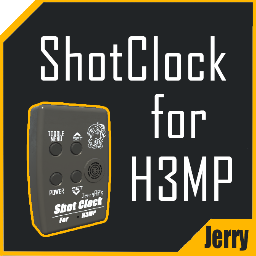
ShotClock For H3MP
Shooter ready?Shot clock for H3MP
The shotclock can be found in WristMenu----->CustomButtons.
Grab the shotclock by the clamp
Click power button to toggle on/off;
Click menu button to toggle timer/sets;
When in sets page, click up/down buttons to view sets;
When grabbing the shotclock, press trigger for 1s to start random count down;
When timer is counting, press trigger for 1s or switch to sets page to stop it.
Notice
Due to script limit, there can be only one shot clock per scene.
If others need to use the clock, current user have to click spawn button again to remove the current clock and let others spawn their own clock.
The clock only has very basic timing function but I'm sure it's enough for H3MP.
Original model from:
https://thunderstore.io/c/h3vr/p/WarlordSoulbrooftheMelon/MelonCorpShotclock/
Thanks to Melon for the model!
Change Log
1.0.0 Added the shotclock in WristMenu----->CustomButtons.
1.0.1 Now only one click per action on the buttons and the clock is much more stable.
1.1.0 Brand new scripts and random countdown.