

Gundomizer
Random items, compatible gear and ammo in Item Spawner V2, plus Modular Workshop parts, skins and builds. Optional auto-fill and background indexing.Gundomizer
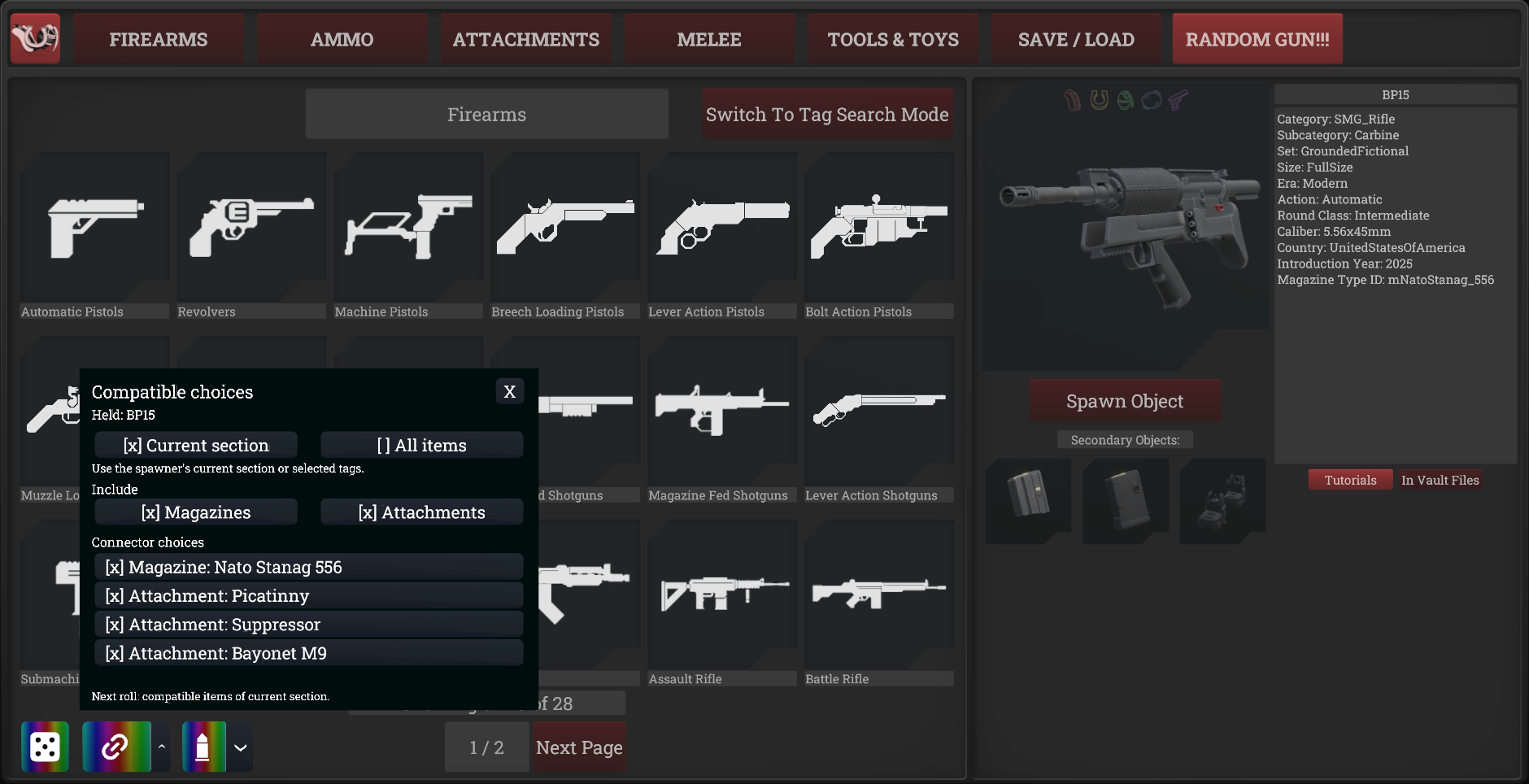
Randomize items directly in Item Spawner V2, including the toolbox tablet, in classic and tag-search modes.
NEW! Randomize Modul's parts!
Features
- Modul parts and skins: randomize a single slot or the whole build with Modular Workshop.
- Random item: roll from the current category and its subcategories, or your selected tags, across all pages.
- Compatible section: grid + link rolls items that fit what you're holding, within the current section or tags.
- Compatible catalog: globe + link searches all items, with type and connector filters in its dropdown. Choices last for the session.
- Random ammo: roll a compatible ammo variant. The arrow beside it opens the variant toggles.
- Spawn or preview: spawn immediately, or select a result to inspect, accept, or reroll.
- Auto-fill: replace loaded rounds and fill the held magazine or weapon, while still spawning the loose round.
- Continuous search: shows loading progress; click the active button again to cancel.
Quick setup
- Install with r2modman or Thunderstore Mod Manager, including BepInExPack H3VR.
- Launch H3VR using Start modded.
- Use the rainbow buttons in Item Spawner V2 or its toolbox tablet.
Modul's Support NEW
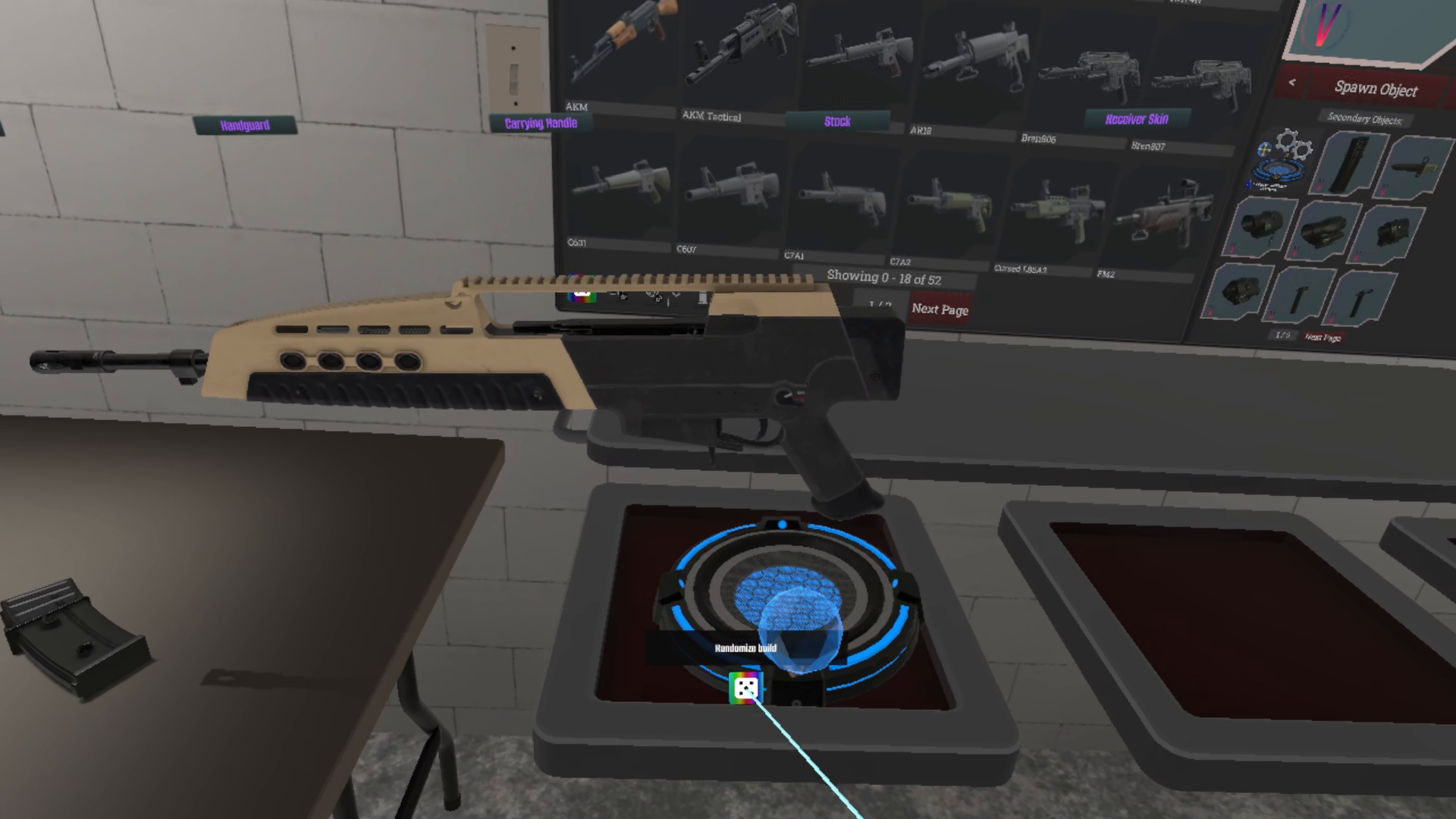
For weapons using Modular Workshop:
- Slot dice: pick a different part or skin from any page of that slot’s menu.
- Platform dice: reroll the whole build, including nested parts and skins. Click again to cancel.
Whole-build rolls follow the weapon author’s Take & Hold rules. Modular Workshop is optional.
Mod compatibility
Tested with Modul / Modular Workshop content, OtherLoader, and OtherLoaderPatched. These mods are optional.
Optimization
A background metadata index checks compatibility without loading entire assets just to inspect their connectors. It's saved between launches and updates changed packages, making rolls faster as indexing completes.
Mod Options
- Spawn Item Instantly — ON: spawn immediately; OFF: preview first.
- Auto Fill Held Item — ON: refill with the rolled ammo after spawning.
- Persistent Connector Index — ON: build and reuse the metadata cache.
- Reset Metadata Indexing — OFF: clear and rebuild the cache once, then switch itself off.
Edit quaternion.gundomizer.cfg through your mod manager's Config Editor. Requires BepInExPack H3VR.
Feedback
For feedback or support, join the H3VR Homebrew Discord server and look for @quaternion. When reporting an issue, include your BepInEx log, mod list, and steps to reproduce it.
Credits
- Special thanks to Glicen for requesting and sponsoring the mod.
- Anton Hand and RUST LTD. for H3VR.
- The H3VR Homebrew community, mod authors, and tool and loader maintainers.
- nesrak1 / AssetsTools.NET for the bundle metadata reader library.
- The Modular Workshop and modular weapon authors.
Support
Tips and donations are welcome on Ko-fi. You can find my other projects and links at quaternion7.github.io.
Changelog
- 1.2.1: Fixed greyed-out slot dice on manually selectable Modul parts.
- 1.2.0: Modular Workshop part, skin and build rolls; separate section/catalog buttons; quieter click feedback.
- 1.1.0: Compatible type/connector filters, cross-category magazine rolls, a chain-link icon, and improved ModulAK indexing.
- 1.0.2: Fix missing buttons with OtherLoaderPatched and support its custom categories.
- 1.0.1: DLL-only metadata reader with reusable decompression buffers.
- 1.0.0: First public release: item, compatible gear and ammo rolls, optional auto-fill, and persistent background indexing.
Disclosure
I use AI and LLMs to help speed up development. I have a full-time job, and these tools make it practical to keep building and maintaining mods in my spare time.
My background in game development predates today's AI tools, and I have the skills to do this work without them. I choose to use them because they save time and let me focus more on gameplay, hands-on setup, testing, and polish. The design decisions, review, and responsibility for the finished mod remain mine.