

MoreResolution
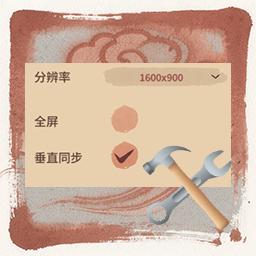
支持更多分辨率,提供垂直同步选项。Support for additional resolutions, with a vertical sync option.更多分辨率 MoreResolution
支持更多分辨率,提供垂直同步选项。Support for additional resolutions, with a vertical sync option.
支持的分辨率如下(如果大于当前屏幕则自动隐藏):
Supported resolutions include (if they exceed the current screen size, they will be hidden):
640x480
800x600
1280x720
1280x800
1280x960
1400x1050
1440x900
1600x900
1600x1200
1680x1050
1920x1080
1920x1200
2560x1440
2560x1600
2880x1800
3200x1800
3440x1440
3840x2160
3840x2400
5120x2880
5120x3200
7680x4320
如果您有任何疑问或建议,或者发现BUG,欢迎添加QQ群交流:1058593281
If you have any questions, suggestions, or encounter bugs, feel free to join our Discor Server for discussion.
📦 安装 Installation
推荐使用模组管理器自动安装 Use Mod Manager
手动安装 Manual
-
首先需要安装BepInExPack
-
使用本包中BepInEx文件夹覆盖游戏根目录BepInEx文件夹
-
First, install BepInExPack
-
Overwrite the BepInEx folder in the game's root directory with the one from this package
🔧 配置 Configuration
运行一次游戏后生成配置,位于:
BepInEx\config\cc.lymone.HoL.BetterLibrary.cfg
修改完保存配置,需要重启游戏生效
The configuration file is generated after running the game once, located at:
BepInEx\config\cc.lymone.HoL.BetterLibrary.cfg
Save the changes after modification and restart the game for them to take effect.