
BetterDisplay
MelonLoader 0.7.3+ mod for How to Fish: improves HUD markers, crosshair, food/vitals/ammo info, Boss direction indication, and optional center-screen firearm aiming.更好的显示 / BetterDisplay
Version 0.4.3
改善《How to Fish》的本地 HUD 显示,同时保留游戏原有的物品筛选、距离、数量、透视和隐藏规则。
加载器说明:这是 MelonLoader Mod,不是 BepInEx Mod。 请先安装 MelonLoader 0.7.3 Open-Beta(Mono);只有 BepInEx 的安装环境无法加载本 Mod。
功能
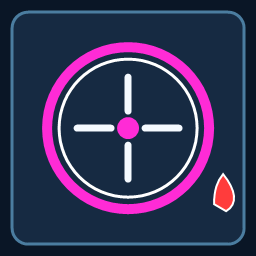
- 为原版圆点增加高对比度颜色、深色外圈和轻微呼吸效果,并分别支持敌对生物、玩家标记和可拾取物品颜色。
- 原版设置界面中的“更好的显示”菜单:支持颜色预设、圆点增强、脉冲效果、弹道校正、弹药显示、食物信息和状态值显示开关。
- 屏幕中心小型十字准星。
- 显示食物回复的生命值/饥饿值、左下角生命值/饥饿值具体数值和枪械弹药数量。
- 使用红色水滴指示 Boss 在屏幕外的方向;Boss 位于后方时,指示器会根据相机空间的左右方位移动。
- 本地枪械弹道校正:让普通枪械生成的射击方向对准屏幕中心,同时清理枪械持续持握时累积的视角偏移。
安装
- 安装 MelonLoader 0.7.3 Open-Beta(Mono,Windows x64)。
- 将压缩包内的
Mods/BetterDisplay.dll放入游戏根目录的Mods文件夹。 - 启动游戏;按
F8打开“更好的显示”设置菜单。
使用支持 Thunderstore 的 Mod 管理器时,可以直接导入本包。
要求与兼容性
- 游戏:《How to Fish》
- MelonLoader 0.7.3 Open-Beta
- 当前开发环境按游戏 1.0.10、Mono 后端进行测试
- 不包含游戏文件、MelonLoader 文件或游戏程序集
HUD、菜单和准星功能只修改本地 UI。弹道校正修改本地玩家正常枪械射击时生成的射击方向;联机时建议所有玩家使用相同版本,并自行确认服务器规则允许使用 Mod。
配置
设置会保存到 MelonLoader 的 UserData/MelonPreferences.cfg。菜单中的“原版”按钮可以恢复对应类别的原始颜色;关闭某个功能后,不会创建额外的追踪对象。
已知限制
枪械的瞬时后坐力和开火动画仍由游戏原版控制。首版不把游戏物品设置为 OutlinedObject,因此不会改变物品渲染层、碰撞层或原有交互。
English summary
BetterDisplay is a client-side MelonLoader mod for How to Fish. It improves marker contrast, adds a compact crosshair, HUD values, food/ammo information, a Boss direction indicator, an in-game color/settings menu, and optional center-screen firearm ballistic correction.
Loader requirement: this is a MelonLoader mod, not a BepInEx mod. Install MelonLoader 0.7.3 Open-Beta (Mono) first.
Manual installation: copy Mods/BetterDisplay.dll into the game's Mods folder. Press F8 to open the settings menu.