

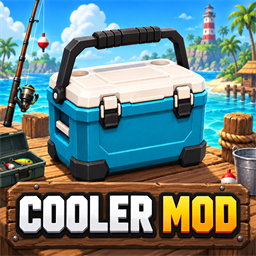
Cooler Mod
Adds a reusable deployable cooler that stores 20 fish and sells its contents in one vendor interaction.Cooler Mod
Version 0.1.18 for How to Fish / BepInEx 5
Cooler Mod adds a reusable low-poly fishing cooler that carries up to 20 fish. It keeps catches organized, frees inventory space, and lets you transport and sell a full fishing haul in one quick interaction. This speeds up long fishing trips and makes them more convenient because you spend less time juggling, dropping, and selling fish individually.
Features
- Stores up to 20 fish in one portable cooler.
- Preserves each fish's species, appearance, cooking state, multipliers, and exact sale value.
- Captures Better How to Fish rod-sale bonuses and compatible final-price changes when a fish enters the cooler.
- Marks drip creatures with animated rainbow row text and protects them from bulk selling by default.
- Shows a matching thumbnail, name, cooking multiplier, score multiplier, optional size multiplier, and price for every stored fish.
- Sorts stored catches by cooking percentage, score, size, price, name, or recency in ascending or descending order.
- Sells all stored fish together while allowing you to keep and reuse the cooler.
- Lets you take out or drop individual fish whenever you want.
- Supports custom cooler names, saved-world persistence, and multiplayer synchronization.
- Displays an information tooltip above the normal interaction prompt when you look at a deployed cooler within one metre. It shows the cooler name, owner, fish capacity, and combined stored-fish value.
- Adds Inventory and Color tabs with a saved RGB body-color picker for each cooler.
- Plays a local confirmation sound for the player who sells a cooler's contents.
How to use it
| Situation | Control | Action |
|---|---|---|
| Looking at a deployed cooler with empty hands or a non-fish item | Tap E | Open the cooler contents window. |
| Looking at a deployed cooler while holding a fish | Tap E | Store the held fish in the first available cooler slot. |
| Looking at a deployed cooler | Hold E | Pick up the cooler with all contents preserved. |
| Holding a cooler and looking at an upward-facing surface | Hold E | Deploy the cooler on that surface. |
| Holding a loaded cooler and looking at any normal fish-selling vendor or sell box | Tap E | Sell all stored fish for their combined value, hear the sale sound locally, and keep the empty cooler. The holder can do this even when another player owns the cooler. |
| Cooler contents window | Auto bulk sell drip creatures | Off by default. Turn it on only when you want bulk selling to include rare drip creatures. |
| Close to and looking at a fish-selling vendor | Press 8 | Buy a reusable cooler for $1,000. |
| Throw a cooler into a money vendor's mouth | — | Sell the cooler for $500 plus the value of every stored fish. |
| Cooler contents window | Take Out | Move that fish to a free inventory slot. |
| Cooler contents window | Drop | Spawn that fish on the ground beside the cooler. |
| Cooler contents window | Sort and Ascending/Descending | Reorder the displayed list by cooking percentage, score, size, price, name, or most recent catch. Sorting never changes the fish itself. |
| Cooler contents window | Edit the name and press Save Name | Rename that cooler for every player. |
| Cooler Color tab | Adjust RGB and press Apply and Save Color | Recolors that cooler's physical body while keeping its lid, handle, trim, and hotbar icon unchanged. |
| Cooler Color tab | Restore Cooler Blue | Restores the original blue body color. |
| Cooler contents window | Esc or X | Close the window. |
How it works
Deploy the cooler, then look at it and tap E while holding a fish. The fish leaves your hands and enters the first open cooler slot. Tap E with empty hands to open the contents window, where you can inspect, remove, or drop catches and rename the cooler. Hold E to pick the loaded cooler back up. Carry it to a fish vendor and tap E to sell all stored fish while keeping the empty cooler.
Where to purchase it
You can purchase a cooler for $1,000 from any fish-selling money vendor on Islands 2 through 5. Stand within the vendor's normal close interaction range, look directly at the vendor, and press 8 when the Buy Cooler prompt appears. Buying requires one free inventory slot.
The purchase prompt is positioned below the Water Walking Boots prompt so both mods can be used together. When you already hold a cooler, its sell-fish interaction appears first and [8] Buy Another Cooler appears underneath it.
The mod recognizes the game's money-vendor NPCs and normal item sell boxes. This covers the fish buyer on Island 2, the fish buyer on Island 3, both fish buyers on Island 4, and the Island 5 developer-island selling area. Other quest NPCs, the casino, and unrelated shops do not qualify.
Storage interface
The cooler window has Inventory and Color tabs at the top. Inventory displays ten entries in each column for a total of 20 fish. The two dropdown menus sort the view by cooking percentage, score, size, price, name, or most recent catch in either direction. Take Out and Drop continue to act on the correct stored fish after sorting. Every occupied entry shows the same inventory mesh, skin, and cooking appearance used by its normal hotbar preview, plus its name, cooking multiplier, score multiplier, current sale price, and an optional size multiplier.
The Color tab provides red, green, and blue sliders with a large color preview. Applying a color updates the owner's world model immediately, saves it to that individual cooler, and synchronizes it for every player. The color remains visible while the cooler is held, dropped, or deployed and survives save and reload cycles. The fixed hotbar icon does not change.
Fish keep their species, displayed name, exact captured sale value, randomized weight, cooking state, catch/betting multiplier, score multiplier, drip status, and skin data while stored. When Better How to Fish is installed, the cooler reads the active player's rod-upgrade sale bonus as the fish enters storage. Other mods that change TotalWorth are captured through the game's final item value. The saved value drives the row price, combined total, and vendor payout, while the original fish state is restored when the fish is taken out or dropped.
Deployment and pickup
The cooler can be deployed on most upward-facing surfaces within eight metres. While deployed it remains anchored, collidable, and protected from cleanup or explosions. Hold E while looking at it to return it to a free inventory slot or to empty hands.
When a player stands within one metre of a deployed cooler and looks directly at it, an information tooltip appears immediately above the existing cooler interaction prompt near the bottom of the screen. It shows the saved cooler name, owner, X / 20 fish, and the combined value of the stored fish. Each player performs this proximity and look check locally, so players can inspect different coolers independently.
Bulk selling
Hold a loaded cooler, look at a normal fish-selling vendor or sell box, and tap E. The host pays the sum of the exact values captured when the fish entered the cooler, leaves the reusable cooler in that player's hands, and plays the sale confirmation sound only for that player. Drip creatures appear with animated rainbow text and remain in the cooler unless Auto bulk sell drip creatures is enabled. That safety preference is saved for the local player and starts disabled. The holder can sell the contents of a cooler bought by another player without changing its ownership. Personal wallets from NoSharedMoney are supported when that mod is installed.
You can also throw the cooler into a money vendor's mouth like another item. This sells the cooler itself for $500, adds the value of all fish stored inside, and removes the cooler and its saved contents. Use the E interaction when you want to sell only the fish and keep the cooler.
Multiplayer
Every co-op player should install the same version of Cooler Mod. Purchases, storage changes, deployment, pickup, withdrawals, drops, bulk sales, and saved contents are validated by the host.