

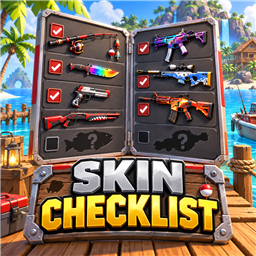
Skin Checklist
Browse every item skin and directly apply collected skins from a draggable in-game checklist.Skin Checklist
Skin Checklist gives collectors a clear view of every item skin they have found and every skin still waiting in the slot machine. Open the pause menu, select SKIN CHECKLIST, browse the full collection, and equip any collected skin directly from the list.
The checklist reads your current local profile and only allows collected skins to be applied. Vanilla Z/C skin cycling remains available.
How to use
- Press Escape to open the pause menu.
- Select the gold SKIN CHECKLIST button near the top of the screen.
- Choose an item tab, scroll through its skins, or use the search and collection filters.
- Select APPLY beside an owned skin. The button turns teal and reads SELECTED when that skin is active.
- Keep the matching item in your inventory so the game can apply and save its skin.
- Drag the red title bar to move the checklist window.
- Press Escape again or select X to close it.
Features
| Feature | What it does |
|---|---|
| Complete item browser | Automatically finds every game item with a skin preset, including knives, rods, firearms, and additional skinnable gear. |
| Live collection status | Collected skins appear bright with a checked marker; missing skins use gray italic text. |
| Direct skin selection | Apply a collected skin from its row; the active skin is marked by a teal SELECTED button. Missing skins cannot be applied. |
| Vanilla controls preserved | The normal Z/C skin cycling controls continue to work. |
| Item tabs | Keeps each item's collection in a separate, easy-to-browse tab. Internal prefabs with the same item name are merged into one complete tab. |
| Search and filters | Search skin names or show all, collected, or missing skins. |
| Completion totals | Shows overall progress and progress for the selected item. |
| Rarity markers | Displays each skin's in-game rarity with a color-coded marker. |
| Draggable window | Move the checklist by dragging its title bar. |
| Mod-friendly discovery | Detects additional registered items with skin presets when they are available. |
Multiplayer
Skin Checklist shows the skins unlocked on the local player's profile. Every player sees their own collection, so the mod does not require the host to manage checklist data.
Installation
Install with a Thunderstore-compatible mod manager, or place the included BepInEx folder into the How to Fish game directory. BepInExPack is required.