

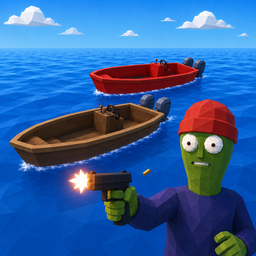
Untamo Boats
Expanded boat gameplay with purchasable boats, motors, skins, radar, cruise, follow, anchor, fuel, damage, repairs and more.Untamo Boats
Expanded boat gameplay for the game.
Features
- Buy and maintain a fleet of Custom Boats
- Multiple motor choices:
- No Motor
- Default Motor
- Big Motor
- Dual Motors
- Super Big Motor
- Dual Super Big Motors
- Forward and reverse motor selection
- Boat custom skins 14-63
- Boat finishes:
- Wood
- Metallic
- Camo
- Camo Metallic
- Stripes
- Stripes Metallic
- Chrome
- Controls
- Independent secondary stripe color
- Independent Controls colors for steering, throttle, and motor mount/bracket
- Independent Motor colors
- Motor materials:
- Original
- Metallic
- Chrome
- Controls
- Per-map saved boat state, including Controls, Motor, Radar, motor material, motor mount mode, and Radar position
- Radar/GPS controls and adjustable Radar position
- Cruise control with remembered cruise power
- Unattended cruise
- Follow mode
- Soft Anchor with a 10 m x 10 m horizontal movement area
- Adjustable boat boost
- Fuel system with buying and selling
- Hull health, damage, smoke, sinking, repairs, and selling
- Boat horn
- Fleet HUD
- Multiplayer/host support
- Boat inspection with grouped Boat, Motor, and Stats sections
- Boat inspection shows:
- Boat skin and finish/material
- Radar skin
- Controls skin
- Boat weight
- Motor type
- Motor skin and material
- Motor weight
- Health
- Fuel
- Total weight
- Value
- Repair cost
- Custom Boat inspection value includes refundable remaining fuel value
- Selling a Custom Boat refunds remaining fuel in full 0.50 L chunks
Main controls
- F8 (hold 0.30 sec) — Buy/spawn a boat
- F9 (hold 0.30 sec) — Sell/remove all purchased boats
- Delete (hold 0.30 sec) — Sell/remove the selected purchased boat
- Insert (hold 0.30 sec) — Repair nearby/driven boat
- Home tap — Buy 0.50 L fuel for 1 money
- Home hold — Sell 0.50 L fuel every 0.40 sec
- M — Next motor
- Shift+M — Previous motor
- Alt+M — Next motor color
- Alt+Shift+M — Previous motor color
- J — Next boat finish
- Shift+J — Previous boat finish
- Alt+J — Next motor material
- Alt+Shift+J — Previous motor material
- Alt+U — Toggle motor mount mode
- Alt+Shift+U — Toggle motor mount mode
- K — Next boat skin
- Shift+K — Previous boat skin
- Alt+K — Next Controls color
- Alt+Shift+K — Previous Controls color
- ; / Shift+; — Change secondary stripe color
- G — Toggle Radar
- Alt+G — Next Radar color
- Alt+Shift+G — Previous Radar color
- Alt+Arrow keys — Move Radar position
- Alt+Shift+Up / Down — Move Radar vertically
- H — Horn
- O — Toggle cruise
- Page Up / Page Down — Adjust cruise throttle
- P — Select/deselect a follower boat while standing near it
- Arrow keys — Adjust unattended cruise heading
- End — Toggle Soft Anchor
- Mouse wheel — Adjust boost multiplier while driving
- Ctrl+R — Reset driven boat
Fuel
- Maximum fuel: 5.00 L
- Tap Home to buy 0.50 L for 1 money
- Hold Home to sell 0.50 L every 0.40 seconds
- Fuel below 0.50 L cannot be sold
- Displayed 0.50 L can always be sold even if the internal float is slightly lower
- Displayed 4.50 L can always buy the final 0.50 L
- Selling a Custom Boat also refunds remaining fuel:
- 0.49 L = +0 money
- 0.50 L = +1 money
- 1.00 L = +2 money
- 1.50 L = +3 money
- Refunds continue in complete 0.50 L chunks
Boat inspection
The inspection panel uses grouped sections:
Boat
- Boat skin + finish/material
- Radar skin
- Controls skin
- Boat weight: 200 kg
Motor
- Motor type
- Motor skin + material
- Motor weight
Stats
- Health
- Fuel
- Total weight
Motor weights used in inspection:
- No Motor — 0 kg
- Default Motor — 15 kg
- Big Motor — 30 kg
- Dual Motors — 60 kg
- Super Big Motor — 45 kg
- Dual Super Big Motors — 90 kg
Total inspection weight is:
Boat weight + Motor weight
Skin notes
- Boat skin selection uses custom skins 14-63
- Controls colors affect the steering wheel, throttle, and motor mount/bracket
- Motor colors affect the motor itself
- Motor mount/bracket can use either Original/Mount or Original/Controls mode
Motor materials
Use:
- Alt+J — Next motor material
- Alt+Shift+J — Previous motor material
- Alt+U — Toggle motor mount mode
- Alt+Shift+U — Toggle motor mount mode
Cycle:
Original → Metallic → Chrome → Controls → Original
The Motor HUD and boat inspection show the selected material for custom Motor skins.
Original material keeps the selected custom Motor color while using the motor's native/original motor material look.
For an Original Motor skin, the material suffix is hidden.
Motor mount mode
Use:
- Alt+U / Alt+Shift+U — Toggle the motor mount/bracket mode
Modes:
- Original/Mount — factory/default motor mount/bracket material
- Original/Controls — motor mount/bracket follows the selected Steering/Throttle Controls color
The motor mount mode is independent from Motor color and Motor material, and is saved separately for the Original Boat and each Custom Boat.
Per-map boat saves
Each game/map uses its own boat save file in BepInEx/config, so Custom Boats and their colors/settings do not leak into other maps.
New boats spawned with F8 clone the current driven boat, or the boat the player is standing on/next to, including hull, Controls, Motor, motor material, motor mount mode, Radar color/visibility, and Radar position.
Installation
Install with Thunderstore Mod Manager, or manually place Untamo.Boats.dll in BepInEx/plugins.
In multiplayer, boat spawning and other authoritative actions should be performed by the host.
Version
1.0.5