
InFalsusPractice
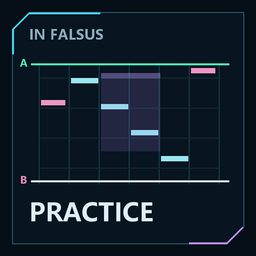
练习与复盘:变速、A/B循环、谱面预览、跳转及配置建议。Practice & review: speed control, A/B loops, chart preview, seeking and drills. 中文 / English / 日本語 UI.In Falsus Practice
中文
版本:1.1.0 · 作者:SkyFrozen · 适配:Windows x64 / In Falsus 1.0.6b
In Falsus 独立练习与游玩复盘模组,提供变速、A/B 循环、滚动谱面预览、精确跳转和配置练习建议。界面支持 中文 / English / 日本語。
本项目为非官方工具,与 lowiro 无隶属或背书关系。安装包只包含模组 DLL、原创图标和说明,不包含游戏程序、谱面、音乐、曲绘、角色素材或个人数据。
功能
- 变速与音高:支持 0.4×~1.2×。可选随速度自然变调或保持音高;默认自然变调,保持音高在慢速时可能产生处理杂音。
- 独立谱面预览:六轨预览在 Reflect 开场结束后出现,收起控制面板仍然显示,曲终立即撤下。可用“隐藏预览 / 显示预览”单独切换;默认没有快捷键,可在设置中绑定。
- 小节网格与匀速滚动:粗线和编号表示原谱小节,细线表示原谱拍位置。预览按实际时间匀速滚动,支持变 BPM、特殊拍号和小节重设,不因技术性 BPM 倍增突然加速。显示范围为 0.5~8 秒,默认 2.5 秒。
- 更清晰、更平滑:逐帧跟随播放,高清分段补齐可见区域,基础预览在快速浏览时保留。Note、曲线空域与网格保持对齐;天键半透明置顶,重叠地键仍然可见。缓存容量受限,过时任务会取消并复用缓冲。
- 镜像适配:随游戏镜像设置显示对应的轨道、Flick 方向与配色,以及复盘中的轨道顺序和练习建议。进入歌曲或重试时重新读取镜像状态。
- 浏览与确认跳转:点击或滚轮只改变预览,点击“确认跳转”才移动游戏谱面。滚轮带有可打断的 100 ms 画面过渡,点击立即定位;白色指针、设置 A/B 和确认跳转始终对应同一个精确选点。
- A/B 循环:A/B 使用预览指针对应位置,可前后跳转并循环练习。循环间倒计时为 0~5 秒,暂停时冻结。首次回跳及“回到 A”后自动恢复预览跟随,不需要额外确认跳转。
- 游玩复盘:结算时显示 Early / Late 倾向、实际失误类型和位置,并结合轨道序列推荐配置练法。重复弱项保存在本地,后续曲目中的表现会调整推荐优先级。复盘不自动修改游戏延迟;早晚等级不能直接换算成毫秒偏移,也不能仅凭一局确定设备延迟或走神原因。
- 界面与截图:点击官方“继续”自动收起控制面板。支持截图隐藏;结算复盘在官方截图时隐藏,离开结算立即关闭。小型练习状态文字使用 Windows 捕捉排除浮层,谱面预览仍能被录制;状态文字的捕捉排除效果取决于 Windows 和捕捉方式。
- 曲终清理:歌曲结束自动关闭练习、清除 A/B;倍速和界面偏好保留,下一曲默认未启用练习。关闭练习时释放残留预览选点,恢复正常播放跟随。
安装、更新与独立开关
- 在 Thunderstore Mod Manager 选择 In Falsus 和要使用的配置,安装 SkyFrozen / InFalsusPractice,通过 Start modded / 启动模组版 进入游戏。
- 本地 ZIP 使用 Settings / 设置 → Import local mod / 导入本地模组,选择完整压缩包,不要先解压。若要求填写,作者为
SkyFrozen、包名为InFalsusPractice、版本为1.1.0;导入为模组,不是整个配置文件。 - 在 Installed / 已安装 列表独立启用或禁用整个模组,切换后重启游戏。游戏内 F9 仅切换当前歌曲的练习状态;预览和只读复盘仍可使用。
依赖 BepInEx-BepInExPack_IL2CPP-6.0.755,已在清单声明。本地导入若未安装该依赖,请先安装。练习模组不依赖 PTT / Rating 模组,两者可以分别开关。
从手动版本迁移时,将旧 DLL 移到 BepInEx/plugins 目录之外备份,再安装管理器版本;只更改目录名仍可能被递归加载。更新时保持同一团队与包名,避免重复安装。已有设置与练习记忆可继续使用。
本局一旦开启练习,正式成绩不再保存;中途关闭练习也不会恢复本局成绩保存。下一局从未开启练习时正常结算。
语言与按键设置
按 F8 打开控制面板,点击顶栏 设置。左侧选择 中文 / English / 日本語,立即生效并保存;歌曲名保留原文。右侧为按键绑定。
暂停歌曲后,点击某项的“修改”,先按 Ctrl / Alt / Shift 等修饰键,再按一个主键,松开整组后保存。Esc 取消录入。重复绑定、截图键及保留的系统组合会被拒绝;录入期间不会触发练习快捷键,语言按钮也暂时禁用。恢复默认按键不会重置语言。
| 默认按键 | 功能 |
|---|---|
| F8 | 展开 / 收起练习控制面板 |
| F9 | 开启 / 关闭当前曲目的练习模式 |
| F10 | 隐藏 / 恢复练习界面;结算时隐藏 / 恢复复盘 |
以上三项必须保留绑定。其余七项默认未绑定,可设置组合键或清除:暂停 / 继续练习、回到 A、确认预览跳转、预览位置设为 A、预览位置设为 B、A/B 循环开关、隐藏 / 显示谱面预览。
F12 / PrintScreen 用于截图检测。在预览中选择 A/B 时,可使用面板的“设置 A / 设置 B”模式;面板打开时也可用 Shift 点击选 A、Ctrl 点击选 B。
本地数据与隐私
插件标识为 local.infalsus.practice。以下文件由模组在当前管理器配置内生成,安装包不包含这些个人文件:
BepInEx/config/local.infalsus.practice.cfg:语言、按键、倍速、预览与截图偏好。BepInEx/config/InFalsusPractice/coaching/patterns-v1.json:跨曲配置练习记忆。BepInEx/config/InFalsusPractice/coaching/last-report.json:最近一局复盘。
也可在配置文件的 [Interface] Language 中设置 zh-CN、en 或 ja;按键位于 [Shortcuts]。语言只改变显示,不改变判定采集、分析值或历史记忆。
模组自身不读取 Steam 账号标识、不建立网络连接或上传分析数据。这项说明仅针对本模组,游戏、Steam、Unity 的数据处理以各自政策为准;模组不保证录屏匿名。录制前请检查浮层、通知、桌面和可见日志等内容。
致谢
BepInEx、Il2CppInterop 与 Harmony 提供加载及互操作能力;本包通过依赖安装加载器,不重新分发游戏或这些第三方程序。
English
Version: 1.1.0 · Author: SkyFrozen · Supported: Windows x64 / In Falsus 1.0.6b
An independent practice and play-review mod for In Falsus, with speed control, A/B loops, a scrolling chart preview, precise seeking and pattern-specific drills. The UI supports Chinese / English / Japanese.
This is an unofficial project, not affiliated with or endorsed by lowiro. The package contains only the mod DLL, an original icon and documentation. It does not redistribute game code, charts, music, artwork, character assets or personal data.
Features
- Speed and pitch: Playback speed from 0.4× to 1.2×. Choose natural pitch changes or pitch preservation. Natural pitch is the default; pitch preservation can produce artifacts at slow speeds.
- Independent chart preview: A six-lane preview appears after the Reflect intro, stays visible when the control panel is folded, and disappears at song end. Hide chart / Show chart controls it separately. Its shortcut is unbound by default and can be assigned in Settings.
- Musical grid and uniform scrolling: Major lines and numbers represent authored bars; minor lines represent beats. The preview scrolls at a constant rate in real time, supporting BPM changes, unusual meters and bar resets without accelerating at technical BPM multipliers. The visible span is 0.5–8 seconds, with a 2.5-second default.
- Clearer, smoother rendering: The preview follows playback every frame. High-resolution tiles refine visible regions while a base preview remains available during rapid browsing. Notes, curved Fields and grid lines stay aligned. Fields remain translucent above floor notes, keeping overlaps readable. Cache capacity is bounded, obsolete work is canceled and buffers are reused.
- Mirror support: Lane placement, Flick direction/colors, review lane sequences and drill advice follow the game's mirror setting. Mirror state is read again when entering or retrying a song.
- Browse and confirm: Clicking or scrolling only browses the preview; Confirm jump moves gameplay. Wheel browsing has an interruptible 100 ms visual transition, while clicks locate immediately. The white pointer, A/B edits and confirmed seeks always refer to the same exact selection.
- A/B loops: A/B buttons use the preview pointer. Seek backward or forward and repeat a selected interval. The loop countdown is 0–5 seconds and freezes while paused. Preview following resumes after the first rewind and Return to A without requiring another confirmed jump.
- Play review: Results show Early/Late tendencies, actual error types and positions, and drills based on the local lane sequence. Recurring weaknesses are stored locally, and later performances adjust their priority. The mod never changes calibration automatically. Timing grades cannot be converted directly to a millisecond offset, and one play cannot establish device latency or the cause of a lapse.
- Interface and screenshots: Official Resume folds the control panel automatically. Screenshot hiding is supported; the review hides during the official screenshot action and closes when leaving results. The small practice-status label uses a Windows capture-excluded overlay, while the chart preview remains capturable. Exclusion depends on Windows and the capture method.
- Song-end cleanup: Practice switches off and A/B clears at song end. Speed and interface preferences persist, and the next song starts with practice disabled. Disabling practice clears stale preview selection and restores playback following.
Install, update and disable
- Select In Falsus and your profile in Thunderstore Mod Manager, install SkyFrozen / InFalsusPractice, then use Start modded.
- For a local ZIP, use Settings → Import local mod and select the complete archive without extracting it. If asked, enter author
SkyFrozen, packageInFalsusPractice, version1.1.0. Import it as a mod, not as an entire profile. - Use Installed to enable or disable the whole mod, then restart the game. In-game F9 only changes practice for the current song; the preview and read-only review remain available.
The required loader is BepInEx-BepInExPack_IL2CPP-6.0.755, declared in the manifest. Install it first if it is missing during a local import. This mod does not depend on a PTT / rating mod; they can be enabled separately.
When migrating from a manually installed version, back up the old DLL completely outside BepInEx/plugins before installing the manager version. Renaming a folder inside plugins can still allow recursive loading. Keep the same team and package name for updates and avoid duplicate copies. Existing preferences and practice memories are retained.
Once practice is enabled, official scores for that run are excluded from saving, even if practice is later disabled. A new run with practice never enabled settles normally.
Languages and key bindings
Press F8 to open the control panel, then choose Settings (labelled 设置 in the default Chinese UI). Choose 中文 / English / 日本語 on the left. Changes apply immediately and persist; song titles retain their original names. Key bindings are on the right.
Pause the song and select Edit for an action. Hold any Ctrl / Alt / Shift modifiers, press one main key, then release the whole chord to save. Esc cancels capture. Duplicate bindings, screenshot keys and reserved system combinations are rejected. Practice shortcuts do not fire during capture, and language buttons are temporarily disabled. Reset keys does not reset the selected language.
| Default key | Action |
|---|---|
| F8 | Open / fold the control panel |
| F9 | Enable / disable practice for the current song |
| F10 | Hide / show the mod UI; on results, hide / show the review |
These three actions require a binding. Seven optional actions start unbound and can use key combinations or be cleared: pause / resume practice, return to A, confirm a preview jump, set A from the preview pointer, set B from the preview pointer, toggle the A/B loop, and hide / show the chart preview.
F12 / PrintScreen are used for screenshot detection. To select A/B in the preview, use the panel's Set A / Set B modes. With the panel open, Shift-click selects A and Ctrl-click selects B.
Local data and privacy
The plugin ID is local.infalsus.practice. These files are generated inside the active mod-manager profile and are not included in the release package:
BepInEx/config/local.infalsus.practice.cfg: language, bindings, speed, preview and screenshot preferences.BepInEx/config/InFalsusPractice/coaching/patterns-v1.json: cross-song pattern memory.BepInEx/config/InFalsusPractice/coaching/last-report.json: latest play review.
You can also set [Interface] Language to zh-CN, en or ja in the configuration file. Bindings are under [Shortcuts]. Language changes affect presentation only, not judgement capture, analysis values or stored memory.
The mod does not read Steam account identifiers, connect to the network or upload analysis. This statement covers the mod only; the game's, Steam's and Unity's data processing is governed by their own policies. The mod does not guarantee anonymous recordings. Check overlays, notifications, desktop content and visible logs before recording.
Credits
BepInEx, Il2CppInterop and Harmony provide loading and interoperability. The loader is installed as a dependency; this package does not redistribute the game or those third-party programs.