
You are viewing a potentially older version of this package. View Latest Version
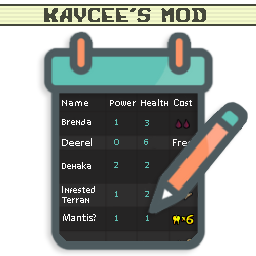
Creates a file that lists all new and modifier cards/abilities and special abilities to be easiy viewed or even used in your custom mods Readme.
To see what your Readme looks like when its on the store.
| Section | Key | Description |
|---|---|---|
| 1. Readme Maker | Enabled | Should the ReadmeMaker create a GeneratedReadme? |
| 1. Readme Maker | Save To | Where to save the generated readme to. If blank will be same folder as ReadmeMaker.dll. See console for exact location after making a readme. |
| 2. General | Display By | Changes how the cards, abilities and special abilities are displayed. |
| 2. General | Filter by JSONLoader Mod Prefix | Show .jdlr cards with a specific Mod Prefix. Disable by leaving blank. |
| 2. General | Filter by Mod GUID | Only cards, sigils... etc related to this mods GUID. Disable by leaving blank. |
| 2. General | Header Size | How big should the header be? (Does not work for type Foldout! |
| 2. General | Header Type | How should the header be shown? (Unaffected by Size) |
| 2. General | Ignore Empty Columns | True=Any columns that have no data will not be shown, False=All columns shown even if it has no data to show. |
| 2. General | Ignore Mod by GUID | Ignore mods using these guids. Separate multiple guids by a comma. Disable by leaving blank. |
| 2. General | Show GUIDs | Show the mod GUID for each sigils, tribes... etc. |
| 2. General | Sort By | Changes the order of how rows in sections are displayed. |
| 2. General | Sort by Ascending | True=Names will be ordered from A-Z, False=Z-A... etc. |
| 3. Toggle Sections | Show Boons | Show all new Boons added in its own section.. |
| 3. Toggle Sections | Show Cards Modified | Show a section that lists all the cards modified. |
| 3. Toggle Sections | Show Configs | Should the Readme Maker show a section listing all the new configs added? |
| 3. Toggle Sections | Show Encounters | Show all new encounters added in its own section.. |
| 3. Toggle Sections | Show Kaycees Mod Challenges | Show all new challenges added for Kaycee's mod. |
| 3. Toggle Sections | Show Kaycees Mod Starter Decks | Show all new starter decks for Kaycee's mod. |
| 3. Toggle Sections | Show Map Nodes | Show all new map nodes added in its own section.. |
| 3. Toggle Sections | Show Regions | Show all new regions. |
| 3. Toggle Sections | Show Side Decks | Show a section that lists all the custom side deck cards. |
| 3. Toggle Sections | Show Sigils | Show all new sigils listed on cards in its own section. |
| 3. Toggle Sections | Show Special Abilities | Show all new special abilities listed on cards in its own section. |
| 3. Toggle Sections | Show Tribes | Show all new tribes added in its own section. |
| 4. Card Section Options | Align Cost | Centers the cost of the costs. (Adds a lot of characters) |
| 4. Card Section Options | Join duplicate Sigils | If a card has 2 of the same sigil, it will show as Fledgling(x2) instead of Fledgling, Fledgling. |
| 4. Card Section Options | Show Cost Min Collapse Amount | Minimum amount before costs are shown as (icon)5 instead of (icon)(icon)...etc |
| 4. Card Section Options | Show Evolutions | Show what each card can evolve into when given Fledgling. (Wolf Cub -> Wolf, Elf Fawn -> Elf... etc). |
| 4. Card Section Options | Show Frozen Away | Show what each card turns into when killed given the Frozen Away sigil. (Frozen Possum -> Possum... etc). |
| 4. Card Section Options | Show Sigils | Show what each cards Sigils are. (Waterborne, Fledgling... etc). |
| 4. Card Section Options | Show Specials | Show what each cards Special Abilities are. (Ouroboros, Mirror, CardsInHand... etc). |
| 4. Card Section Options | Show Tail | Show what each card will leave behind before attacked. (Skink -> Skink Tail... etc). |
| 4. Card Section Options | Show Traits | Show what Traits each card has (KillSurvivors, Ant, Goat, Pelt, Terrain... etc). |
| 4. Card Section Options | Show Tribes | Show what Tribes each card has (Insect, Canine... etc). |
| 4. Card Section Options | Show Unobtainable Cards | Show cards that can not be added to your deck. (Trail cards, Frozen Away Cards, Evolutions... etc) |
| 4. Card Section Options | Sort Type | Changes the order that the cards will be displayed in. |
| 4. Card Section Options | Sort by Ascending | True=Names will be ordered from A-Z, False=Z-A... etc |
Version: 1.0.0 - 29/6/2022Version: 0.11.0 - 27/3/2022Version: 0.10.0 - 27/3/2022Version: 0.9.0 - 25/3/2022Version: 0.8.0 - 22/3/2022Version: 0.7.0 - 12/3/2022Show Unobtainable Cards is off.Version: 0.6.0 - 27/2/2022Version: 0.5.0 - 23/2/2022Version: 0.4.0 - 18/2/2022Version: 0.3.0 - 7/2/2022[creature]. Replaced with A card bearing this sigil. Thanks to TeamDoodz.Version: 0.2.0 - 27/1/2022Version: 0.1.0 - 17/1/2022