

The Bees of Apia
A slow-work-in-progress NSFW pack of currently 86 unique cards, 6 starter decks, and counting.Something's buzzing aloud..
Leshy's been doing some photography in his free time, and he's found himself a gaggle of anthropomorphic bees.
If only he knew how horny they were, now he has to live with their antics in his rulebook.
And poor P-03, if they thought their beast cards were already wild enough..
A cosmetic spin on Rarity.
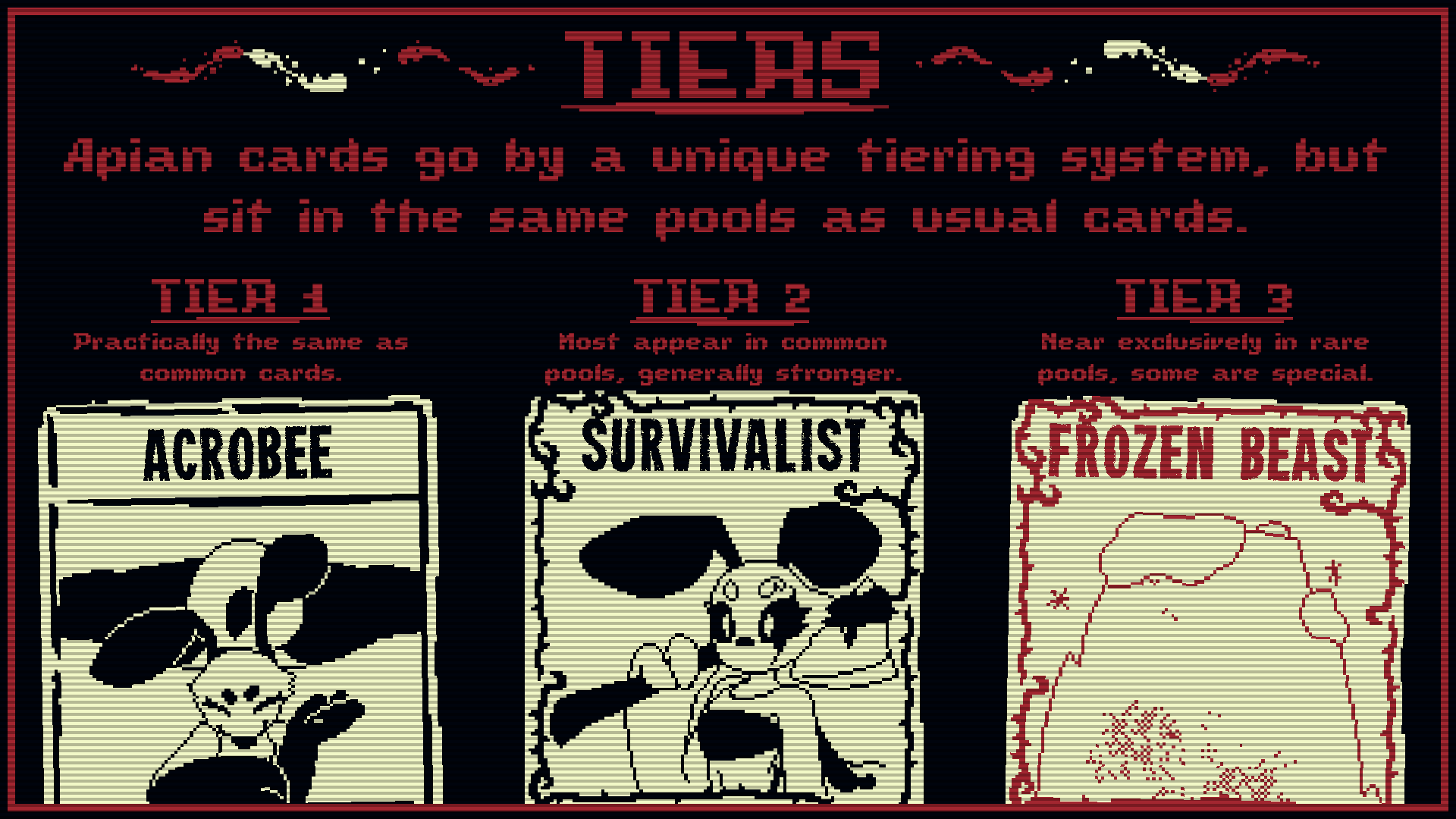
All these cards are sorted into a slight spin on the usual rarity, in the form of tiers.
Tier1/Common laiden in the common texture, Tier2/Uncommon laiden in the rare texture, and Tier3/Rare laiden in the gold rare texture.
Notes
- All bees in this pack are drawn using references of DuskVulthra's VRChat Bee model. If you play it, seriously check out their work. All of their avatars are absolutely adorable. ( I love the new kobold especially. )
- I strongly recommend using Pack Management API if you want just bees.
- This supports KCMLoadouts! My goal with them is to make a loadout for each starting deck, or at least make them thematically flexible with each starting deck you choose.
- This is a personal project! I just really like sharing work, and the Inscryption Modding community seems small enough for me to be comfortable with putting it out there.
- Everything is very subject to change, card-wise.
How to Download
These are in the perspective of someone using Windows10. Windows11 dumb. I'm sorry, Mac and Linux users. -w-'
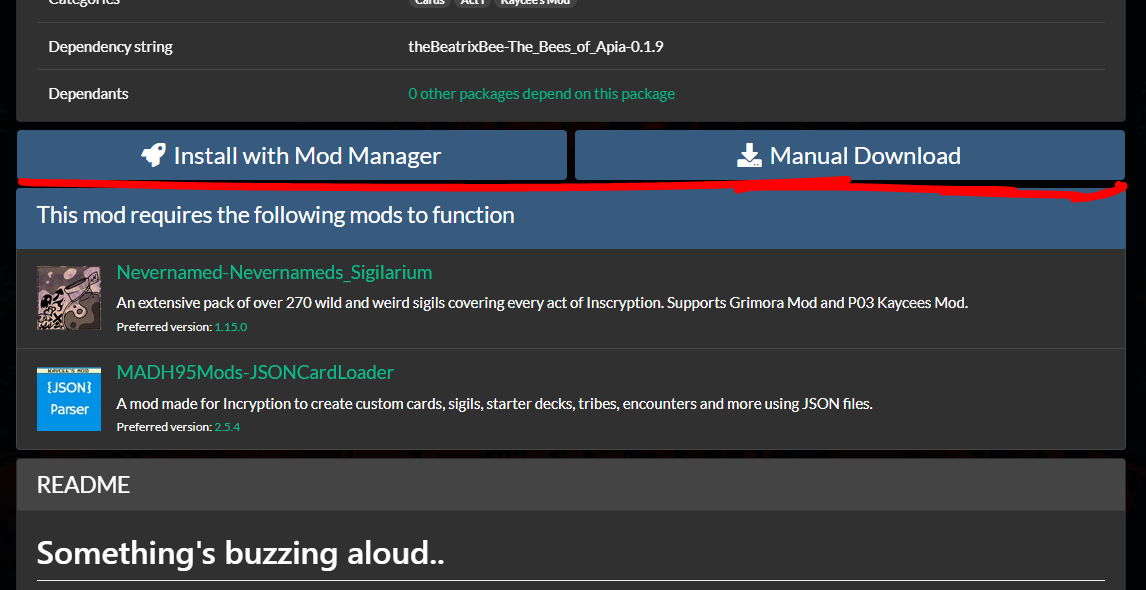
Both ThunderstoreModManager on Overwolf and the standalone r2Modman support Inscryption. This mod should be found on both managers' search tab with Not Safe For Work mods shown. Up near the top of the page, just above the dependancy list, "This mod requires the following mods to function," there's two buttons, "Install with Mod Manager," and "Manual Download."
Automatic Install

Clicking "Install with Mod Manager" should automatically install the mods in your mod manager. If a prompt appears asking to send things to an application, hit Allow.
Installing automatically should be the easier option.
Manual Install

Clicking "Manual Download" will download a zip file of the mod to your set downloads folder, most if not all browsers will have a pop-up showing you it's downloading. Find the zip file in your downloads folder, and open your mod manager.
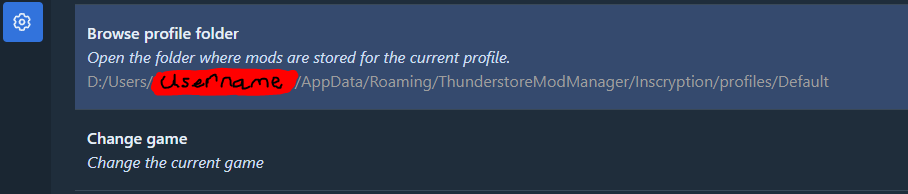
Once your mod manager is open, and you've selected Inscryption, and a mod profile, navigate to your settings and click "Browse Profile Folder," the second option on the default tab. When a File Explorer has opened, open the following folders; BepInEx > Plugins. Keep that window open. Open your downloads folder and open up the .zip file you downloaded just earlier. Back to your Plugins folder, create a new folder and name it the same as the zip file. Once it's named, open it up. Lastly, select all files in the .zip file ( Apart from anything named ".." ( That brings you into the folder containing the zip file. )) and dump them all into your newly made folder in Plugins.
You should be able to find the mod in your mod manager's installed mods list, but it will need dependancies. But once it has everything, you should be able to start the game up and play.
Thank you!
Thank you for even looking at the page for this mod, I really didn't at all expect it to get past 100 downloads. At the time of writing this, 2131. Good god. ;w;'
Thank you so much to the people who helped with any cards that were broken. I won't put your names here, because knowing the internet right now and me stressing about things..