

CrossHair
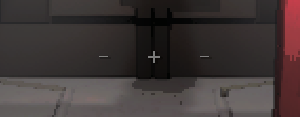
Adds a CrossHair to the center of your screen (- + -) to indicate where you are aiming.CrossHair
Adds a CrossHair to the center of your screen to indicate where you are aiming. For suggestions or issues, feel free to open an issue on the GitHub repository.
Installation
Manual
- Download the latest version from the releases page.
- Extract the zip file.
- Move the
BepInEx/plugins/com.ctnoriginals.crosshair.dllfile toBepInEx/pluginsfolder. - Move the
BepInEx/config/com.ctnoriginals.crosshair.cfgfile toBepInEx/configfolder. - Launch the game and never wonder where you are aiming again!
Thunderstore
Install using the Thunderstore Mod Manager: https://thunderstore.io/c/lethal-company/p/CTNOriginals/CrossHair/
Changelog
See CHANGELOG.md for the full changelog.