

LocalDeposit
V81 Host-Only Clientside version of HQoLLocalDeposit
V81 host-only QoL mod inspired by HQoL that reduces ship lag due to Dine being a big fat meanie lag machine
HQoL remains the recommended choice because it's recognized by the HighQuotaHQ community. LocalDeposit is an alternative for hosts who want similar deposit functionality without requiring other players to install the same modpack. If HQoL is installed, LocalDeposit's commands are disabled and HQoL takes precedence.
WARNING
Crashing or Alt+F4 removes all saved scrap into nothingness so keep a spare savefile when using this mod
How It Works
- Physically deletes all scrap and convert them into stored value in terminal
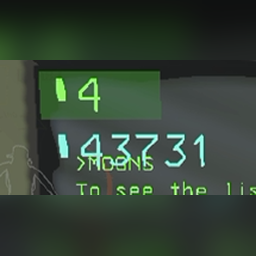
- Shows the total deposited value in blue in the terminal
- Preserves item values
- /undeposit happens at the end of the day or when quitting normally so the savefile saves the values
Commands
/deposit— Deposit scrap./deposit -b— Deposit with blacklisted items./deposit -aor/deposit --all— Deposit everything, ignoring the blacklist (Gift Boxes are still never touched)./deposit --listor/deposit -l— List deposited items./deposit --helpor/deposit -h— Show command help./undeposit— Restore all deposited scrap.
/deposit and /undeposit work in the terminal and in the game chat (chat needs the ChatCommandAPI dependency).
Selling (terminal only)
Sell at the Company, host only. Deposited scrap is included: anything deposited that gets chosen for a sale is undeposited first, then sold.
/sell quota— Sell just enough scrap to fulfil the remaining quota (exact if possible, otherwise the smallest overshoot)./sell all— Sell all scrap./sell <amount>— Sell scrap worth at least<amount>(1500,2k,1k+500). Amounts are what you receive after the Company's buying rate./sell item <name>— Sell every item whose name contains<name>.- Add
-aor--allto ignore the blacklist (e.g./sell quota -a). /sell bl//sell pr— Show the blacklist / priority list./sell bl + [name],/sell bl - [name]— Add/remove a blacklisted item (no name = the item in your hands)./sell pr + [name],/sell pr - [name]— Same for the priority list. Priority items are preferred when several combinations fit the amount.
/sell only exists in the terminal, so it works alongside QuickSell (which uses chat /sell). Clients don't need the mod; they just see the items go to the desk and their credits update. Overtime is not calculated.
Config
Config file: BepInEx/config/local.deposit.lethalcompany.cfg
[Blacklist]
Items = ShotgunItem, KnifeItem, GiftBox

[Sell]
Blacklist = ShotgunItem, KnifeItem, ZeddogPlushie, GiftBox
Priority = FancyLamp, LungApparatusTurnedOff, Clock, EasterEgg, ComedyMask, Tragedy, Heartcontainer

[Debug]
LogItemIdentifiers = false
- Blacklist Items:
/depositskips these (-aignores the list). - Sell Blacklist:
/sellskips these (-aignores the list). Defaults match QuickSell's. - Sell Priority:
/sellprefers these when several combinations fit. - LogItemIdentifiers: Log every item name when a lobby loads, to find names for the lists.
Names are comma-separated and partial matches count (knife matches KnifeItem). Everything else is fixed: saves always restore deposited items first, and a save that would miss deposited items is skipped.
Item identifiers were found using ShipSort alongside Unity Explorer.
Requirements
- BepInEx 5, ChatCommandAPI (for chat commands).
- Recommended: TooManyItems (vanilla only saves 45 ship items).
Known Issues
- Undepositing thousands of items can cause lag.
- Avoid Alt+F4: Use ESC → Leave Game whenever possible.
- Crashing while items are deposited does not restore them (see the warning above).
- Do not use HQoL's deposit/storage feature alongside LocalDeposit. If HQoL is installed, LocalDeposit's commands are disabled.