
Please disclose if your mod was created primarily using AI tools by adding the 'AI Generated' category. Failing to do so may result in the mod being removed from Thunderstore.
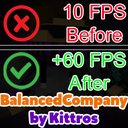
BalancedCompany
Optimizes FPS and performance with configurable options for visuals and physics. Perfect for players seeking performance boosts without sacrificing visual quality.
| Last updated | 5 months ago |
| Total downloads | 7786 |
| Total rating | 2 |
| Categories | Mods BepInEx Bug Fixes Performance Tweaks & Quality Of Life |
| Dependency string | Kittros-BalancedCompany-1.0.0 |
| Dependants | 7 other packages depend on this package |
This mod requires the following mods to function

BepInEx-BepInExPack
BepInEx pack for Mono Unity games. Preconfigured and ready to use.
Preferred version: 5.4.2304
AinaVT-LethalConfig
Provides an in-game config menu for players to edit their configs, and an API for other mods to use and customize their entries.
Preferred version: 1.4.6README
BalancedCompany: FPS & Performance Optimizer
BalancedCompany is a powerful Mod for BepInEx, specifically designed to optimize FPS and overall performance in games. The mod offers user-friendly configuration options, allowing players to adjust both visual and physical aspects of the game. Ideal for players who want to boost their performance while maintaining visual quality.
Main Features:
- FPS Display: Shows real-time frames per second (FPS) in the game. Customize the position, color, refresh rate, and font size.
- Performance Optimization: Optimizes physics settings (FixedDeltaTime and SolverIterations) and shader level of detail (LOD) to improve performance and better utilize system resources.
- GPU Instancing: Enables GPU Instancing for all supported materials, improving rendering performance and reducing CPU load, especially in scenes with many repeated objects.
- Advanced Configuration Options: Integrated with LethalConfig, allowing users to adjust FPS display, performance options, and more directly in the game – no restart required.
Compatibility:
- Fully compatible with BepInEx (required for operation).
- Supports LethalConfig for advanced in-game customization options.
- Works on Windows and supports both single-player and multiplayer modes.
Installation:
- Ensure that BepInEx is installed.
- Drop the BalancedCompany mod into your BepInEx Plugins folder.
- Install LethalConfig for advanced customization options.
Customization:
All settings can be adjusted directly through the in-game UI. You can toggle the FPS display on/off, change its position and color, and tweak performance settings to your liking.
Additional Information:
- Mod Version: 1.0.0
- Author: Kittros
- Dependencies: BepInEx, LethalConfig
My YouTube Channel
Feel free to subscribe to my channel: https://www.youtube.com/c/Kittros
