

You are viewing a potentially older version of this package. View Latest Version
MinecraftSpiderMod
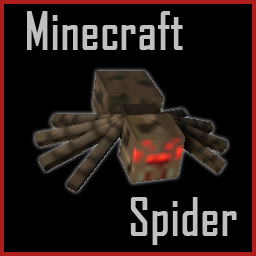
A Lethal Company mod that replaces the current spider model and sounds with the Minecraft spider model and sounds.MinecraftSpiderMod
A Lethal Company mod that replaces the current spider model and sounds with the Minecraft spider model and sounds.
License
This softwate is distributed under GNU LESSER GENERAL PUBLIC LICENSE Version 2.1, see LICENSE
Installation
Thunderstore Manager (highly recommended)
Thunderstore Manager
- Open up the Thunderstore App to do the following)
- Click
Get mods/Online(whatever it happens to be called) - Search for MinecraftSpiderMod
- Download it
Manual
- Click
Manual Download - Unzip files
- Navigate to
MinecraftSpiderModand copy the contents - Find your BepinEx installation's plugin folder, by default it would be in steamapps:
steamapps\common\Lethal Company\BepInEx\plugins - Create a folder titled
MinecraftSpiderMod - Paste the contents into that folder
If you did all of this correctly, it should load properly.
The resulting file structure should look like this:
BepinEx
├───Bundles
├───cache
├───config
├───core
├───patchers
└───plugins
    └───MinecraftSpiderMod
        ├───CHANGELOG.md
	├───icon.png
	├───LICENSE
	├───manifest
	├───MinecraftSpiderMod.dll
        └───README.md
Really the only thing that needs to be in BepinEx/plugins/MinecraftSpiderMod/ is the MinecraftSpiderMod.dll, so alternativley th resulting file structure
could be:
BepinEx
├───Bundles
├───cache
├───config
├───core
├───patchers
└───plugins
    └───MinecraftSpiderMod
        └───MinecraftSpiderMod.dll
As Is Warranty
This software is provided as is and no warranty is provided, intended, or offered by it's developer(s).