

UnLxckyCompany
Welcome to (Un)Lxcky Company! 40+ Mods.Welcome to (Un)Lxcky Company!
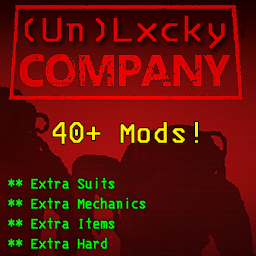
Welcome to (Un)Lxcky Company. This is a high quality modpack I put together single-handedly so my friends and I could enjoy a more challenging, chaotic, and, most importantly, a configurable experience. Consists of over 40 mods, including QoL improvements, additional items and mechanics, fixes, and events.
How many mods ARE there?
There are a total of 46 packages included in this modpack, 5 of them are dependencies required for the remaining 41 to function.
Quality of Life
There are a number of QoL improvements, just to make some things easier for you and your team. Some of these are:
- Better Scanning (Ship Loot Total + Scan For Enemies)
- Coroner's Reports for Dead Co-Workers
- Better Teleporting
- Helmet Cams (2nd Monitor replaces ship camera with a HeadCam for the player you are viewing)
- Quota Rollover (E.g Quota is 130, you made 260, 130 will be removed as per quota, but the rest will remain for next quota)
- Better Lobbies (2-8 Players optimal, Supports up to 32. Friends can join your game between landings)
Additional Items and Mechanics
Enjoy the extra scrap, upgrades, and enemies provided by the (Un)Lxcky Company
- 5 Plushies, a cat, and a hotdog can now be found and sold
- New store items, including but not limited to: Toy Hammer, Rocket Launcher, New Decor
- 2 new enemies, and a new trap
- Extra suits unlocked from Day 0, in addition to the unlockable suits. Press (B) and (N) to navigate the clothing racks. (All unlockables stay after being fired, can be changed in configs)
- Reserved Slots for Walkie-Talkie (X) and Flashlight (F)
Events
Brutal Company: Reborn + Employee Assignments (BC Additions will be added when it's ported to BC: Reborn)
- Random chance of events on every moon
- Randomized Assignments given to Employees for added risk/reward
Misc.
- More Emotes (Numbers 1-6 on Keyboard)
- Emote while moving (Crouch to stop emoting)
- 2 Seconds of Post-Death Audio (For gits and shiggles)
- HideModList/HideChat (More immersion, less screen clutter)
- Ship Clock (No longer need to go outside the ship to check the time)
Installation/Updating
For Install
- Download through Thunderstore Mod Manager, it will download all the mods included in the pack, in the order I have them in. If you wish to install manually, you will have to go through the modpack and install each mod one by one, as they all have instructions included in their individual pages.
For Update
- Uninstall the modpack completely, then reinstall the updated modpack. This will prevent excess file waste and potential file clashing.