

ScanRarity
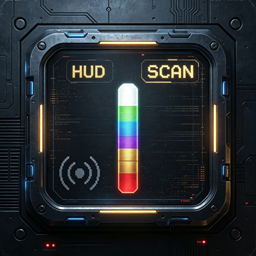
Scan scrap to spawn a rarity-colored marker (Point, Particles or Cheat styles) with value text. Client-side, no dependencies beyond BepInEx. Default language: en. Colors: White < Green < Blue < Purple < Gold < Red.ScanRarity
Scan scrap items in Lethal Company to reveal their value with a rarity-colored marker. When you right-click scan a scrap item, a marker spawns at its position with the item name and value displayed on top. The higher the value, the higher the rarity color tier: White → Green → Blue → Purple → Gold → Red.
Three marker styles are available and can be switched from the config: a Point, rising Particles, or a Cheat box that encloses the whole item.
A pure client-side mod. The only dependencies are BepInEx and Harmony — no other prerequisites.
Features
- Right-click scanning spawns a rarity-colored marker at the scrap item's position.
- Switchable marker style:
Point,ParticlesorCheat. - Fixed color override for all styles, or use the rarity color by default.
- The item name and value text float above the marker, colored to match the rarity tier.
- Optional sign prefix for the value display (customizable via
CustomSign). - Re-scanning refreshes the marker duration and color tier.
- Can hide the vanilla scan HUD labels for scrap so only the new display is shown.
Rarity Tiers (default thresholds, configurable)
| Color | Value |
|---|---|
| Red | ≥ 300 |
| Gold | 200 – 299 |
| Purple | 130 – 199 |
| Blue | 80 – 129 |
| Green | 40 – 79 |
| White | < 40 |
All thresholds can be adjusted in the config file.
Configuration
Config file: BepInEx/config/ScanRarity.cfg
| Key | Default | Description |
|---|---|---|
Enabled |
true |
Master switch for the mod. |
BeaconDuration |
3 |
Duration of the point marker in seconds. |
BeaconHeight |
1 |
Height of the point marker. |
PointSize |
0.35 |
Size (world units) of the rarity point marker. |
ShowValueText |
true |
Show the value text above the marker. |
ShowSign |
false |
Prefix the value text with a sign. |
CustomSign |
$ |
Custom sign shown before the value when ShowSign is enabled. |
Language |
en |
Language file to load: en, zh-CN, ru, pl, la, fr, pt or es. |
TextFontSize |
25 |
Font size of the value text. |
TextVerticalOffset |
-0.5 |
Vertical offset of the value text above the marker. |
DisableVanillaScanDisplay |
true |
Hide the vanilla scan HUD labels for scrap. |
StyleType |
Particles |
Marker style: Point, Particles or Cheat. |
MarkerColor |
(empty) | Fixed color for all styles (#RRGGBB). Empty = rarity color. |
PointSize |
0.35 |
Size of the point marker (Point style). |
ParticleAmount |
Medium |
Particle count: Low, Medium or High (Particles style). |
BoxLineWidth |
0.04 |
Line width of the Cheat marker (Cheat style); larger = thicker. |
Rarity.RedThreshold |
300 |
Value threshold for Red tier. |
Rarity.GoldThreshold |
200 |
Value threshold for Gold tier. |
Rarity.PurpleThreshold |
130 |
Value threshold for Purple tier. |
Rarity.BlueThreshold |
80 |
Value threshold for Blue tier. |
Rarity.GreenThreshold |
40 |
Value threshold for Green tier. |
Supported Languages
en, zh-CN, ru, pl, la, fr, pt, es — 8 languages in total.
Installation
- Install BepInEx for Lethal Company (BepInEx 5, 64-bit).
- Place
ScanRarity.dllin:
BepInEx/plugins/ScanRarity/
- Launch the game once to generate the config file, then adjust settings in
BepInEx/config/ScanRarity.cfgif desired.
Language files are loaded from BepInEx/plugins/ScanRarity/languages/<Language>.json (for example, languages/en.json).
Compatibility
- Hooks
HUDManager.UpdateScanNodes(Postfix) and is compatible with mods that rewrite the scan pipeline (e.g. ScanValue). - Vanilla Lethal Company only. Pure client-side — no NetworkBehaviour, RPC, or server-side code.