

ConfigSync
Shares the settings a mod marks as shared from the host to every player while they are connected.ConfigSync
Lets mods share settings from the host with everyone in the lobby.
- Who needs it: everyone in the lobby, when a mod they use depends on it.
- Config:
Follow host recommendations, on by default. Turn it off to keep your own values for settings a host only recommends. Settings a host enforces apply either way.
The host's values only apply while you're connected, and they're never written to your config file. Settings for mods you don't have are ignored. When you join, chat says how many of your settings the host sets, and names any mod whose version differs from the host's. It also says when the host changes one while you're connected.
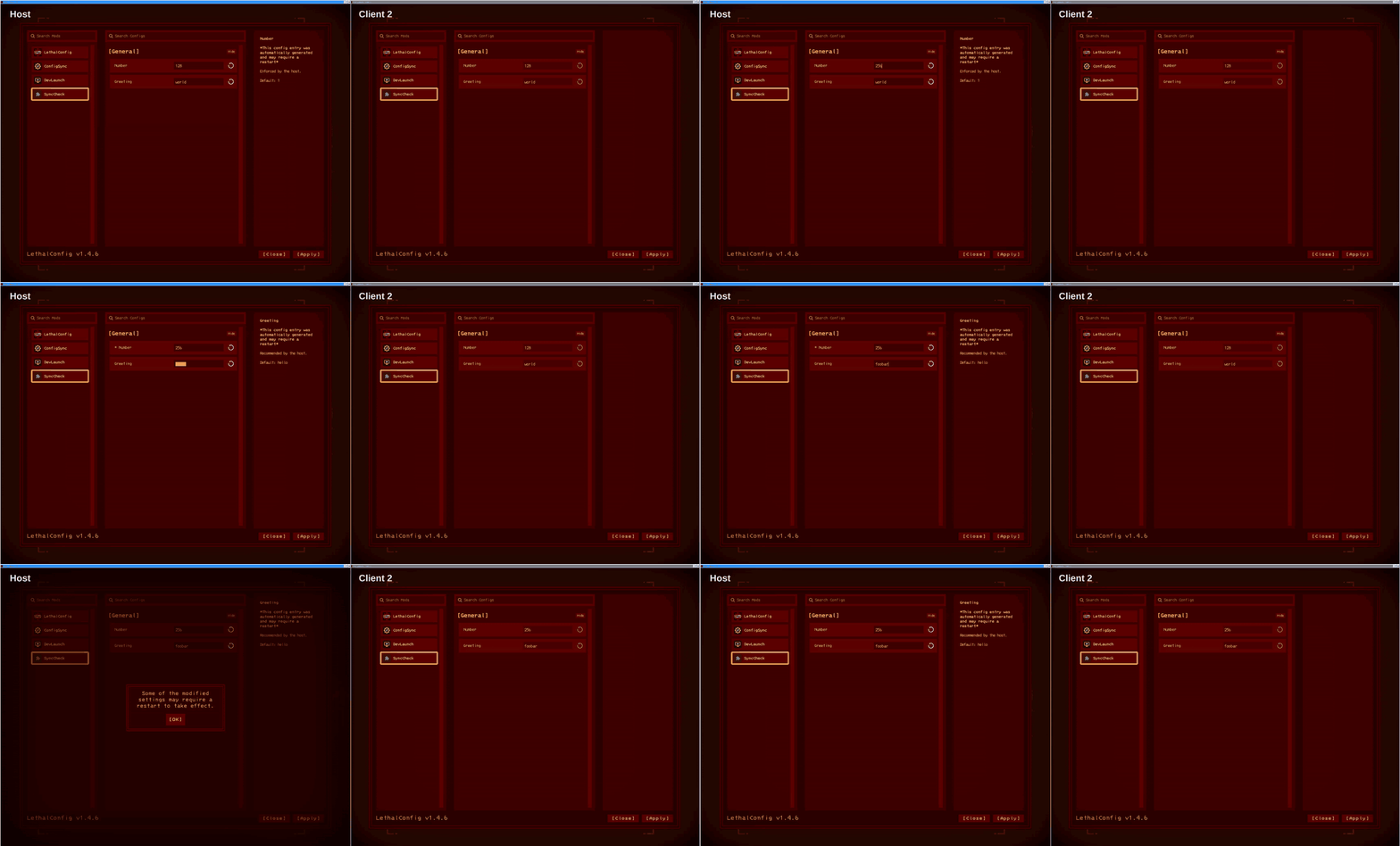
With LethalConfig installed, settings using the host's value are greyed out and show the host's value instead of yours while you're connected, with the reason in the tooltip. They change as soon as the host changes them.
In Mortar
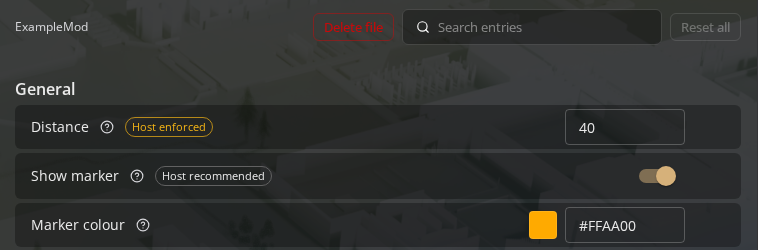
Mortar's Config editor marks each shared setting Host enforced or Host recommended. Settings without a mark aren't shared.
For mod authors
Add Mortar-ConfigSync as a dependency, then share the settings players should agree on:
private SyncedEntry<int> distance = null!;

private void Awake()
{
    SyncedConfig shared = SyncedConfig.For(this);
    distance = shared.Share(Config.Bind("General", "Distance", 40, "How far away the dropship lands."));
}
distance.Value is the host's value while connected and the player's own otherwise. Share takes a level,
Sync.HostEnforced (the default) or Sync.HostRecommended. distance.Changed fires whenever Value changes.
ConfigSync writes <plugin GUID>.sync.json next to your config file, listing which settings are shared and how.
It doesn't hold any values. Mod managers like Mortar read it to label shared settings.