

TerminalKeyBindings
Assign terminal commands to hotkeys, works with modded terminal commands.Assign a hotkey to a terminal command!
Client-side hotkeys, will display the terminal output onto your screen as a notification.
Setup the hotkeys via the config file.
Setup - How to use
Must have BepInEx and TerminalAPI installed to use.
Step 1:
Run the game at least once after installed, to generate a config.
Step 2:
Open the config via your mod manager or GameDirectory/BepInEx/config/net.navarrotech.TerminalKeyBindings
Step 3:
The way hotkeys are mapped is key:terminal command;key:teriminal command;
For example:
KeyMap = F5:scan;
When the "F5" key is pressed, it will run the "scan" command in the console.
Or another example:
KeyMap = F1:switch nebulablade;
When the "F1" key is pressed, it will attempt to switch to the player named "nebulablade"
Then write the command after the colon, and end the command with a semi-colon.
To combine the examples together:
KeyMap = F1:switch nebulablade;F5:scan;Numpad5:scan;Numpad8:route company;
Works with modded terminal commands too
For example:
F9:shiplights;
When the key "F9" is pressed, it will run the "shiplights" command into the terminal.
This command comes from another mod that I've made called "MoreTerminalCommands."
Anything you can type into terminal, including player names or mod items, will all work.
Important notes:
- Does not work with gamepad buttons (yet)
- Does not work with mouse buttons (yet)
- Commands ROUTE and BUY will be auto-confirmed for you.
- For example "route company" will automatically route to the company without needing to confirm.
Supported keyboard keys:
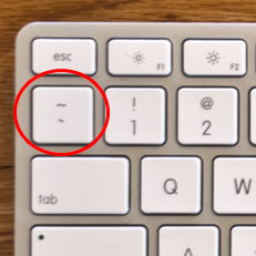
Space, Enter, Tab, Backquote, Quote, Semicolon, Comma, Period, Slash, Backslash, LeftBracket, RightBracket, Minus, Equals,
A, B, C, D, E, F, G, H, I, J, K, L, M, N, O, P, Q, R, S, T, U, V, W, X, Y, Z,
Digit1, Digit2, Digit3, Digit4, Digit5, Digit6, Digit7, Digit8, Digit9, Digit0,
LeftShift, RightShift, LeftAlt, AltGr, AltGr, LeftCtrl, RightCtrl,
LeftWindows, LeftWindows, LeftWindows, LeftWindows,
RightCommand, RightCommand, RightCommand, RightCommand,
ContextMenu, Escape,
LeftArrow, RightArrow, UpArrow, DownArrow,
Backspace, PageDown, PageUp, Home, End, Insert, Delete, CapsLock, NumLock, PrintScreen, ScrollLock, Pause,
NumpadEnter, NumpadDivide, NumpadMultiply, NumpadPlus, NumpadMinus, NumpadPeriod, NumpadEquals,
Numpad0, Numpad1, Numpad2, Numpad3, Numpad4, Numpad5, Numpad6, Numpad7, Numpad8, Numpad9,
F1, F2, F3, F4, F5, F6, F7, F8, F9, F10, F11, F12,
OEM1, OEM2, OEM3, OEM4, OEM5, IMESelected