

You are viewing a potentially older version of this package. View Latest Version
MonitorEnhance
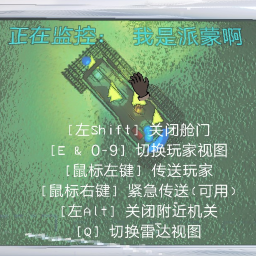
Allows players to interact with the ship monitor.MonitorEnhance


Special thanks to TheDeadSnake's LC-TouchScreenGithub !
Once you load into a level you can hover over the monitor and click away.
-
Switch:
> Switch view to next player (def. E)
> Switch view to next rader (def. Q)
> Switch view to the player by the index (Key 0-9, not num0 - num9) -
Use:
> Use the Ping feature of a radar booster (def. LMB)
> Use Teleporter for the radar target player (def. LMB)
> Use the Flash feature of a radar booster (def. RMB)
> Use Emergency Teleport for the radar target player, player will teleport to you with no delay. Cooldown is 20 seconds. (def. RMB) -
Others:
> Turn on/off the ship door (def. LeftShift)
> Clicked the traps(BigDoor, Land mine, Turret) (def. LeftAlt)