
Please disclose if your mod was created primarily using AI tools by adding the 'AI Generated' category. Failing to do so may result in the mod being removed from Thunderstore.
minimapa diman3012
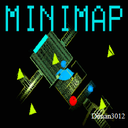
Minimalist Lethal Company mod that adds an always-on minimap to the HUD. Shows players and objects, rotates with view direction, and is lightweight and unobtrusive.
| Last updated | 2 days ago |
| Total downloads | 20846 |
| Total rating | 0 |
| Categories | Misc AI Generated |
| Dependency string | SHLUHA-minimapa_diman3012-1.1.4 |
| Dependants | 3 other packages depend on this package |
This mod requires the following mods to function

BepInEx-BepInExPack
BepInEx pack for Mono Unity games. Preconfigured and ready to use.
Preferred version: 5.4.2100README
MIniMap 🛰️


Choose Language / Выберите язык
🇬🇧 English Description (Click to expand)
🧩 This mod was inspired by and originally based on LethalCompanyMinimap by tyzeron. The codebase has been significantly reworked for a minimalist HUD-based implementation with persistent configuration.
Description
A minimalist mod for Lethal Company that integrates the ship's radar directly into your HUD. Track scrap, teammates, and monsters in real-time without needing to return to the monitor.
✨ Features
- Integrated UI: The radar appears as a sleek overlay on your HUD (top-right by default).
- Persistent Config: Uses BepInEx configuration. Your "Enabled" state (F2) is saved between game sessions.
- Auto-Rotate: The map view rotates dynamically based on your character's looking direction.
- Smart Icon Correction: Map icons and the compass rose rotate to stay upright relative to your view.
- Target Locking: Automatically prevents the game from switching your radar target when you are using the minimap.
- Manual Cycling: Cycle through all valid radar targets (players and boosters) using a hotkey.
- Death Support: Automatically switches to spectator mode targets when you die and returns to your character upon revival.
🎮 Controls
| Action | Key | Description |
|---|---|---|
| Toggle Minimap | F2 |
Shows/hides the UI and saves the preference to config. |
| Switch Target | F3 |
Manually cycles to the next available radar target. |
🛠️ Installation
- Install BepInEx Pack.
- Download MIniMap.dll.
- Place the file into
Lethal Company/BepInEx/plugins. - Run the game once to generate the config file:
BepInEx/config/com.diman3012.minimap.cfg.
🇷🇺 Русское описание (Нажмите, чтобы развернуть)
🧩 Данный мод был вдохновлён и изначально основан на проекте LethalCompanyMinimap от tyzeron. Код был существенно переработан для создания минималистичной миникарты в HUD с полноценной системой конфигурации.
Описание
Минималистичный мод для Lethal Company, который переносит радар корабля прямо в ваш HUD. Следите за лутом, союзниками и монстрами в реальном времени, не возвращаясь к монитору на корабле.
✨ Особенности
- Интеграция в интерфейс: Радар отображается как аккуратное дополнение к вашему HUD (по умолчанию в верхнем правом углу).
- Постоянная конфигурация: Использует BepInEx Config. Состояние "Включен" (F2) сохраняется между запусками игры.
- Авто-поворот: Карта динамически вращается в зависимости от того, куда смотрит ваш персонаж.
- Коррекция иконок: Иконки объектов и стрелка компаса корректируются, чтобы всегда указывать верное направление.
- Фиксация цели: Мод блокирует попытки игры принудительно переключить вашу цель радара.
- Ручное переключение: Вы можете листать все доступные цели (игроков и бустеры) горячей клавишей.
- Поддержка при смерти: Автоматически переключается на наблюдаемую цель после смерти и возвращается к персонажу после возрождения.
🎮 Управление
| Действие | Клавиша | Описание |
|---|---|---|
| Вкл/Выкл карту | F2 |
Показать/скрыть миникарту (состояние сохраняется в конфиг). |
| Смена цели | F3 |
Переключить радар на следующую доступную цель. |
🛠️ Установка
- Установите BepInEx Pack.
- Скачайте файл MIniMap.dll.
- Поместите файл в папку
Lethal Company/BepInEx/plugins. - Запустите игру один раз, чтобы создался файл конфигурации:
BepInEx/config/com.diman3012.minimap.cfg.
🏗️ Technical Details
- Namespace:
MIniMap - Target Logic: Patches
ManualCameraRendererto handle map logic and target freezing. - UI Rendering: Uses a
RawImagecomponent linked to the ship's map camera texture. - Network Sync: Includes
NetworkPrefabPatchfor proper identification within Unity Netcode.
Created by Diman3012
