
You are viewing a potentially older version of this package. View Latest Version
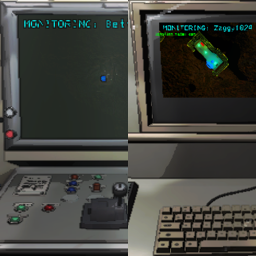
TwoRadarMaps separates the radar map within the terminal from the radar map displayed on the screen at the front of the ship so that they can monitor the perspectives of different players/radar boosters. The switch command in the terminal will only have an effect on its own radar map.
When combined with the Touchscreen mod, those two players will both be able to disable turrets/mines, open/close doors, etc. without interfering with each other.
Additionally, as a side effect of confining the visibility of night vision lighting to the map radar cameras, the night vision will now function outside the facility:
Disabled by default, this feature allows the terminal to select from a list of customizable map view sizes. To enable it, open the config and set the Enabled option under [Zoom] to true.
Once enabled, the following commands are available in the terminal:
zoom will cycle through the configured zoom levels.zoom in and zoom out will stop at the minimum or maximum zoom levels.reset zoom will set the zoom level back to the configured default.