

HoneeItemIcons
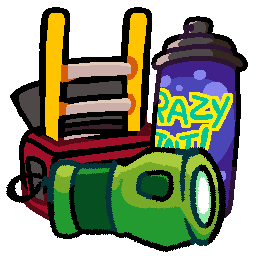
An addon for RuntimeIcons that uses custom-drawn item icons by Honee! Includes items from Vanilla, TerrasScrap, & SigurdsScrap.About
These icons were drawn by my friend Honee! We're hoping this will be a fun addition to primarily vanilla+ packs, so please enjoy!
Currently supported mods:
This IS also compatible with my other addon, RuntimeIcons_BetterRotations. Having both installed will work fine & prioritize Honee's icons where applicable.
A message from Honee:
"Hey, so I like, made these for fun and enjoy making other stuffs too.
If you want to commission thingies or ask sum, you can contact me on discord as @thehonee"
Preview images
Vanilla Tools / Equipment
Click to show image

To see the Mapper in-game you'll need to install RestoreMapper. The binoculars are just there because i thought it was funny.
Vanilla Scrap
Click to show images


Terra's Scrap:
Click to show images


Sigurd's Scrap

Elite flashlight:

Configuration
If you'd like to change which icons show up, you'll need to navigate to the RuntimeIcons config file, located in LethalConfig's menu (requires restart), or locally at [YourProfile]/BepInEx/config/com.github.lethalcompanymodding.runtimeicons.cfg.
- Change
List BehaviourtoWhiteList - Copy-paste one of the following strings into the
Item Listtext field:

Only keep items that had special icons in vanilla:
Vanilla/Walkie-talkie, Vanilla/Flashlight, Vanilla/Shovel, Vanilla/Lockpicker, Vanilla/Pro-flashlight, Vanilla/Stun grenade, Vanilla/Boombox, Vanilla/TZP-Inhalant, Vanilla/Zap gun, Vanilla/Jetpack, Vanilla/Extension ladder, Vanilla/Radar-booster, Vanilla/Spray paint, Vanilla/Weed killer, Vanilla/Belt bag, Unknown/clipboard, Vanilla/Key, Vanilla/Shotgun, Vanilla/Gift, Unknown/Maneater, Vanilla/Mapper, Vanilla/Binoculars

Keep all items that have a custom icon made:
(For essentially disabling runtime-generated icons for modded scrap)
NOTE: This doesn't include TerrasScrap or SigurdsScrap currently. I'll probably do that once RuntimeIcons gets dawnlib support.
Vanilla/Walkie-talkie, Vanilla/Flashlight, Vanilla/Shovel, Vanilla/Lockpicker, Vanilla/Pro-flashlight, Vanilla/Stun grenade, Vanilla/Boombox, Vanilla/TZP-Inhalant, Vanilla/Zap gun, Vanilla/Jetpack, Vanilla/Extension ladder, Vanilla/Radar-booster, Vanilla/Spray paint, Vanilla/Weed killer, Vanilla/Belt bag, Unknown/clipboard, Vanilla/Key, Vanilla/Shotgun, Unknown/Sticky note, Vanilla/Gift, Vanilla/Ammo, Vanilla/Kitchen knife, Unknown/Body, Unknown/Maneater, Vanilla/Airhorn, Vanilla/Apparatus, Unknown/Apparatus, Vanilla/Hive, Vanilla/Big bolt, Vanilla/Big screw, Vanilla/Bone, Vanilla/Bottles, Vanilla/Bell, Vanilla/Candy, Vanilla/Cash register, Vanilla/Chemical jug, Vanilla/Clock, Vanilla/Clown horn, Vanilla/Mug, Vanilla/Comedy, Vanilla/Control pad, Vanilla/Cookie mold pan, Vanilla/Homemade flashbang, Vanilla/Dust pan, Vanilla/Ear, Vanilla/Easter egg, Vanilla/Egg, Vanilla/Egg beater, Vanilla/Fancy lamp, Vanilla/Flask, Vanilla/Foot, Vanilla/Garbage lid, Vanilla/Gold bar, Vanilla/Golden cup, Vanilla/Golden goblet, Vanilla/Brush, Vanilla/Hairdryer, Vanilla/Hand, Vanilla/Heart, Vanilla/Jar of pickles, Vanilla/Knee, Vanilla/Large axle, Vanilla/Laser pointer, Vanilla/Magic 7 ball, Vanilla/Magnifying glass, Vanilla/Old phone, Vanilla/Painting, Vanilla/Perfume bottle, Vanilla/Pill bottle, Vanilla/Plastic cup, Vanilla/Plastic fish, Vanilla/Remote, Vanilla/Ribcage, Vanilla/Toy robot, Vanilla/Rubber ducky, Vanilla/Red soda, Vanilla/Steering wheel, Vanilla/Stop sign, Vanilla/Metal sheet, Vanilla/Tea kettle, Vanilla/Teeth, Vanilla/Toilet paper, Vanilla/Toothpaste, Vanilla/Toy cube, Vanilla/Toy train, Vanilla/Tragedy, Vanilla/V-type engine, Vanilla/Ring, Vanilla/Whoopie cushion, Vanilla/Yield sign, Vanilla/Zed dog, Vanilla/Soccer ball, LethalLib/LCEliteFlashlight/Elite-flashlight, Vanilla/Mapper, Vanilla/Binoculars

Maneater icon
Currently, due to the way this "item" works, RuntimeIcons can't replace this one icon as easily. It is still possible to see in-game, but requires a couple extra steps.
NOTE: After doing this, the icon will remain replaced until the game closes. You can switch save files or lobbies and still see it, but after closing & re-opening the game it'll have to be repeated.
1: Pick up a maneater.

2: While the maneater is still being held, navigate to the LethalConfig menu and click on RuntimeIcons. You should see an option "Refresh held item".
3: Click the "Refresh" button.

- The maneater will now have a cuter icon!
