
You are viewing a potentially older version of this package. View Latest Version


Imperium is a powerful and highly performant all-in-one debugging tool to test and explore game mechanics and functionality in Lethal Company.
It is a client-side and server-side mod, meaning it works in singleplayer and multiplayer, as long as Imperium is also installed on the host.
[!IMPORTANT] Imperium was made with the intent to be a tool to test game functionality and provide more insight into the weird and wonderful mechanics of Lethal Company.
The Imperium team strongly stands against cheating and trolling in public lobbies. If you really want to cheat, at least put some effort into making your own hacked client!

Imperium comes with it's own built-in map and minimap.


The visualizers windows allows access to all the static and dynamic collider visualizers, gizmos and screen-space overlays.


Imperium comes with a built-in freecam that can be activated with F. The freecam camera is an exact copy of the player's gameplay camera with the exception of the culling layers that can be toggled in the layer selector. The layer selector can be toggled with L and is activated by default.
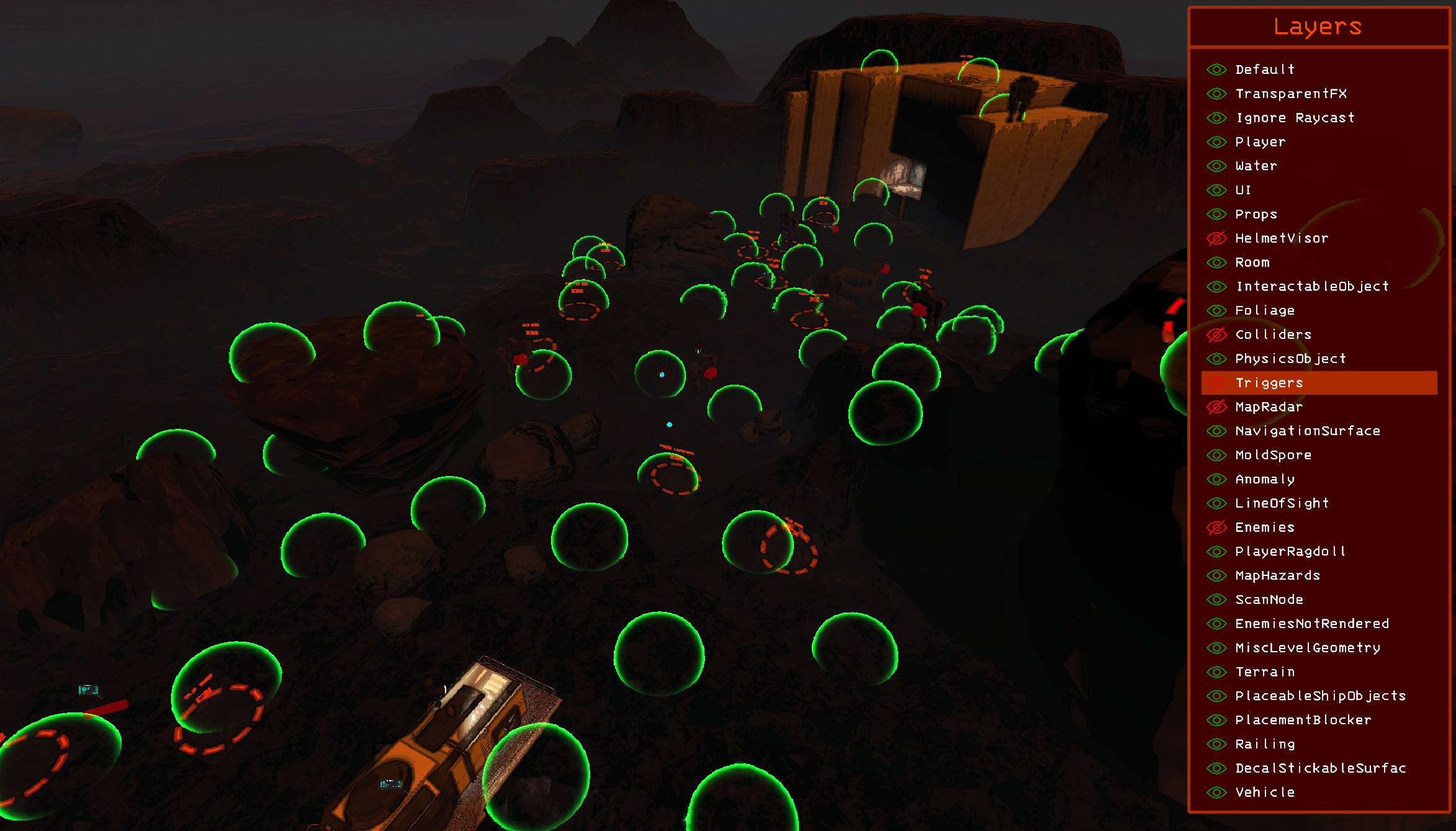
The freecam can be moved with WASD controls and Q and E for up and down movement.
| Keybind | Action |
|---|---|
| UpArrow | Moves layer selection up in layer selector. |
| DownArrow | Moves layer selection down in layer selector. |
| Space | Toggles selected layer in layer selector. |
| LeftArrow | Increases freecam field of view. |
| RightArrow | Descreases freecam field of view. |
| ScrollUp | Increases freecam movement speed. |
| ScrollDown | Decreases freecam movement speed. |
| R | Resets the freecam's position, FOV and movement speed. |
| T | Teleports the player model to the freecam. |
| L | Toggles layer selector. |
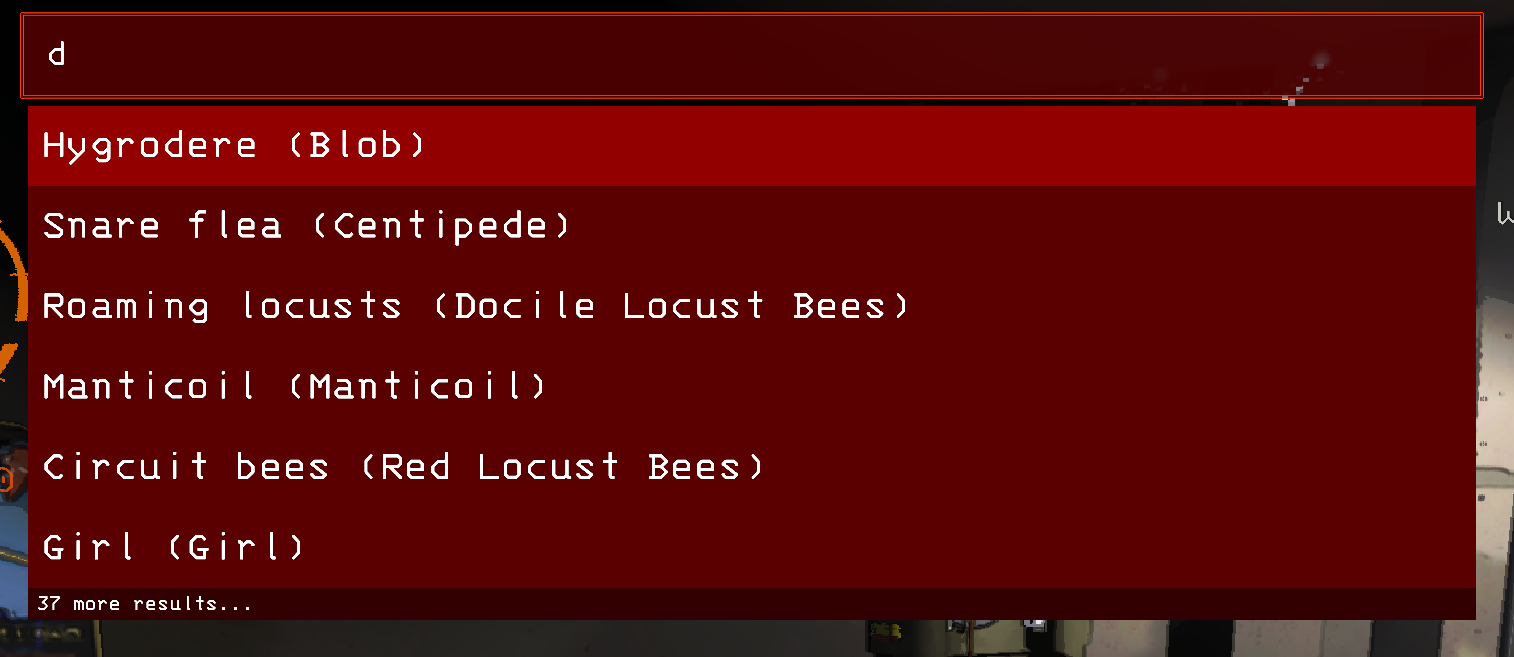
Tha spawning console allows you to spawn entities, scrap and map hazards into the scene.
Command Syntax: objectName [amount] [health / value]
Imperium's built-in save file editor can edit any non-vector data fields from the general save file (LCGeneralSaveData) and the individual game saves (LCSaveFileX).
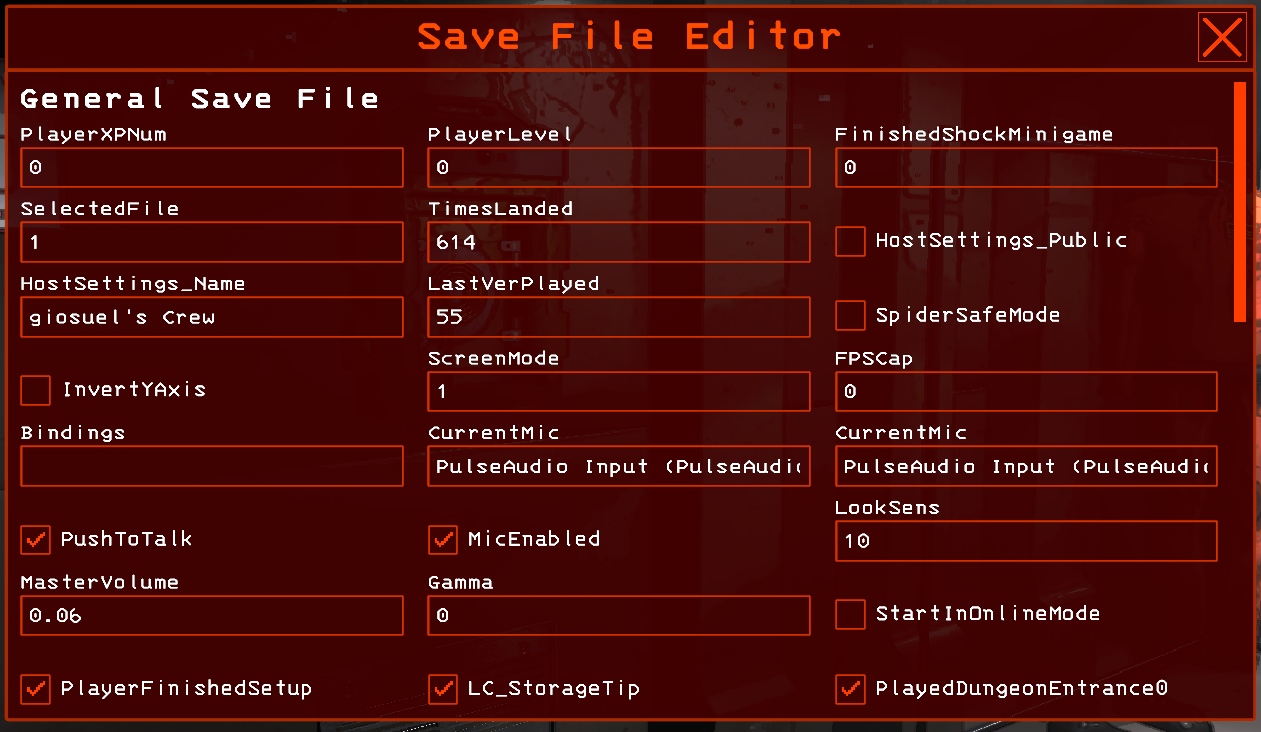
[!CAUTION] It is not recommended to use the save file editor unless you know what you are doing.
To provide maximum control over the save files, Imperium doesn't implement any input validation, meaning it is very easy to screw up the saves and render the game completely unplayable!
Always make sure to have a backup before changing anything!
The Imperium settings interface provides access to various preferences of Imperium.

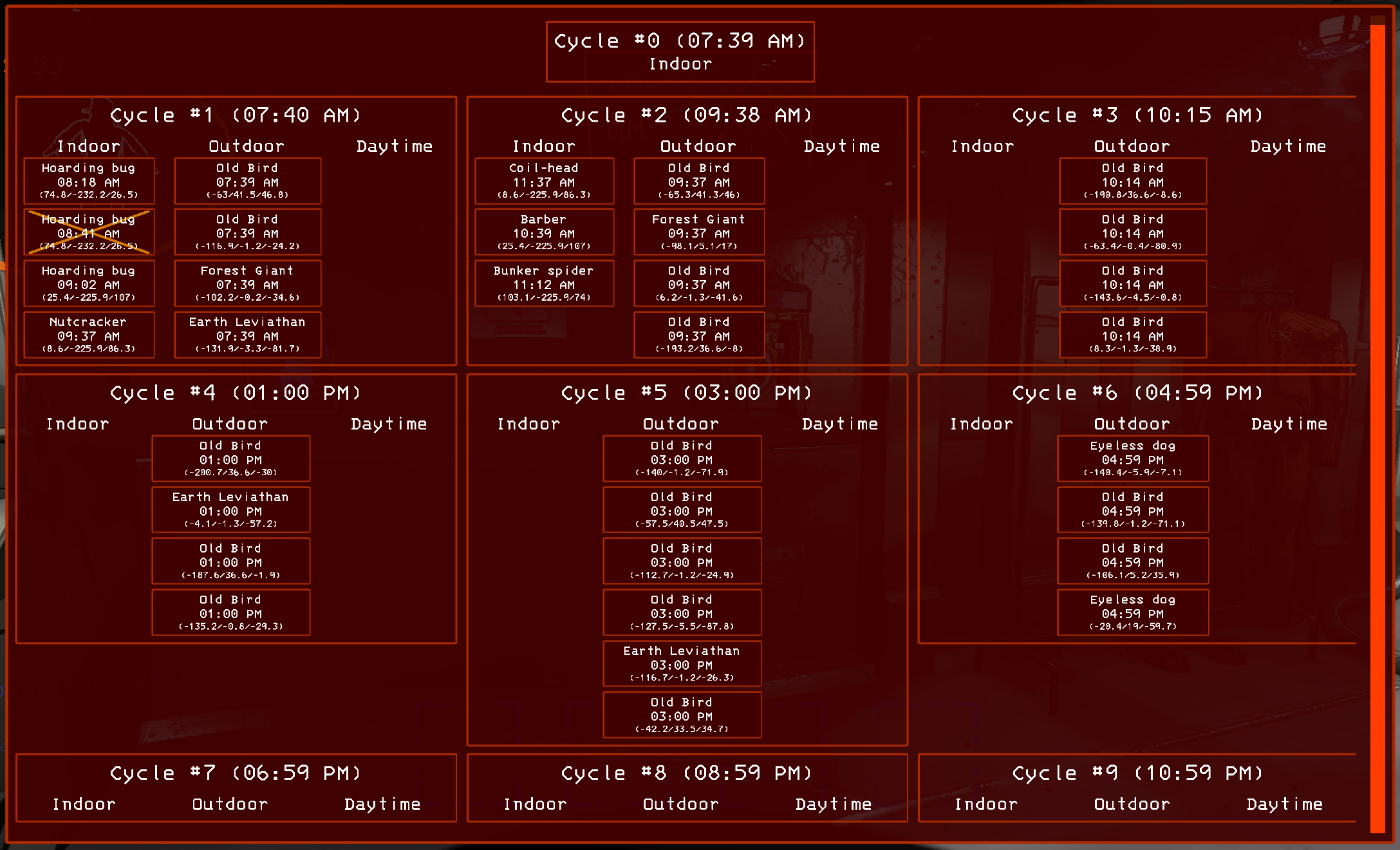
Oracle is an algorithm developed by the Imperium team to predict indoor, outdoor and daytime entity spawns over the course of the day.
Oracle predicts daytime, outdoor and indoor entities including their spawn times and spawn positions. Clicking the position text in an oracle entry teleports you to the spawn point.
Entities spawned with Imperium do not count towards current level power or their max count, meaning, they do not influence the entity spawning.
[!NOTE] Oracle is currently in beta stage and is therefore not guaranteed to always work properly.
Feel free to submit bug reports or feature requests asissues on Imperium's Github page. Please include your BepInEx log file or an excerpt to make our life easier.
Imperium was designed and implemented by the Imperium team (giosuel).
Various icons were provided by FlatIcon.
Nebby for helping with the documentation and the testing!
Swaggies, aminoob and star0138 for the help with the testing of Imperium!
sinai-dev for creating Unity Explorer, my favorite mod of all time!
Dancemoon who made DanceTools, which was the initial inspiration for Imperium!
chaser324 for providing the wireframe shader for the collider visualizations!
Sligili for writing HDLethalCompany!
Evaisa for wA the unity netcode patcher!
