
You are viewing a potentially older version of this package. View Latest Version
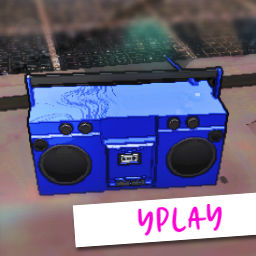
YPlay allows you to play YouTube audio on your boombox from a YouTube URL and allows you to pause and resume your music.
Everyone in the lobby can have their own personal music playing at the same time, which means no more fighting for control of the boombox!
All actions are networked including volume control.
DISCLAIMER: This mod has not been field-tested, there may be bugs or it may not work as intended, if you come across any bugs you can get in touch by reading the Wiki and I will do my best to address it. There will also be sync issues if a player joins and leaves the lobby, as long as everyone is on when the link is entered you should all hear the same thing - you can enter the same link again if you want them to resync with everyone else.
Open the chatbox with the '/' key
Load music (while holding or looking at another boombox)
/yplay YOUTUBE_URL
/yplay https://www.youtube.com/watch?v=dQw4w9WgXcQ
ALT: /yp
Select previous links from your play history (while holding or looking at another boombox)
/yplay -h or /yplay -h INDEX
/yplay -h to see your history, /yplay -h 1
ALT: h, hist, history
Change boombox music time (while holding or looking at another boombox)
/yplay -t SECONDS
/yplay -t 60
ALT: t, time
Change boombox color (while holding or looking at another boombox)
/yplay -c R,G,B
/yplay -c 255,255,255 or -c red (try other colors too!)
ALT: c, col, color
Change boombox volume (while holding or looking at another boombox)
/yplay -v 1-10
/yplay -v 6
ALT: v, vol, volume
Increase the boombox volume (while holding or looking at another boombox)
Hit the 'PageUp' key
Decrease the boombox volume (while holding or looking at another boombox)
Hit the 'PageDown' key
Reset boombox time to 0 (while holding or looking at another boombox)
Hit the 'R' key
Sync boombox with another boombox (while holding or looking at another boombox or player holding a boombox, only available if 'Boombox sync' is set to 'true' in the config)
Hit the 'Q' key
[HOST OVERRIDE]
Allow the boombox to play in the inventory
Set 'Boombox pocket play' to 'true' in the config
[HOST OVERRIDE]
Allow the boombox to sync with another boombox
Set 'Boombox sync' to 'true' in the config
