Skip to main content Thunderstore development is made possible with ads. Please consider making an exception to your adblock.
Thunderstore development is made possible with ads. Please consider making an exception to your adblock.
Thunderstore development is made possible with ads. Please consider making an exception to your adblock.
Thunderstore development is made possible with ads. Please consider making an exception to your adblock.
Thunderstore development is made possible with ads. Please consider making an exception to your adblock.
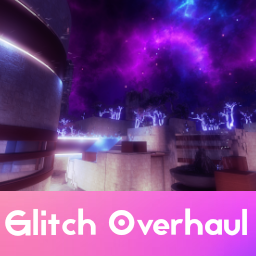
Glitch Overhaul
A visual-only, client-side-only mod for Glitch.
More image previews can be found below the Settings section.
Contact: In case of any crashes and/or questions ping me (S2ymi#6601) on the Official Northstar Discord in the #modding-chat channel
MANUAL INSTALLATION REQUIRED, DO NOT USE ANY MOD MANAGERS
Using a mod manager will most likely cause the mod to get installed improperly.
How to manually install:
Download and unzip the package
Copy the mods folder
Find your game install directory (where the Titanfall2.exe file is)
Enter the R2Northstar folder and paste the copied mods folder into there
If you did this correctly, your mods folder should include those highlighted folders:
Changelog:
v1.2.6:
Added an error screen for an improper installation
v1.2.5:
Updated the Thunderstore description, no mod file changes
v1.2.4:
Additional bug fixes, attempted to make the mod more mod-manager friendly
v1.2.3:
Fixed Colour Correction sometimes not working after loading another map before Glitch
v1.2.2:
Fixed the Skybox and Particles not working in the previous version
v1.2.1:
Fixed a texture error on Wargames
In-game Mods' versions now coresponds to version stated on Thunderstore
v1.2.0:
Wall lights are now pink-tinted
Glass is now pink-tinted
Tree Leaves are now bluish-white
Updated Loadscreen (1st image in the preview section)
Loadscreen resolution upped to 2560x1440
Added new Post Processing option - Oil Spill Lighting
Fixed textures overlapping on Dimentional Breaches
Added an error screen for missing dependency
v1.1.0:
Scrolling energy-like texture over the Skybox (with settings)
Custom Loadscreen
Updated the Trees to 2k resolution
The Dimentional Breaches can now have their texture switched between an upside-down Glitch or a 3D Fractal
Moved the Dimentional Breaches particle 1000 units up
v1.0.0:
Custom Nebula Skybox
Lots of additional Particle Effects
Complete Fog Removal or Additional Skybox Fog
4 Different Bloom Levels
Blue Glowing Trees
Godrays Removal
Custom Colour Correction
Settings regarding nearly all of the Features
Settings:
Colour Correction:
Additional Red Saturation/Desaturation
Additional Blue Saturation/Desaturation
Really small values are recommendable (0.05-0.1 for Sat and 0.1-1.0 for Desat)
Values used in previews are all 0s
Particles (Map reload required for changes to take effect):
White Streaks On/Off
Blue Streaks On/Off
Orange Streaks On/Off
Post Processing:
Colour Correction On/Off
Bloom Scale (2 is the recommended value and has been used in previews)
Map Fog On/Off
Oil Spill Lighting On/Off (can be seen in the 2nd gif)
Oil Spill Shimmer On/Off
Oil Spill Shimmer Speed
Skybox (Controls the scrolling energy texture)
Colour
RGB format
Range 0-1
Static
RGB Cycle
Alpha
Range 0-1
Set this to 0 if you want the feature disabled!
Scroll rate
Low values (below 0.1) are recommended for this
0.0 makes the texture static
Scroll Angle
90 makes the texture go from the blue side to the orange side
Skybox Advanced
Enabled On/Off
Works by setting each colour to a sine function
Each RGB Colour has the same, following settings:
Sine Period (in seconds)
Sine Offset (in seconds)
The value here is divided by 3 to allow fractions, your target offset should be multiplied by 3!
Sine Min (Minimal Sine value)
Sine Max (Maximal Sine value)
Particles | Experimental (Map reload rule applies):
Particle Pillars:
Very resource intensive
Can't be added even in medium amounts as they overload the maximum particle count :(
Only 4 are on the map in this version and shouldn't cause any issues when enabled
Can be found in the 1st 3 images
Dimentional Breaches:
Essentially huge inverted spheres projecting a cubemap
They're particles, start just above the map, slowly move upwards and decrease in size
Not really Experimental but more of a misc fun setting :)
Can be seen in the last 4 images
The following features don't have ModSettings options and instead have to be turned on/off by enabling/disabling them in the Mods list in the Main Menu
Trees (S2.GlitchTrees)
Leaves (S2.GlitchLeaves)
Wall Lights (S2.GlitchLights)
Glass (S2.GlitchGlass)
Preview:
Images
Gifs