

NOXMFD
Live Nuclear Option flight telemetry as a browser-based multi-function display on a second monitor, tablet or phone: map, radar, RWR, targeting pod, weapons, squads and more.Nuclear Option eXternal MFD
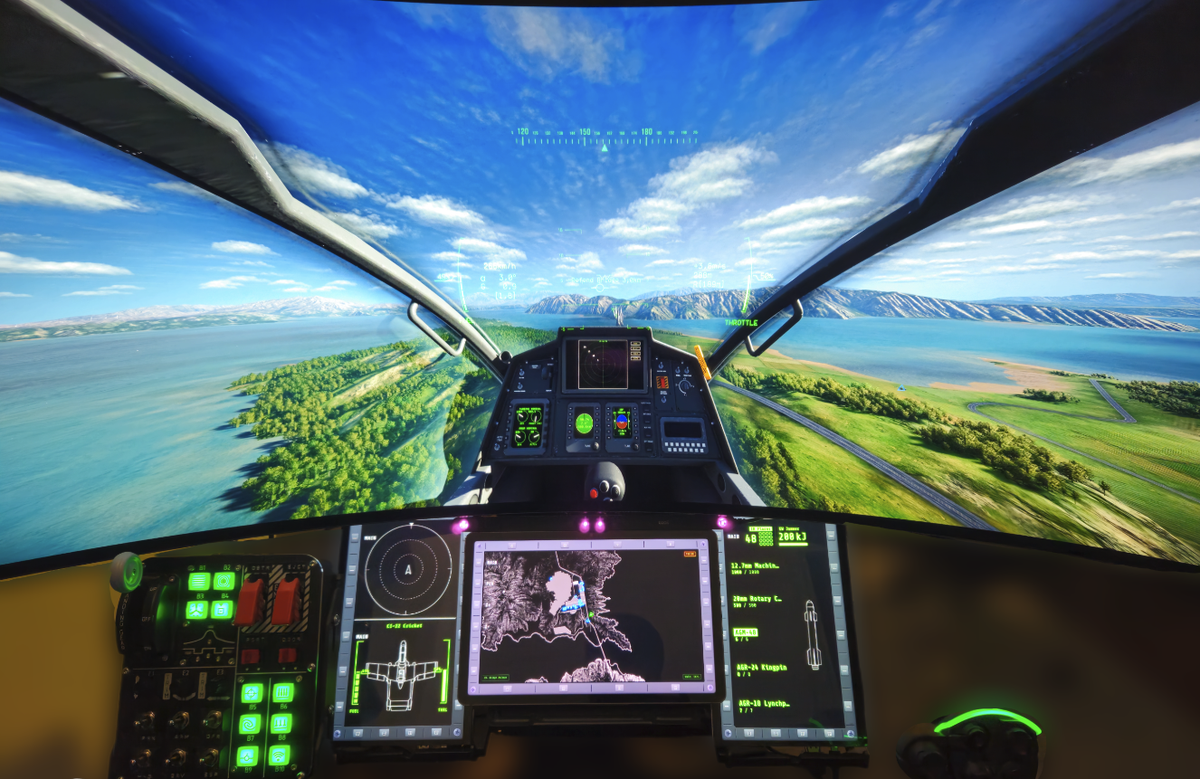
NO XMFD reads live flight telemetry from Nuclear Option and serves it as a browser-based multi-function display (MFD). It moves the game's HUD readouts onto a second monitor, tablet or phone, the way a flight-sim rig spreads its instruments across dedicated screens, with HOTAS-friendly keybinds to match.
Developed with AI assistance (Claude).
Usage
- Install with the Thunderstore Mod Manager or r2modman. BepInEx is installed automatically.
- Launch the game through the mod manager.
- Open
http://localhost:5005/in a browser. To use a tablet or phone on your network, see NETWORKING.md.
Your files
The mod manager keeps BepInEx in its profile folder, not the game folder. Open it with
Settings → Browse profile folder. Folders the manuals refer to as BepInEx/plugins/NOXMFD/
(kneeboard documents, themes, kill logs) are under that profile's BepInEx folder.
Install NO XMFD through one manager only: if it is also installed in the game folder (manually or with NOMM), remove that copy.
Pages
AFM (airframe), AVN (avionics), HUD config, extended keybinds, layouts, themes, MAP with waypoints and routes, kill feed, faction forces, kneeboard, mission info, objectives, FCR/HSD radar, RWR, squadrons, targeting-pod camera, target table, target hand-off, and weapon loadout. Third-party extensions can add their own pages.
Full manual, extensions list and source: github.com/roke77/NOXMFD
Security & privacy
NO XMFD collects nothing. It runs a local web server so other devices can connect, and the squad feature uses Steam's peer-to-peer relay. See SECURITY.md for exactly what it accesses.
Bugs and feature requests: issue tracker.