
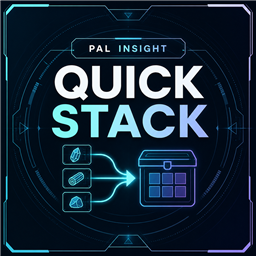
Pal Insight Quick Stack
Press F5 to store eligible backpack items in your current base, with optional selling first and dedicated destinations for food, medicine, Pal Eggs and relics. Pal Insight is optional.Pal Insight: Quick Stack - Sell and Store Backpack Items with One Key
Press F5 in your base to store eligible backpack items, with optional selling first. Choose what not to sell and where food, medicine, Pal Eggs and relics go.
Current base only · All 17 game interface languages · Client-side

Store by your rules
- Use F5 from the world or the Inventory/Equipment tab. Only the normal backpack is processed; equipment, food slots and Key Items are untouched.
- Respect Tab > R exclusions by default. You can include them for storage without changing the game's exclusion list; they are never sold.
- Use storage that already holds the item type, or allow new types in compatible empty slots. Optionally include an accessible current-base Guild Chest.
- Storage capacity, filters and permissions still apply. Wait for the in-progress message to finish before other inventory actions.
Automatic selling
- Enable 9 valuables, 32 ammunition types, 10 Pal Sphere types and 4 fishing baits independently. All four categories are off by default.
- Icon-assisted keep lists: checked types will not be sold, but may still be stored. Select whole item types, not a reserved quantity. Ammo, Spheres and bait initially keep every type; valuables initially keep none.
- Uses a merchant in the current base and includes party Pals' Noble and Fine Furs sale bonuses.
- No merchant found? Sale items stay in your backpack by default; optionally send them through normal storage rules.

Dedicated destinations
- Cakes: enable priority for all five types: Breeding Farms, then cold and ordinary storage.
- Other food: enable priority for Pal Food Boxes, including refrigerated variants, then cold and ordinary storage.
- Medical supplies: enable priority for the three current medicines: Medicine Racks, then ordinary storage.
Cake and food priorities start on; Medicine Rack priority starts off. Cakes cannot enter Pal Food Boxes while either cake or food priority is on. With both off, ordinary storage rules apply.

- Pal Eggs: Incubators only, Incubators then ordinary storage, or keep for manual placement. Large Incubators are preferred; small ones are optional. Occupied Incubators and unclaimed Pals are skipped.
- Ancient Civilization Relics: Recyclers only, Recyclers then ordinary storage, or keep for manual placement.
- World Tree Holy Water: top up each Recycler toward a target of 1–100; default 10. Remaining Holy Water follows ordinary storage rules.
Eggs and relics default to their dedicated facilities only, without an ordinary-storage fallback.

Settings and results
Compatible Pal Insight provides settings at F6 > Extensions > Pal Insight: Quick Stack and detailed results. Settings save locally, survive updates and support mouse, keyboard and controller.
Automatic shows detailed results from Inventory and compact text from the world. You can select Text Only or Result Window. Sold is green, stored blue, excluded gray and unfinished yellow; unconfirmed requests are not reported as completed.
Without Pal Insight, F5 still works with saved/default rules and text results; there is no standalone F6 panel.

Installation and compatibility
For Palworld 1.0+ on Steam / Win64.
- Close Palworld. Download UE4SS for Palworld and extract the standard package’s
dwmapi.dllandue4ssfolder into<Palworld>/Pal/Binaries/Win64/. - Download this mod’s ZIP and extract it into the game folder containing the
Paldirectory, merging the includedPalfolder. - Launch the game, enter a base and press F5.
Use only one installation channel. Do not combine Workshop, Nexus, CurseForge or Game Pass copies.
Steam single-player tested. On dedicated servers, moves run on the client; workbench counts may remain stale for distant storage. Approach that storage and reopen the workbench. Installing Quick Stack on the server does not fix this. Co-op is unverified; Game Pass/WinGDK is experimental and has not passed in-game acceptance.
For reports, include platform, game/mod/UE4SS versions, reproduction steps, settings and complete logs/crash files. Full changelog.
My other mods & tools
- Pal Insight: Pal information, search and UI improvements.
- Breeding Link: Load your current Palbox into CrateX.app from your base to plan breeding.
CrateX.app looks up breeding combinations without a save, or plans routes using your owned Pals. Save import is optional; optional Passive Skill requirements become available after importing Pal data. Saves are processed locally in your browser.

See owned/missing Pals, breeding steps, chances and estimated egg counts; compare recommended and alternative routes.

Steam Workshop. Credits: F6 > About > Special Thanks.