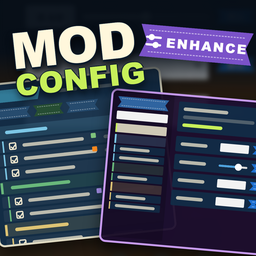
ModConfig settings page upgrades: tree sidebar, info panel, built-in translation. Plus a Mod overview: mod list with custom groups, one-page keybindings with controller combos, and a log viewer. Fully offline.
选项「Switch XUnity language with the language file」「Disable XUnity machine translation」;本模组不再改动 XUnity 的任何设置。以前被清空的机翻端点不会自动恢复,需要请自行填回。旧版写进 XUnity 词典目录的 ModConfigEnhance_<码>.txt 会一次性移到 language\_xunity-mirror-backup_<日期>\。
New Mod overview page: a Mod overview button right below Mod Settings in the game's Settings menu, with Mod list, Keybindings and Mod Settings tabs.
Mod list: every installed mod, disabled ones included, with the full dependency chain on hover; double-click a name or description to change it, and every page shows the change.
Groups: your own display groups, up to 3 levels with colours, shared by the mod list, the keybindings page and the settings page sidebar; display-only, never moves a folder. The first time, groups can be built in one click from your plugins folder layout.
Log window: live BepInEx, game and custom logs with filters and search, the logs of the last 3 launches, and a one-click ZIP export (no config values, personal paths removed). Other mods can plug their own logs in (see "For mod authors" in the README).
Keybindings page: every mod's keybinds on one page, keyboard and controller columns; a recorded key is written to the mod's config at once; duplicates are flagged, including keys the game itself uses.
Controller combos: keyboard-only keybinds can get a controller button or combo (up to 4), in game only; the buttons held first still reach the game, only the last one is blocked.
Controller controls on the overview page are the same on both tabs; see the README.
A Go to keybindings button in the mod settings page header.
When In-Game Mod Manager is installed too, this mod does not load at all and leaves one warning in the log.
New personal files (groups, keybindings, controller combos, cache) all live in config\ModConfigEnhance\; see the README.
Changed: colours and layout. The settings page follows the game's dark-blue settings colours (it used to be brown); a purple theme is added (moon button; with TimeTheme it can turn purple at night); the layout is tighter so more mods and options fit on screen; each option shows its default value; duplicate keybinds get a badge that jumps to the other option.
Changed: search and dropdowns. Search also matches mod names, section names, config keys and descriptions; dropdowns with up to 12 choices open as a compact list.
Changed: controller on the settings page. A text box starts typing on A, with the Steam on-screen keyboard on Big Picture / Deck; the right stick scrolls the options; the focus frame is clearer and moving it plays a soft click; entering the right panel no longer lands on Default, so a press of A can't reset a value by accident.
Changed: translation is now done by this mod itself, and XUnity AutoTranslator is no longer needed (removed from the dependency list). Show original / translated, Reload texts and Untranslated are always available; language files accept regex rules r:"regex"=translation; a language file from an older version no longer falls back to English for new entries.
Changed: the PEAKLib.UI dependency is now 1.7.2.
Fixed: PEAK 3.1.0 support — decimal parameters no longer show as whole numbers, and typing a decimal point no longer gets swallowed.
Fixed: an empty or comment-only built-in language file now falls back to the built-in texts instead of failing.
Fixed: the paper wobble no longer stays off when the settings page is first opened from the pause menu; line escaping in language files when an original text ends with a backslash.
Removed: the Classic brown colours option, replaced by Colour theme.
Removed: the options Switch XUnity language with the language file and Disable XUnity machine translation; this mod no longer changes any XUnity setting. An endpoint emptied by an older version is not restored automatically; fill it in again if you want it back. Dictionaries older versions wrote into XUnity's folder (ModConfigEnhance_<code>.txt) are moved once into language\_xunity-mirror-backup_<date>\.
The XUnity AutoTranslator dependency now points at the maintained RTLC-XUnity_AutoTranslator-5.6.11; the Hayrizan-XUnity_AutoTranslator-5.6.1 listed in 1.0.1 is marked deprecated on Thunderstore. Both packages ship the same XUnity 5.6.1 plugin, so the reflection bridge is unaffected and existing installs need no action.
XUnity AutoTranslator added to the dependency list (Hayrizan-XUnity_AutoTranslator-5.6.1) so the mod manager installs it alongside; nothing breaks without it — the translation tools (Untranslated / Show original / dictionary mirroring) are greyed out, everything else works.
"Disable XUnity machine translation" is now on by default: with XUnity installed, every startup empties its machine-translation endpoints (Endpoint / FallbackEndpoint in AutoTranslatorConfig.ini) and the _AutoGeneratedTranslations*.txt caches in every language folder (a one-time .bak copy is kept). Turn it off before the first launch if you rely on live machine translation. README and the generated readme.md gained a "This mod changes an XUnity AutoTranslator setting" section; the cfg description was updated to match.
Thunderstore development is made possible with ads. Please consider making an exception to your adblock.