Rope Carabiner
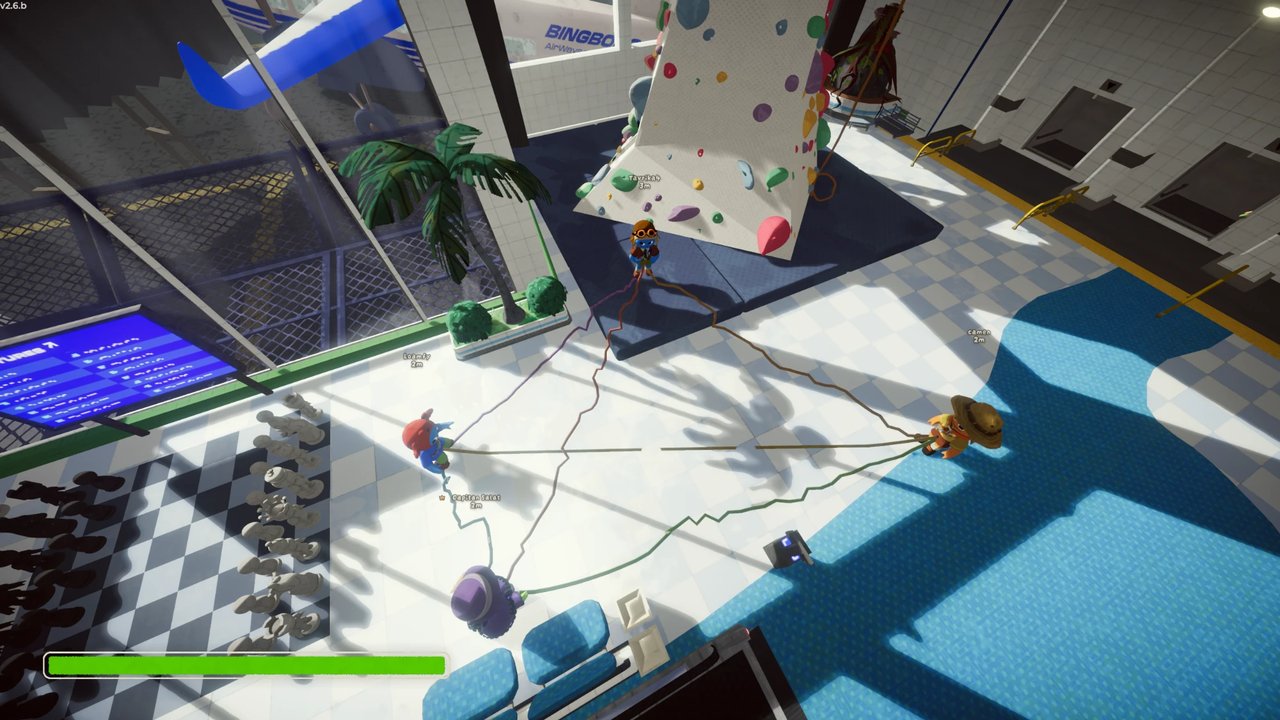
Tie yourself to teammates with a real rope: hold it, reel it in, catch falling friends, set a wall hook. All settings apply live in the session, no rejoin needed; ModConfig recommended. Everyone in the lobby needs the mod.Rope Carabiner
Tie yourself to your friends and climb PEAK together. When someone slips, the rope catches them — and you pull them back up.
Tie a rope to a friend
Look at a teammate and hold G until the ring fills up. Now you're tied together!
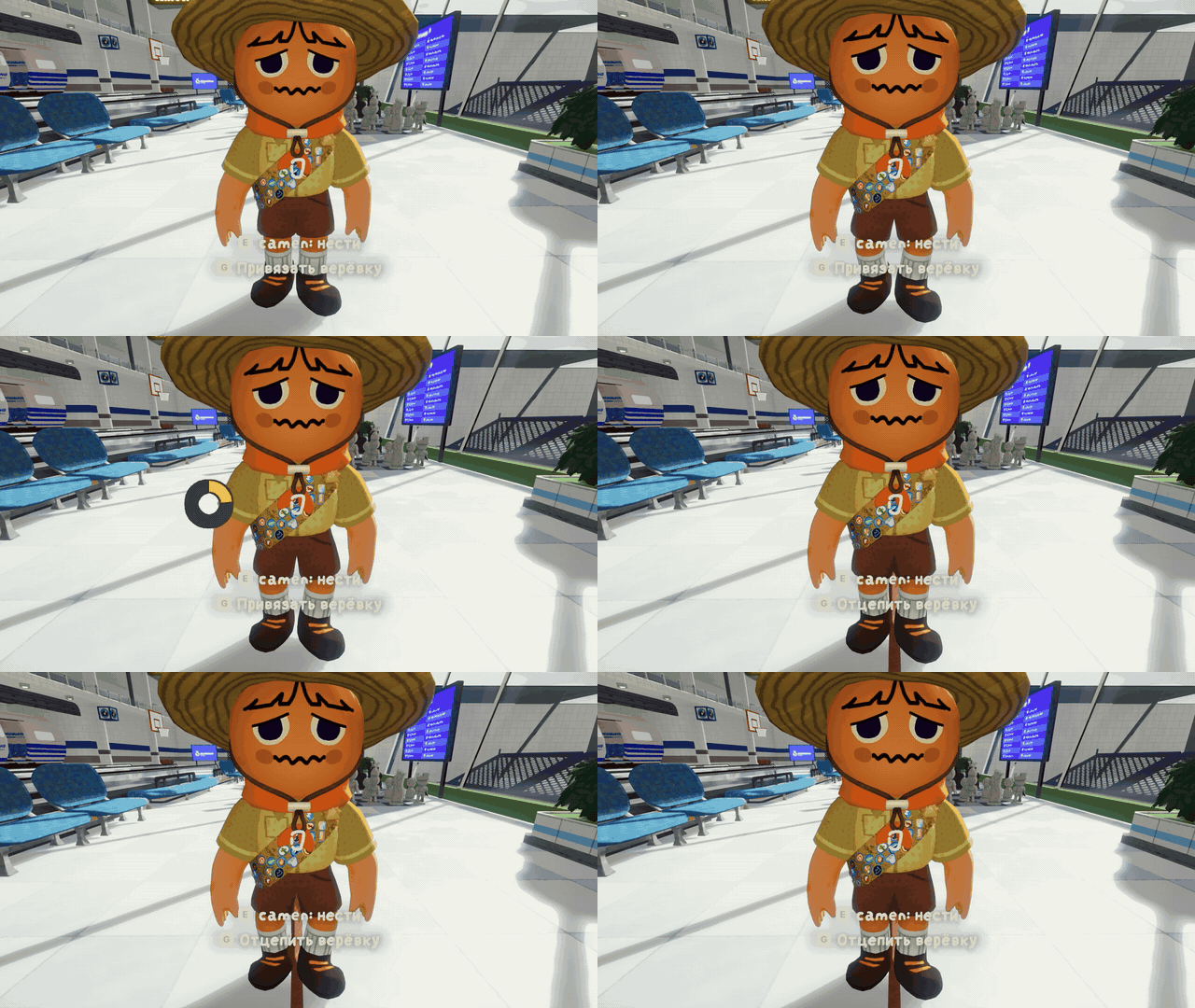
Everyone in the lobby needs the mod.
Catch your friend
Your friend slipped off a ledge? The rope holds them. Stand firm and don't let go!
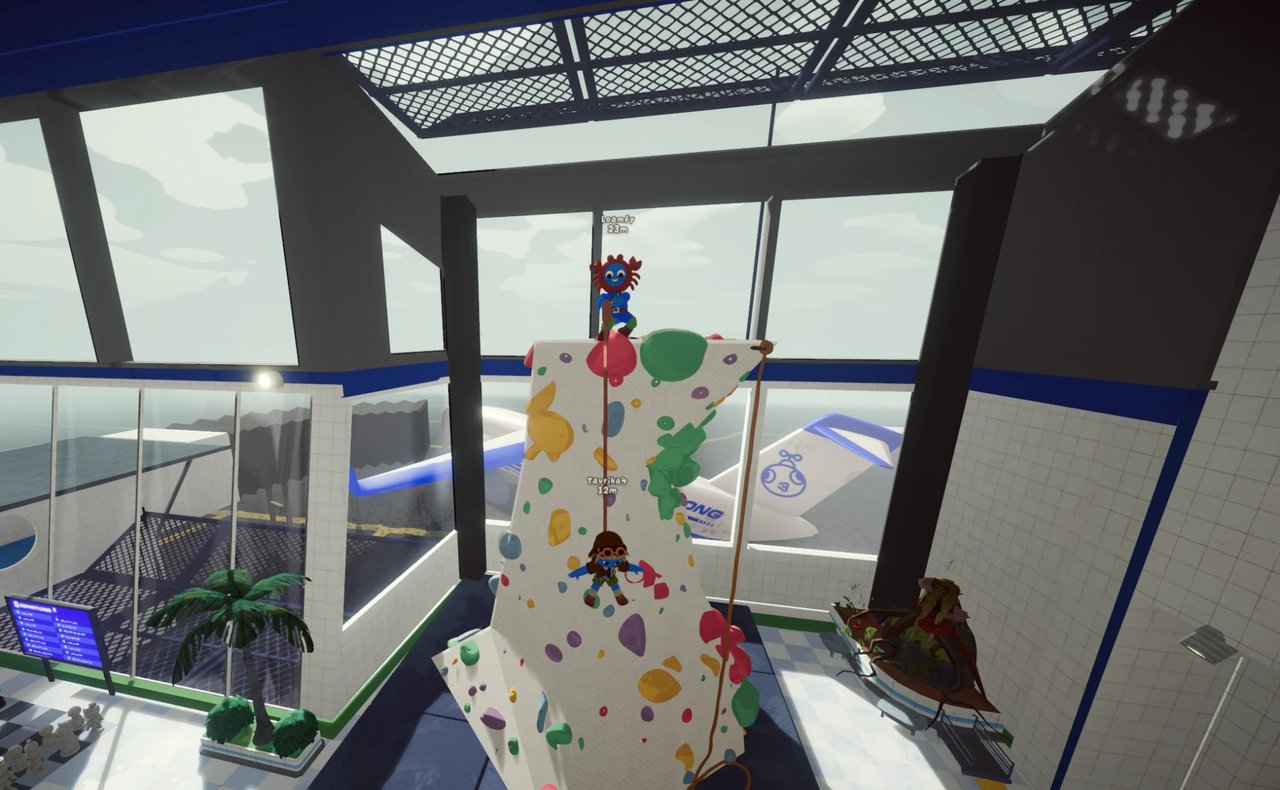
Pull them up
Don't let your teammate fall! Look at the rope and press E to grab it, then hold G to pull them up to you. You can also use the mouse wheel.
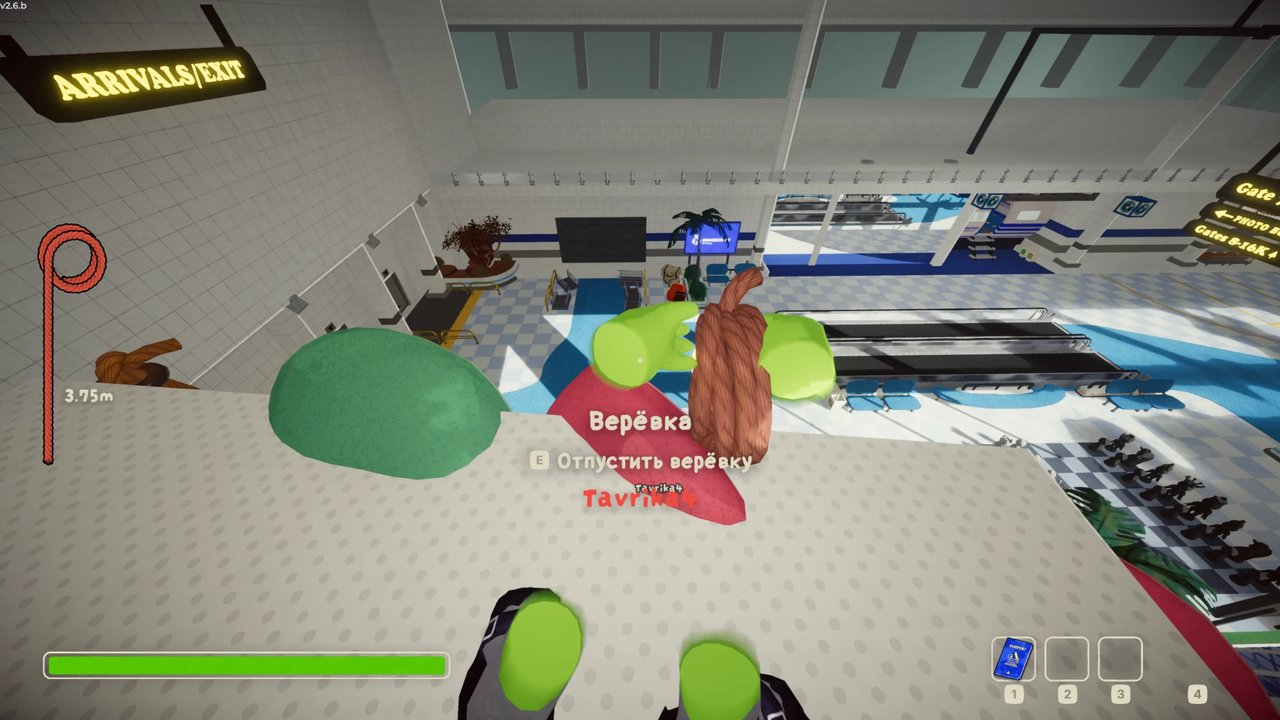
Standing on the ground while holding the rope makes you hard to drag down. Pulling a heavy friend is tiring — it costs stamina. More friends holding ropes to the same climber pull together and make it easier.
Is your friend climbing the wall below you? Reeling in drags them up along the wall too. Once your friend is close enough and you look at them, you let go of the rope and give them a hand — just like the right mouse button. A taut rope also pulls a friend out of a cactus, a spider web or a flytrap.
Hanging on the rope
Just hang on — your friend will pull you up. If the rope pins you under an overhang, it pushes you away from the wall so you can swing around it. Knocked out by the fall? While a friend holds your rope you come to right away and can grab the wall.
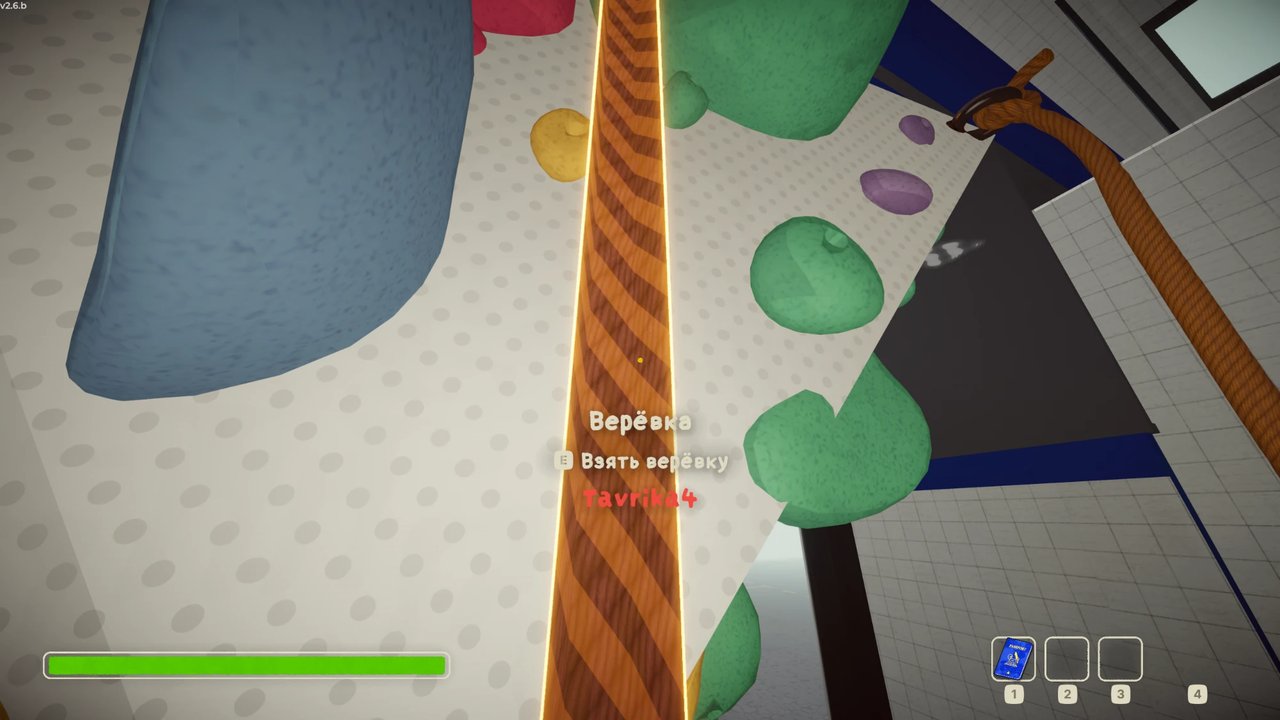
Careful: a really hard yank can knock you off your feet if you're not holding the rope yourself.
Climbing alone? Use a hook
Stand on the ground, hold T and aim at the wall, then let go to hammer in a hook. The rope follows you up as you climb and catches you if you fall — then it reels you back up to the hook. Press T again to take the hook back.
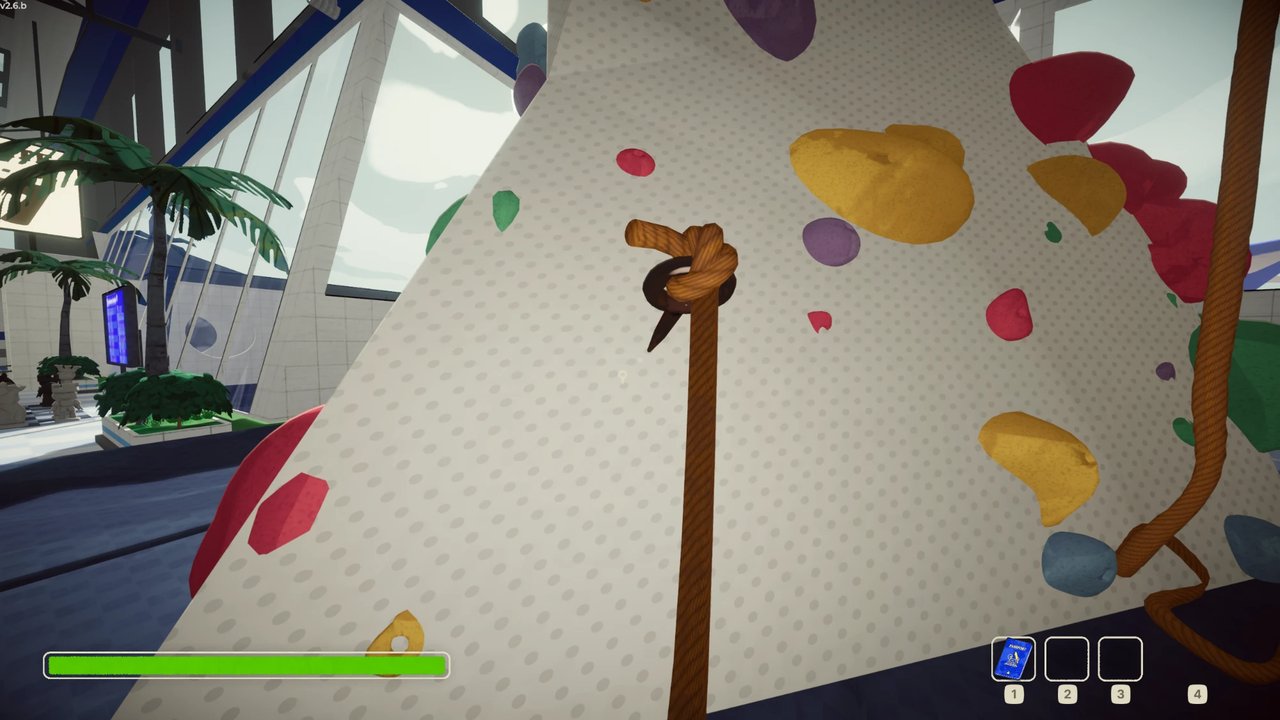
A small icon next to your crosshair shows that your hook is set, with the rope length in meters under it. It turns orange when the rope is fully let out and red while the hook is holding you after a fall; red arrows next to it mean the hook is reeling you back up.
Who's tied to whom?
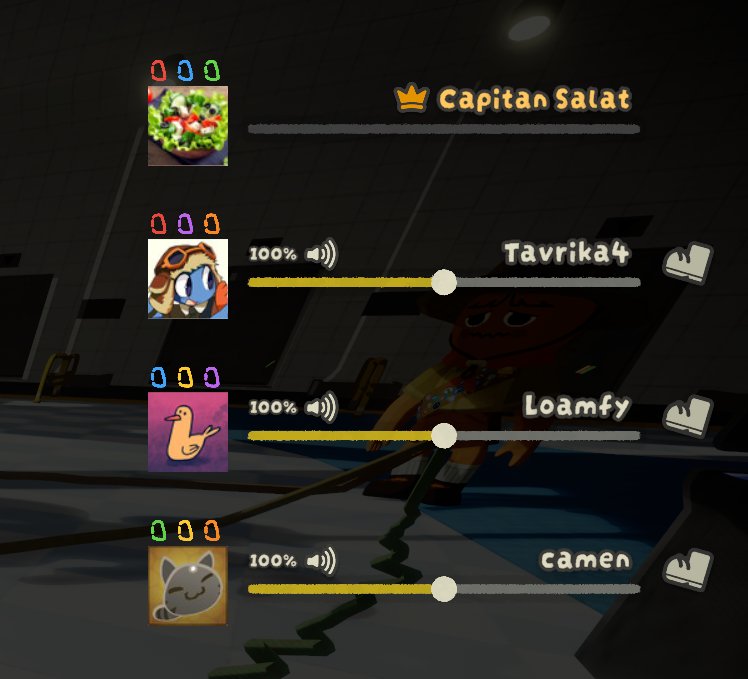
Every rope has its own color. Open the menu (ESC) to see the colored carabiners next to each player — the rope, the spool in your hands and the rope length meter share that color.
Controls
| Key | What it does |
|---|---|
| G (hold), looking at a friend | Tie a rope / untie it |
| E on a rope | Grab the rope / let go |
| G (hold), holding the rope | Pull the rope in |
| T (hold), holding the rope | Let the rope out |
| Mouse wheel, holding the rope | Pull in / let out |
| T (hold) on the ground, aiming at a wall | Set a hook; press T again to take it back |
The hints on screen show the right key and follow your game language.
Settings
You can change keys and rope strength in BepInEx/config/repkarbinhake.cfg (or in your mod manager's config editor).
- Can't pull a friend up? The friend who is hanging should raise
MaxPullin their own settings. - Rope too short? The host sets the rope length with
MaxLength. Your own hook rope length isHookLength. - Dizzy when dangling? Turn on
StableCamerato keep the camera steady and smooth while you hang on a rope. - Want to tweak things in game? Set a key for
ConfigEditorKey(for example<Keyboard>/f7) to open a settings window while playing. - All settings apply live: change them during a session, no need to rejoin. For a comfortable settings menu, install ModConfig (recommended, not required).
Links
- Source code: https://github.com/DoomSalat/PEAK-mode-Repkarbinhake
- Found a bug or have an idea? Open an issue: https://github.com/DoomSalat/PEAK-mode-Repkarbinhake/issues
Special thanks
- fwend
Hope you all have fun — and don't let go of the rope!