

You are viewing a potentially older version of this package. View Latest Version
LocalMultiXtras
Add-on for LocalMultiplayer Mod. Control one or more instances simultaneously from your main client + more.
This mod is an add-on for the LocalMultiplayer Mod and is intended only for Mod Developers.
Streamline the testing of mods and game mechanics by eliminating the need to constantly switch between game windows by allowing a single Master instance to control one or more instances simultaneously, + more.

Features
- Advanced Instance Control
- Input Syncing
- The Master instance broadcasts its keyboard and mouse inputs to all/selected instances.
- Add/Remove specific inputs that are sent to the instances.
- Control all instances at once or just a select few.
- Instance Renaming
- Each instance can be renamed upon joining the master clients lobby.
- Instance Auto Join
- Instances can automatically join the master clients game.
Configuration
## Settings file was created by plugin Local Multi Xtras v1.0.0
## Plugin GUID: LocalMultiXtras

[1. General]
ModifierKey = LeftShift       // The key to hold to use number keys to toggle instance control.
AutoJoin = true               // All instances will automatically try to join the host's lobby.

[2. UI]
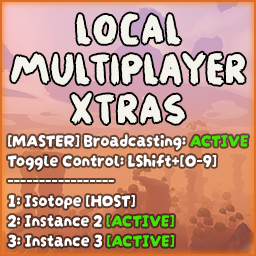
EnableUI = true               // Enable the master/instances status UI.
ToggleUIKey = F8              // The key to press to show or hide the UI in-game.
FontSize = 12                 // The font size of the UI text.

[3. Instances]
AutoRenameInstances = true    // All instances will be automatically renamed to 'Instance #X'.

[4. Syncing]
## A comma-separated list of the field names from the CharacterInput class to synchronize. Add or remove fields to customize what is controlled.
SyncedInputs = movementInput, lookInput, jumpWasPressed, sprintIsPressed, interactWasPressed, interactIsPressed, dropWasPressed, usePrimaryWasPressed, usePrimaryIsPressed, useSecondaryWasPressed, useSecondaryIsPressed, crouchIsPressed, crouchWasPressed, emoteIsPressed
How To Use
Follow the full installation guide on the LocalMultiplayer Mod Page.
Install this mod only after you have successfully tested LocalMultiplayer.
Launch the game and click 'Host Game'.
Right click on the game in your windows taskbar and click PEAK to launch an additional instance.
The additional instances will automatically join your game, if enabled.
Disable this mod if you experience any major issues.