
You are viewing a potentially older version of this package. View Latest Version
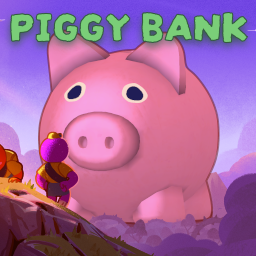
A persistent item bank that lets you save one item between runs.
PiggyBank adds a legendary piggy bank item to PEAK that allows you to store one item persistently. Once deposited, the item stays available across future runs until it's withdrawn.

This is a fragile porcelain piggy bank item that you can encounter during your runs.
Whenever you find a piggy bank, you can do one of two things:

You can also pick up the piggy bank by using the hand icon at the bottom of the screen.
Each player has their own personal piggy bank storage. Stored items are not shared between players.
If you don't already have a stored item, you can deposit the item you're currently holding.

As long as it's not withdrawn, it will then stay even after the run has ended.
[!NOTE] Only items that can be placed in a backpack can be deposited. Piggy banks themselves cannot be deposited.
To withdraw your stored item:

[!TIP] When you have a stored item, you can see its name by hovering the piggy bank. No need to open it just to check.
It will also show in your inventory and/or your backpack when you hover above it

Alternatively, you can break a piggy bank by throwing it at something hard or dropping it from high above. This will release your stored item at a distance.
⚠️ Warning: Remember that physics exists. Ceramic shards hurt, and your actions may have consequences.
Yes! Any item that can be placed in a backpack can be deposited (except piggy banks, of course!)
This happens when PiggyBank cannot identify your stored item.
It usually happens when:
Note that your stored item is not lost yet. PiggyBank just doesn't know what kind of item it is.
If PiggyBank doesn't recognize your stored item, a warning icon (⚠️) will appear next to the piggy bank slot when you open it.

As long as you don't withdraw it, your stored item should be back whenever you re-enable/install that mod.
❌ Important: If you withdraw your item while the mod is missing, the original item will be permanently lost.
... but if you don't really care, you can definitely take it out. Enjoy the free Crispberry!
Yes! You can configure PiggyBank to have different stored items per mod profile.
To do that, set Piggy Bank Scope to PER_PROFILE.
[!TIP] You can change your setting in your mod manager or by using a mod like ModConfig. If you want to use your mod manager, you will need to boot the game with the mod enabled first to create the config file.
This is especially useful when playing with different groups or mod lists.
Yes! The piggy bank will not withdraw your stored item unless you deliberately:
So if you trip on it or push it without picking it up, it won't withdraw any item at all.
No, only one item can be stored at a time per players.
Even if you get multiple piggy banks, they'll ALL be synced and contain your stored item.
You can share a piggy bank with others, but everyone still only gets one item slot.
Ehm, no? Nothing is stopping you. Just don’t say you weren’t warned.
The stored item is saved as a binary file named .peakpiggybank.
Its location depends on your Piggy Bank Scope setting:
GLOBAL (default): the file is located in the same folder as peak.exe, so usually in your steam
library.PER_PROFILE: the file is located inside the BepInEx directory of your current profile. Use your mod manager to
open your profile folder.To edit it, you might need a HEX editor... It's not officially supported, so you'll be on your own.
If you find any bugs or incompatible mods, please open an issue in the repo with as much detail as possible. We'll respond as soon as possible.


