

You are viewing a potentially older version of this package. View Latest Version
KorokAntLion
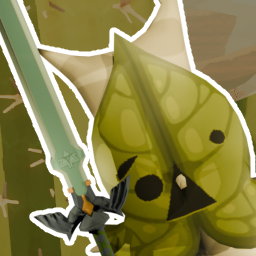
A PEAK mod that changes the Antlion model & sound to a Korok from The Legend of Zelda.Korok Antlion
A cosmetic PEAK mod.
Version 1.0.1
Fixed a bug where when installing with thunderstore, the path couldn't be found.
Features
- Swaps the Antlion model & sounds with Korok model & sounds from The Legend of Zelda.
- There is also a Korok in the main menu who swaps spots, with every new load. Can you find all the spots? c:
Requirements
Made on PEAK Patch v1.22.a
Installation
Thunderstore
- Download & Install Overwolf with Thunderstore
- Select PEAK as game.
- Create a profile & name it whatever you like.
- Browse the mod in the searchbar & add it.
- Start the game.
! You need to start Thunderstore modded games, always over Thunderstore itself, or it won't apply the mods.
Manual
- Download & Install BepInExPack_PEAK v5.4.75301
- Drag the KorokAntLion Folder into the
Program Files (x86)\Steam\steamapps\common\PEAK\BepInEx\pluginsfolder. If you don't have apluginsfolder yet, create one. - Start the game.
Credits
I wanted to make a Antlion replacement because my girlfriend is scared of them.
At first I just wanted to swap out the sound, but then she came up with the idea of a korok.
This is my first ever mod. And it was very fun :D