


PeakItemInsight
Preview recovery, poison and item effects before use. Works while aiming at or holding items, with bilingual item cards.PEAK Item Insight
See what changes before you use it. 使用前,看见变化。
Preview recovery and poison on your stamina bar, and see what each item does.
在精力条上预览恢复与毒性,随时查看物品用途。
Download / 下载 · 简体中文 · English · Report an issue / 问题反馈
实机演示 / Gameplay demos
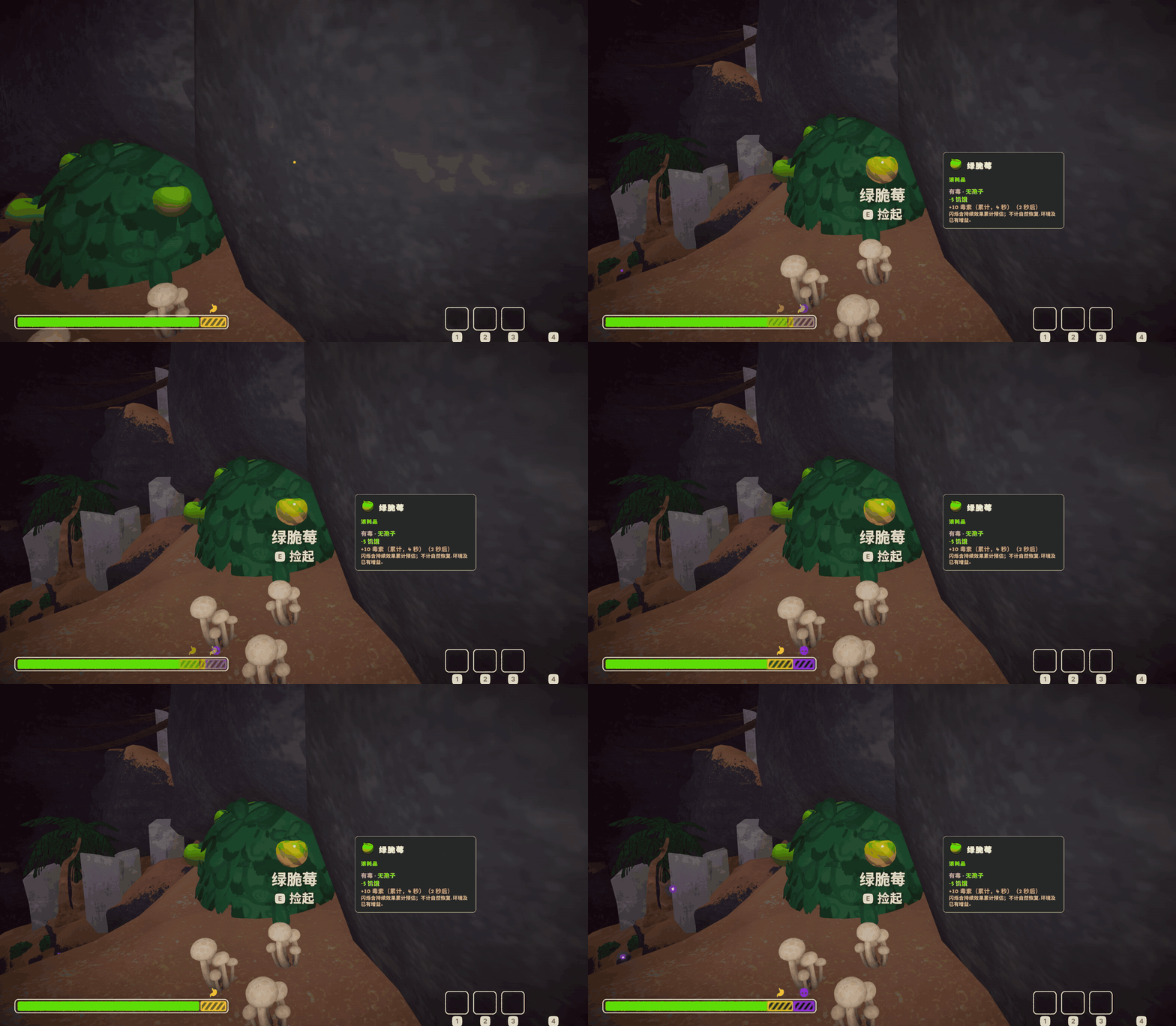
有毒食物 / Poisonous food
食用前查看毒性提示,紫色闪烁区域显示预计增加的毒素占用。
See poison warnings before eating. The purple pulse previews the expected poison on your stamina bar.
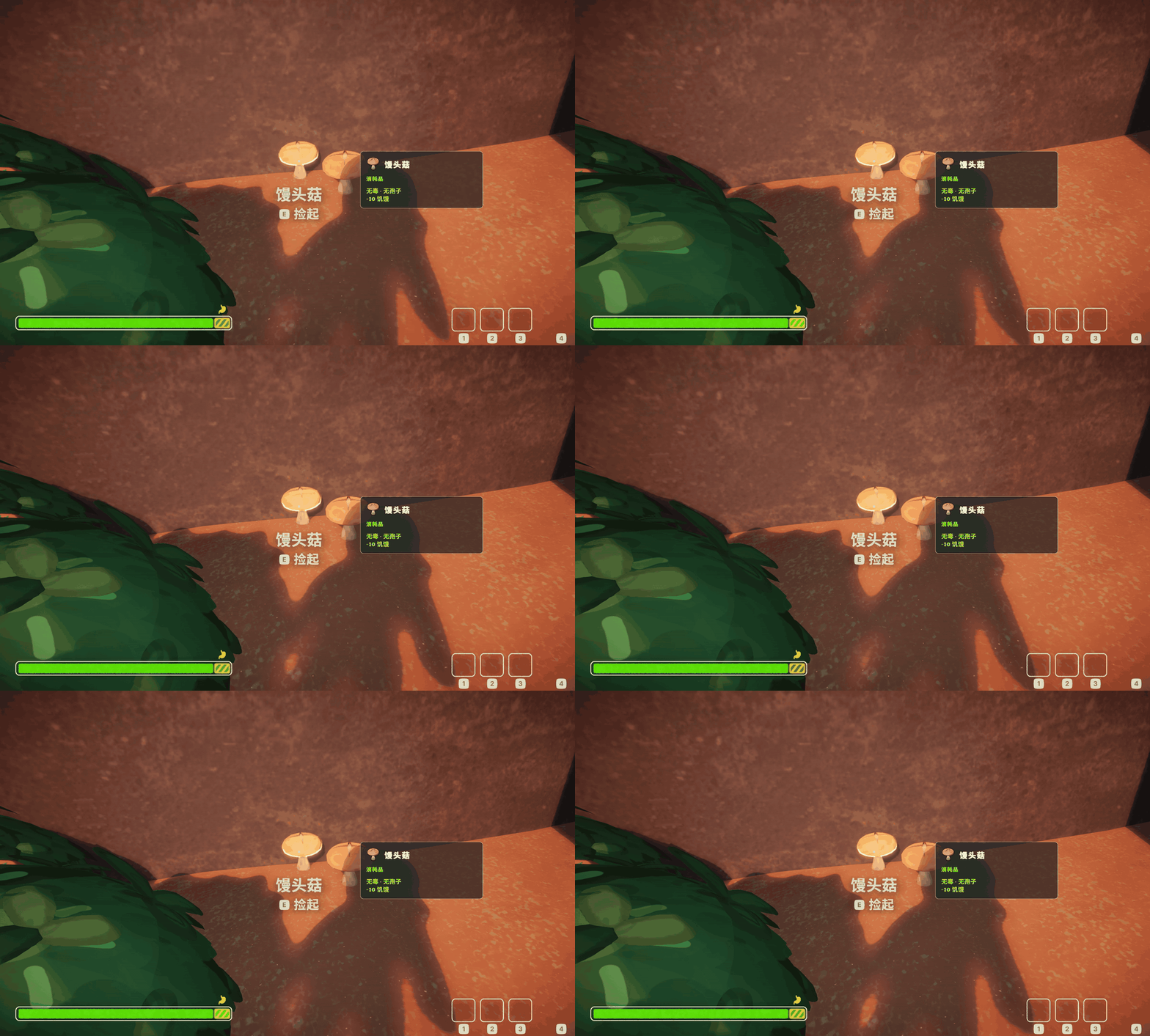
恢复精力 / Recovery preview
饥饿或伤势中可以恢复的部分,在原色与健康绿色之间闪烁。
The recoverable part of hunger or injury pulses between its original color and healthy green.
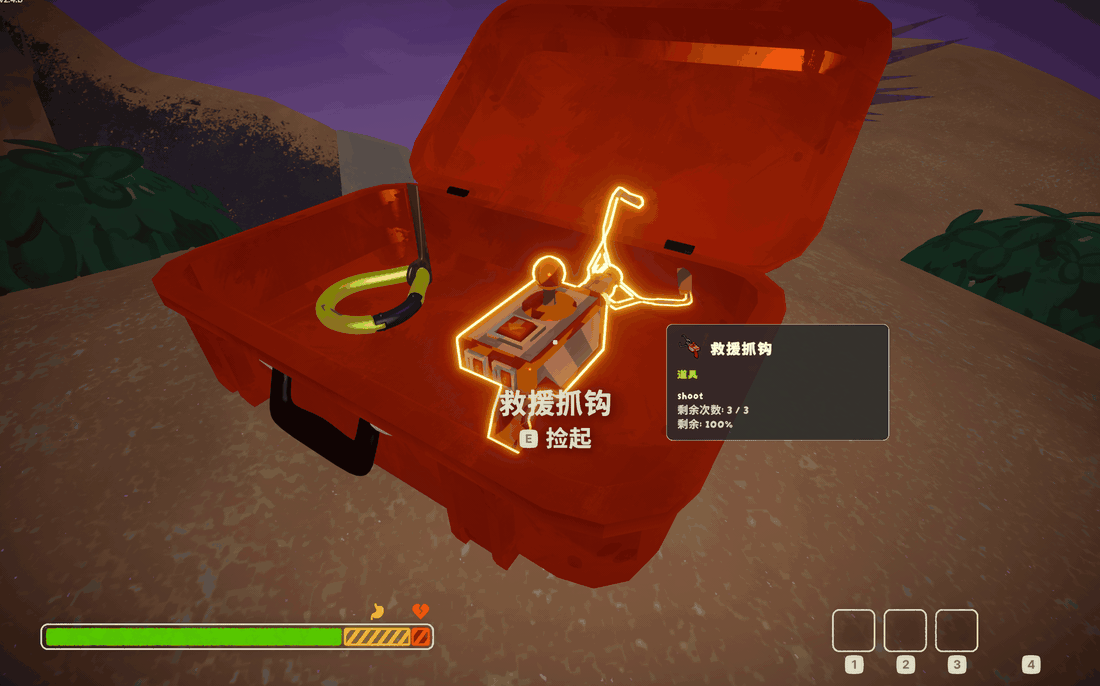
物品简介 / Item information
查看物品用途、效果与剩余使用次数。
See what an item does, its effects and remaining uses.
中文
下载与安装
- 打开 Thunderstore 下载页,点击 Install with App;也可以在 Thunderstore Mod Manager 或 r2modman 中选择 PEAK,搜索 PeakItemInsight。
- 安装 Mod 及管理器提示的 BepInExPack_PEAK 依赖。
- 点击 Start modded 启动游戏。
安装或更新前请退出游戏。首次使用 Mod,建议备份存档并新建一个管理器配置。
怎么使用
- **准星对准物品:**显示该物品的效果预览和简介卡。
- **拿在手里:**没有瞄准其他物品时,显示手持物品的预览。
- **恢复效果:**预计恢复的饥饿、伤势区域闪绿光,只标出实际可恢复的部分。
- **有害效果:**毒素、孢子等效果以相应颜色闪烁提示;持续毒性可查看延迟、持续时间和预计累计量。
- **移开准星:**空手时隐藏预览,手持物品时切回手持预览。
预览不会自动使用物品。没有饥饿或伤势时,对应的恢复区域不会闪烁。卡片若显示“未知”,请不要当作“无毒”;持续效果数值是预估值。
调整显示
首次启动后,退出游戏,在管理器的 Config editor 中找到 dev.rachel.peakiteminsight:
- **Language:**跟随游戏,或选择中文/英文。
- **PanelScale:**调整简介卡大小。
- **OffsetX / OffsetY:**调整简介卡位置。
- **AnimateRecovery:**开启或关闭闪烁;关闭后使用固定颜色预览。
默认设置即可使用,无需手动配置。
遇到问题?
- **完全没有提示:**确认从 Start modded 启动,并且管理器中已启用本 Mod。
- **有卡片但没有恢复闪烁:**确认角色有对应的饥饿或伤势,且物品能恢复它。
- **卡片太小或挡住视线:**调整卡片大小与位置。
- 其他问题:提交反馈,附上物品名称、问题截图和出现问题的操作步骤。
卸载时,退出游戏后在管理器中禁用或卸载 PeakItemInsight 即可。
English
Download and install
- Open the Thunderstore page and choose Install with App, or select PEAK in Thunderstore Mod Manager or r2modman and search for PeakItemInsight.
- Install the mod and its BepInExPack_PEAK dependency when prompted.
- Click Start modded to launch the game.
Close the game before installing or updating. For your first modded run, back up your saves and use a separate manager profile.
How to use
- Aim at an item: see its effect preview and information card.
- Hold an item: when you are not aiming at another item, see the held item's preview.
- Recovery: the recoverable hunger or injury segment pulses green, showing only the amount you can recover.
- Harmful effects: poison, spores and other effects pulse in their corresponding colors. Timed poison includes its delay, duration and estimated total.
- Look away: the preview disappears with empty hands or switches back to your held item.
Previews do not use items for you. There is no recovery pulse when you have no corresponding hunger or injury. Treat “Unknown” as unknown, not safe; timed effects are estimates.
Customize the display
After the first launch, close the game and find dev.rachel.peakiteminsight in your manager's Config editor:
- Language: follow the game, or choose Chinese / English.
- PanelScale: resize the item card.
- OffsetX / OffsetY: reposition the card.
- AnimateRecovery: turn pulsing on or off; off uses a steady preview color.
The defaults work out of the box.
Need help?
- No preview at all: launch with Start modded and check that the mod is enabled.
- Card but no recovery pulse: check that you have hunger or injury the item can restore.
- Card too small or in the way: adjust its size and position.
- Something else: report an issue with the item name, a screenshot and the steps that caused it.
To uninstall, close the game and disable or remove PeakItemInsight in your mod manager.
MIT License · Rachel560lu · Unofficial PEAK mod / 非官方 PEAK Mod