

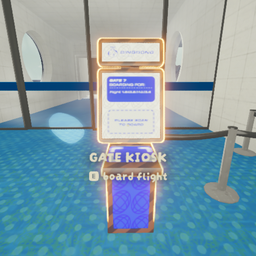
Quick Kiosk
Hold a key while opening the gate kiosk to instantly start the selected ascent.Quick_Kiosk
Quick_Kiosk lets you instantly start a flight at a chosen ascent by holding a key while opening the gate kiosk.
How to use
- Walk up to the Gate Kiosk.
- Hold one of the keys below.
- While still holding that key, press
Eto open/use the kiosk. - The flight will start immediately at the mapped ascent.
Key mapping
Main keyboard
~/ backquote + open kiosk withE= Ascent 0 (Normal)1+ open kiosk withE= Ascent 12+ open kiosk withE= Ascent 23+ open kiosk withE= Ascent 34+ open kiosk withE= Ascent 45+ open kiosk withE= Ascent 56+ open kiosk withE= Ascent 67+ open kiosk withE= Ascent 78+ open kiosk withE= Ascent -1
Numpad
- Numpad 1 + open kiosk with
E= Ascent 1 - Numpad 2 + open kiosk with
E= Ascent 2 - Numpad 3 + open kiosk with
E= Ascent 3 - Numpad 4 + open kiosk with
E= Ascent 4 - Numpad 5 + open kiosk with
E= Ascent 5 - Numpad 6 + open kiosk with
E= Ascent 6 - Numpad 7 + open kiosk with
E= Ascent 7 - Numpad 8 + open kiosk with
E= Ascent -1
Important note
- You must keep holding the chosen key when you press
Eon the kiosk. - If no supported key is held, the kiosk will not use a quick-start shortcut.
Installation
Put Quick_Kiosk.dll into:
BepInEx/plugins/