

MicMuteToggle
Toggle your microphone to mute/unmute with a hotkey and on-screen icon.MicMuteToggle
Toggle your microphone mute/unmute in PEAK with a hotkey — now with an on-screen mute icon.
What does this mod do?
- MicMuteToggle adds a hotkey (default
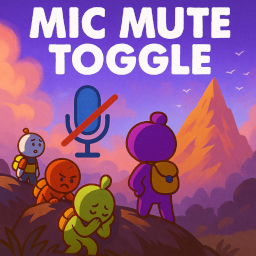
M) to instantly mute or unmute your microphone in PEAK. - When muted, a red mic-with-slash icon appears on your HUD as a visual indicator. When unmuted, the icon disappears.
- Designed to be lightweight and compatible with other mods.
Features
- Hotkey mute/unmute: Press
M(customizable) to toggle your mic at any time. - Visual mute status: See a clear icon when your mic is muted — never wonder if others can hear you!
- Simple, silent, and fast: No extra menus or bloat.
Installation
- Install BepInEx 5.4.2403 for PEAK if you haven’t already.
- Download the latest release of MicMuteToggle from Thunderstore.
- Extract the
.dllfile and theImages/MicMuted.pngfile into yourPEAK/BepInEx/plugins/MicMuteToggle/folder. - Launch PEAK. The mod will load automatically.
Usage
- Press
M(or your configured hotkey) in-game to mute/unmute your mic. - When muted, you'll see a red microphone icon with a slash at the bottom-left of your HUD.
- The icon disappears when unmuted.
To change the hotkey:
- Edit
BepInEx/config/com.peak.micmutetoggle.cfgand set theToggleMuteKeyto any [valid Unity KeyCode]
Why use this mod?
- Instant privacy: Mute yourself without alt-tabbing or fiddling with voice chat menus.
- No confusion: Always know if you’re muted with the on-screen indicator.
- Compatible: Works with other PEAK mods and the base game voice chat.
- Zero setup: Works out of the box. Just install and go.
🔗 Related Mods by Smokes
- SavePoint — Set custom checkpoints with a keypress and return to them anytime.
- ReviveHotkey — Instantly revive yourself with a configurable hotkey when unconscious.
- SettingsSaver — Automatically saves and reapplies your PEAK settings every session.
💖 Support My Mods
If you find this mod helpful and want to support my work, consider dropping a tip on Ko-fi:
Your support helps keep these mods updated and encourages future development. Thanks!