
SaveSlots
Keep several PEAK runs in separate save slots and choose which one to continue from a list under Continue.SaveSlots
by T0y-9n
Game text: English (the list of saved runs and its buttons). This description is in English and Japanese.
Keep more than one PEAK run. Each run gets its own save slot, and Continue on the main menu opens a list of your saved runs, so you can choose which one to continue.
- Each row shows the players in the run, the area reached, the ascent, the day, the play time, Online or Offline, and when it was saved.
- Choose a row to continue that run.
- Every time the game saves at a campfire, SaveSlots keeps a copy of that save. The game's own save is left as it is.
- A run that ends (everyone is knocked out, or you reach the peak) stays in the list, so you can continue it from its last campfire.
- Delete removes the copy from this computer after you confirm. The run you played last comes back to the list while the game still keeps it as its own save.
- A run saved by an older game version is greyed out with OLD VERSION and cannot be continued.
- When you continue a run from the list, its copy is written over the game's own save, and the game continues from there.
Screenshots
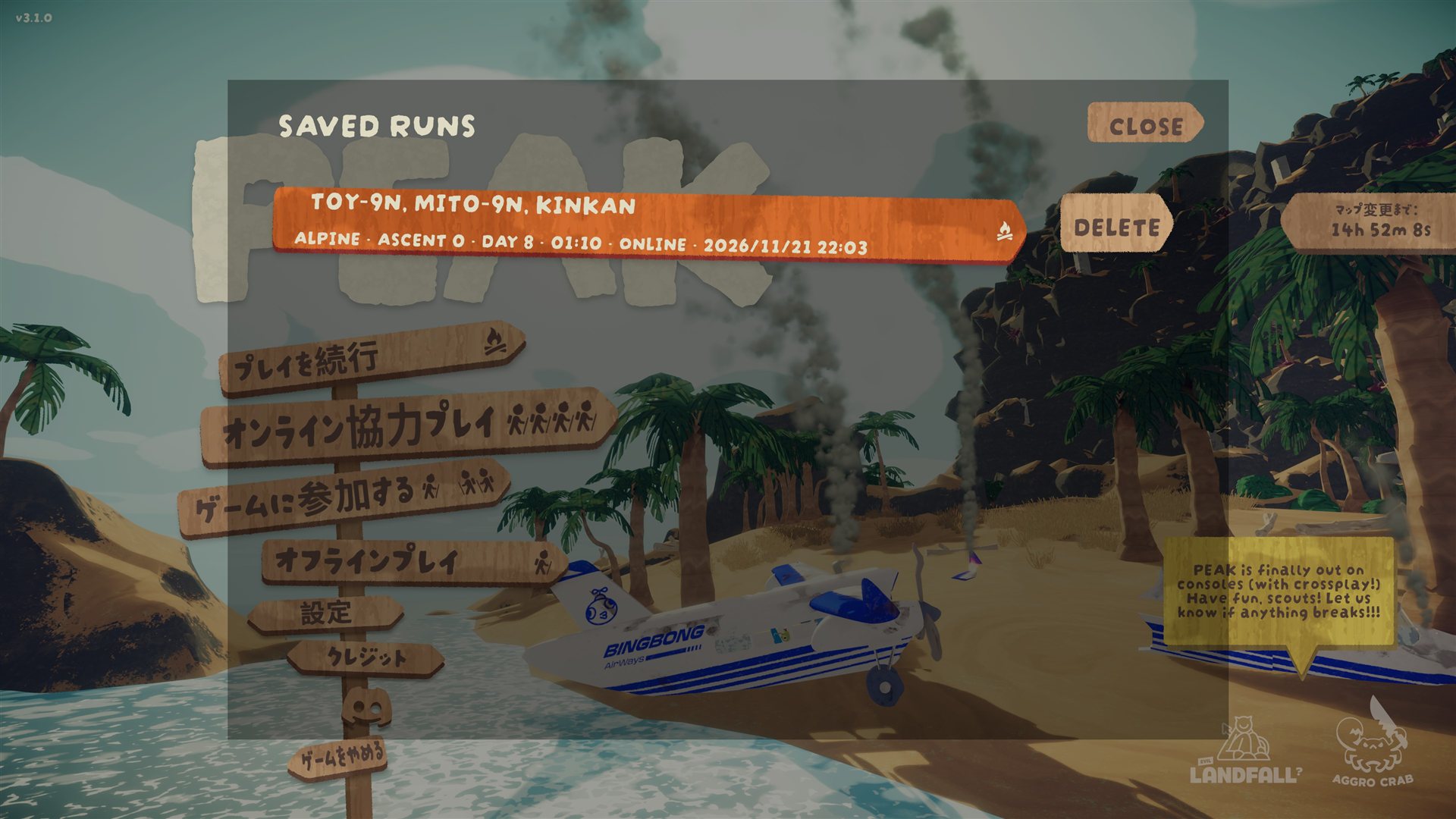
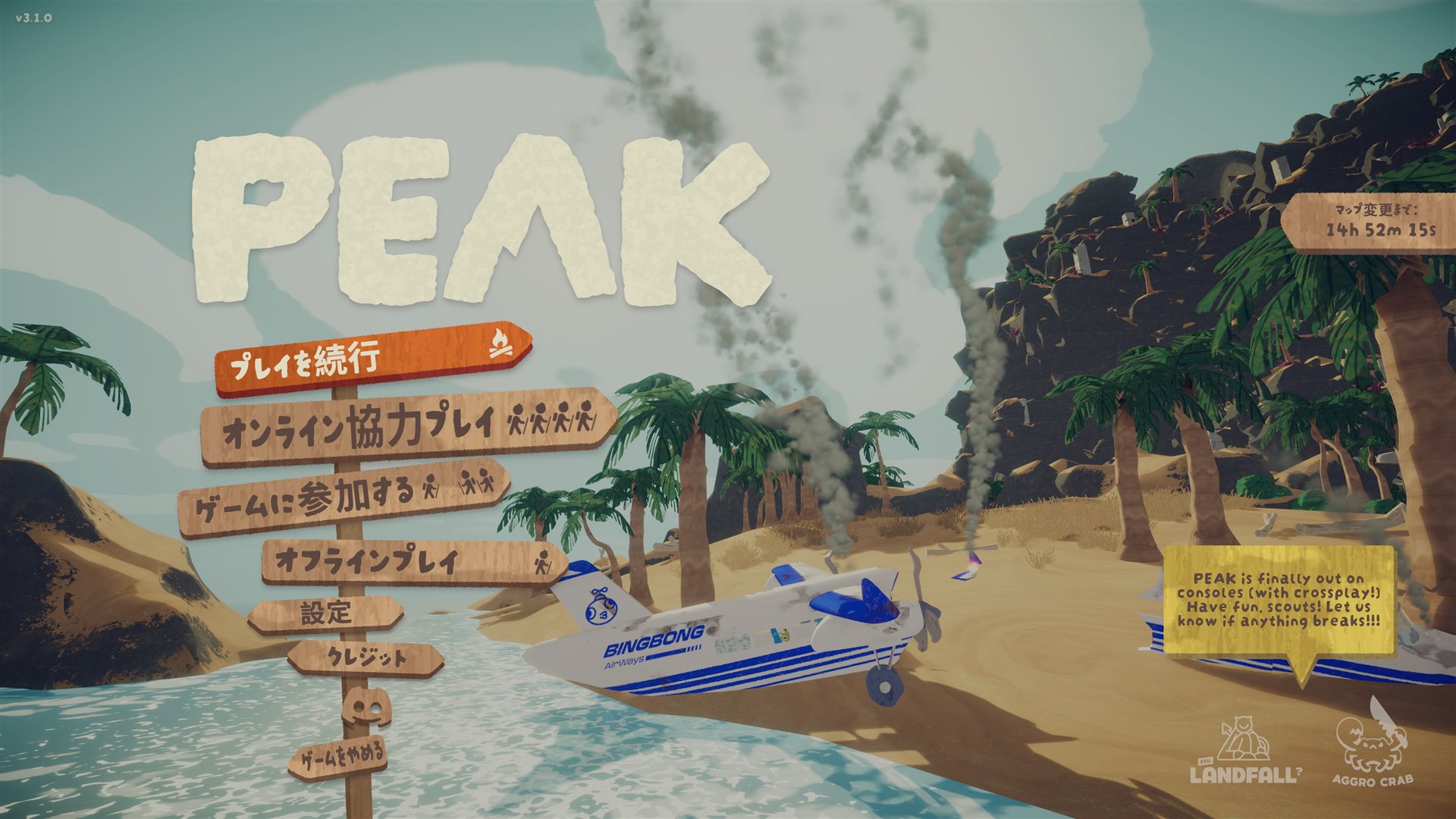
Screenshots were taken with the game set to Japanese, so the main menu text is in Japanese.
Multiplayer
Only the host needs SaveSlots. Other players do not need to install it.
Install
Install with a mod manager (r2modman, Gale, Thunderstore Mod Manager), or by hand: install BepInExPack PEAK, then put the DLL in BepInEx/plugins/.
SaveSlots works alongside KeepCheckpoint.
Config
BepInEx/config/t0y9n.peak.saveslots.cfg - General.Enabled (default true). Restart the game after changing it.
The slots are kept in %USERPROFILE%\AppData\LocalLow\LandCrab\PEAK\SaveSlots.
More PEAK mods by T0y-9n: https://thunderstore.io/c/peak/p/T0y9n/
SaveSlots (日本語)
作者: T0y-9n
ゲームの中の文字は英語です(セーブの一覧とそのボタン)。この説明は英語と日本語です。
PEAK のセーブデータを 1 つだけでなく、いくつも残しておけます。セーブデータごとに別の欄を持ち、メインメニューの「Continue」を押すとセーブデータの一覧が開くので、どれを続けるかを選べます。
- 各行に、一緒に遊んだ人・たどり着いた場所・アセント・日数・遊んだ時間・Online か Offline か・セーブした日時が出ます。
- 行を選ぶと、そのセーブデータの続きから遊べます。
- 焚き火でゲームがセーブするたびに、SaveSlots がそのセーブデータを別に写して残します。ゲーム本来のセーブデータはそのままです。
- 全員が倒れたり山頂に着いたりして終わった登山も一覧に残り、最後の焚き火から続けられます。
- Delete を押して確かめると、写したセーブデータをこの PC から消します。最後に遊んだものは、ゲーム本来のセーブデータに残っている間は一覧にまた出ます。
- 古いゲームの版のセーブデータは灰色で OLD VERSION と出て、続きからは遊べません。
- 一覧から選ぶと、そのセーブデータをゲーム本来のセーブデータの場所へ写して、そこから続けます。
画面
画面はゲームを日本語にして撮ったので、メインメニューの文字は日本語です。
マルチ
SaveSlots を入れるのはホストだけです。参加する人は入れなくてかまいません。
入れ方
MOD マネージャー(r2modman・Gale・Thunderstore Mod Manager)で入れられます。手で入れる場合は、BepInExPack PEAK を入れてから、DLL を BepInEx/plugins/ に置いてください。
KeepCheckpoint と一緒に使えます。
設定
BepInEx/config/t0y9n.peak.saveslots.cfg の General.Enabled(初期値 true)。変えたらゲームを起動し直してください。
欄は %USERPROFILE%\AppData\LocalLow\LandCrab\PEAK\SaveSlots に置かれます。
T0y-9n のほかの PEAK の MOD: https://thunderstore.io/c/peak/p/T0y9n/