

You are viewing a potentially older version of this package. View Latest Version
StaminaStatsTactikot
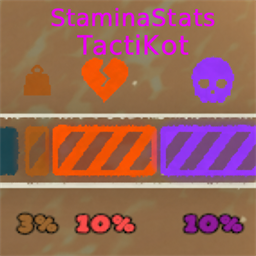
Responsive, configurable stamina and affliction numbers for current PEAK builds, with stable rounding and a low-overhead native HUD overlay.StaminaStatsTactikot
Adds clear numeric stamina, bonus stamina, and active affliction values to PEAK's native HUD.
This compatibility fork is based on StaminaStats 1.1.5 by pixx and remains under the MIT License.
Highlights
- Follows PEAK's HUD scale, opacity, visibility, scene changes, and ultrawide layout.
- Shows regular stamina, bonus stamina, and each visible affliction independently.
- Supports balanced, standard, and truncating rounding with zero, one, or two decimal places.
- Prevents nearby affliction labels from overlapping by using up to three compact rows.
- Keeps visible stamina and affliction rounding stable while preserving their rounded total. Bonus stamina is shown separately because it is extra capacity.
- Reuses PEAK's font, text material, and current HUD colors, including colors already adjusted by the game.
- Updates values at a configurable rate while visibility and position continue to track every frame.
Installation
- Remove the original
com.StaminaStats.dllif it is installed. The two mods are intentionally incompatible. - Install the Thunderstore package, or copy
StaminaStatsTactikot.dlltoPEAK/BepInEx/plugins. - Start PEAK.
The config is created at PEAK/BepInEx/config/com.tactikot.StaminaStatsTactikot.cfg. On first launch, compatible display settings are copied automatically from com.StaminaStats.cfg when present.
Settings
All display settings update live:
- Enable or disable the overlay.
- Show stamina, bonus stamina, and afflictions independently.
- Choose balanced, standard, or truncating rounding and show zero, one, or two decimal places.
- Show
%and optionally show values that round to zero. - Set stamina and affliction font sizes.
- Set outline thickness and overall label opacity.
- Move stamina and affliction labels vertically.
- Use one to three affliction label rows and adjust their transition duration.
- Enable high-contrast rendering or follow PEAK's current HUD colors.
- Choose a value refresh rate from 5 to 60 Hz (20 Hz by default).
Verbose diagnostic logging is available separately under Debug.
Build and test
The game path defaults to the standard Steam location and can be overridden without editing the project:
dotnet test tests\StaminaStatsTactikot.Tests\StaminaStatsTactikot.Tests.csproj -c Release
dotnet build StaminaStatsTactikot.csproj -c Release -p:PeakGameDir="D:\Games\PEAK"
To test, build, validate, and create a Thunderstore ZIP in dist:
.\Build-ThunderstorePackage.ps1
Credits
Original mod by pixx. Compatibility fork by TactiKot.