
MikuShowcase
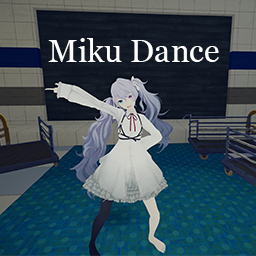
Adds one bundle-based Miku showcase to PEAK with Airport lobby display, hotkey placement, and optional synced music.MikuShowcase
MikuShowcase adds one non-collidable Miku performance display to PEAK.
The same display is shown in the Airport lobby by default, and you can move it to a grounded spot near the player with a hotkey. Optional bundled music can play in sync with the dance loop.
For stronger scene lighting and shadows, PEAK_Visuals is recommended: glarmer-PEAK_Visuals
What This Mod Does
- Spawns one display automatically in the Airport lobby.
- Lets you move that same display with a configurable hotkey (Default : F8).
- Keeps the model non-collidable so it is only used for presentation.
Installation
- Install BepInExPack for PEAK.
- Install with Thunderstore, or extract this package into the PEAK game folder.
- The runtime files should be placed in BepInEx/plugins.
- The config file is generated automatically in BepInEx/config after the game starts.
Package Contents
- com.github.Thanks.MikuShowcase.dll: main plugin.
- miku_lobby_display.bundle: compiled Unity asset bundle with the prefab and pre-baked facial clip.
Settings
- ModEnabled: turns the mod on or off.
- EnableAudio: turns bundled music on or off.
- AudioVolume: music volume. Default 0.1.
- AudioRangeMeters: audible range in meters. Range 1 to 30. Default 5.
- StabilizeModelLighting: reduces over-bright scene lighting on the bundled model. Default true.
- Skin Tone Brightness (formerly LightingExposureCompensation): brightness multiplier for skin and face materials. Lower values darken the skin tone; higher values brighten it. Range 0.4 to 1. Default 0.82.
- ModelScale: model size. Default 1.2. Maximum 3.
- SpawnModelKey: tap to move the model to the current grounded placement point. Default F8.
- Hold SpawnModelKey for 3 seconds in the Airport lobby to save the lobby showcase position into the cfg file for future launches.
- HairColorEnabled: applies a custom tint to hair materials (including ponytails).
- HairColorR / HairColorG / HairColorB: RGB components of the hair tint. Range 0 to 1.
- ClothColorEnabled: applies a custom tint to clothing materials (shirt, skirt, dress, socks, ribbons, bows, frills, buttons).
- ClothColorR / ClothColorG / ClothColorB: RGB components of the clothing tint. Range 0 to 1.
- RandomizeColors: picks a random palette color for hair and clothing each time the model is spawned, overriding the RGB sliders above. Default true.
- EnableVerboseLogs: toggles detailed diagnostic logging. Default off.
If ModConfig is installed, all settings appear on one page. Otherwise, edit the cfg file directly.
Update Notes
1.0.2
- Expanded the exposure compensation scope to include face materials so the face no longer stays at full brightness when the skin is darkened.
- Added random color palette selection for hair and clothing. Each spawn picks a curated color when RandomizeColors is on.
- Added hair and clothing color tinting with per-channel RGB sliders. Ponytails are now classified as hair; leggings (Bloomers) keep their original color.
- RandomizeColors now defaults to true.
- Fixed display issues of configuration entries in ModConfig.
Asset Credits and Permissions
This package includes third-party MMD resources only as part of one compiled in-game presentation bundle. All original rights remain with the original creators and rights holders.
- plugin : Thanks
- Motion : hino
- Music :Galaxias
- Model : REMmaple (REM式プロセカ風初音ミク) https://twitter.com/REMmaple
Motion terms from the included readme:
- Editing and adjustment are allowed.
- Free redistribution is allowed.
- Use inside a game or program is allowed with credit to the motion author.
- Commercial use, resale, R18 use, and unlawful use are not allowed.
Model terms from the included readme:
- Commercial, political, religious, violent, gory, and sexual use are not allowed.
Distribution note:
- This mod is a gameplay package, not a standalone asset library.
- It ships only the plugin DLL and one compiled Unity bundle needed at runtime.
- It does not provide loose PMX, VMD, texture, or audio source files for reuse.
- Please do not extract or redistribute bundled third-party assets as standalone resources.